32 Chapter 3 Software Overview
Scanners Connections Tab
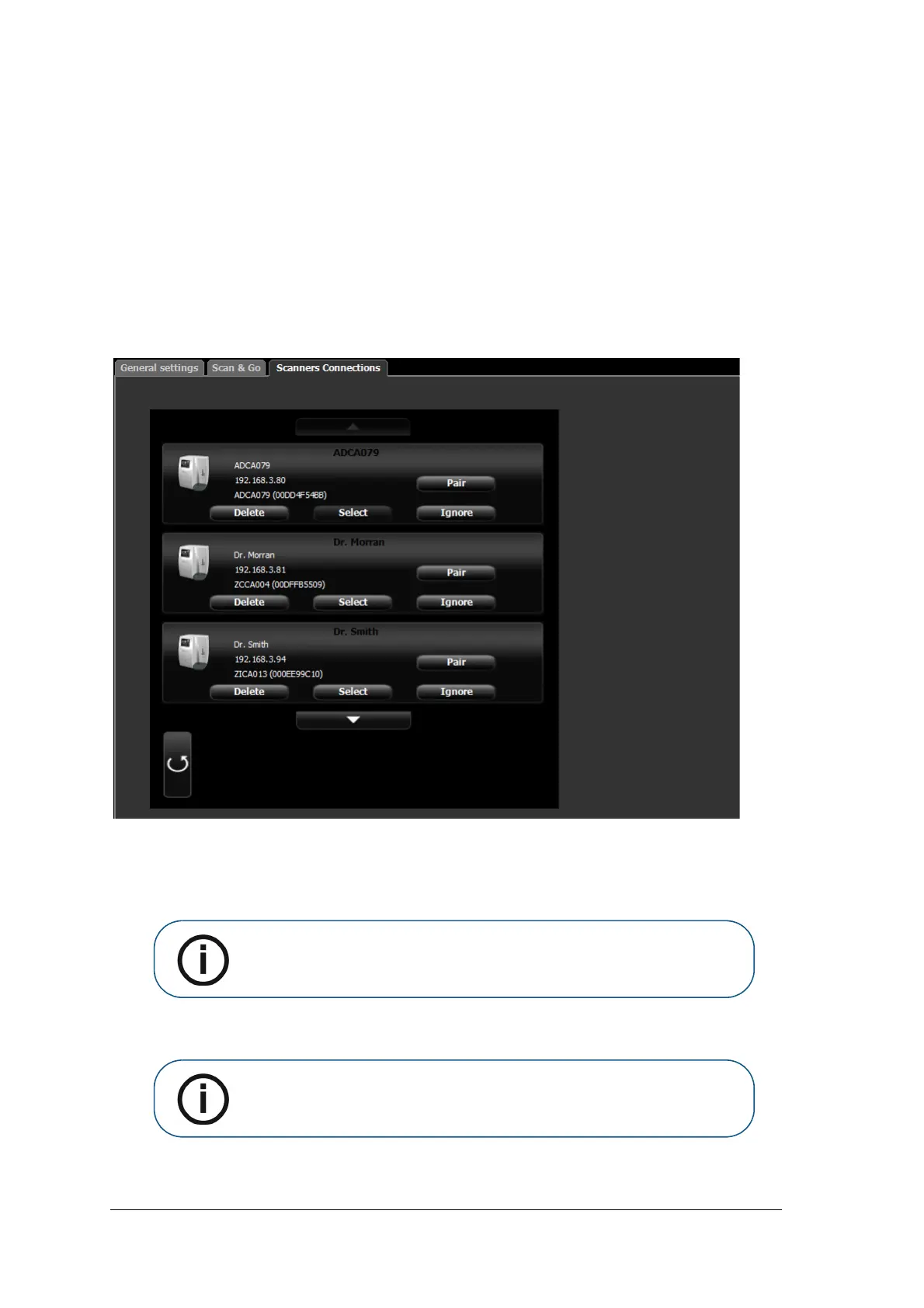
In the Scanners Connections tab, you are able to perform the following:
• Delete a scanner connection that is no longer being used (after a scanner has been replaced)
• Pair / Unpair a Peer to Peer link between a Scanner and the Workstation
• Connect / Ignore a scanner from the active Scanner List
• Rearrange the Scanner List, by clicking the Select button which moves the scanner to the top of the
Scanner List
Figure 4 Scanners Connections Tab
Working with the Scanners Connections Tab
1 To remove a scanner from the Scanner List, click Ignore.
2 To add a scanner to the Scanner List, click the Connect button for that scanner.
3 To completely remove a scanner that is no longer being used from the Scanners Connections and the
image Acquisition interface, click Delete.
Note: If there are scanners on the network which you don’t wish to use, click
Ignore.
Note: Scanners connected to the system will still be detected and added to the
list of scanners in the Scanners Connections list after restarting the image
Acquisition interface.











 To Next Page