CS 7600_User Guide (8J4071)_Ed04 83
After the scanner is restarted, the scanner has been updated.
3 By pressing the right navigation button sign with “?”, the scanner info screen with the new version
appears.
After the update process is completed, the scanner is ready for scanning
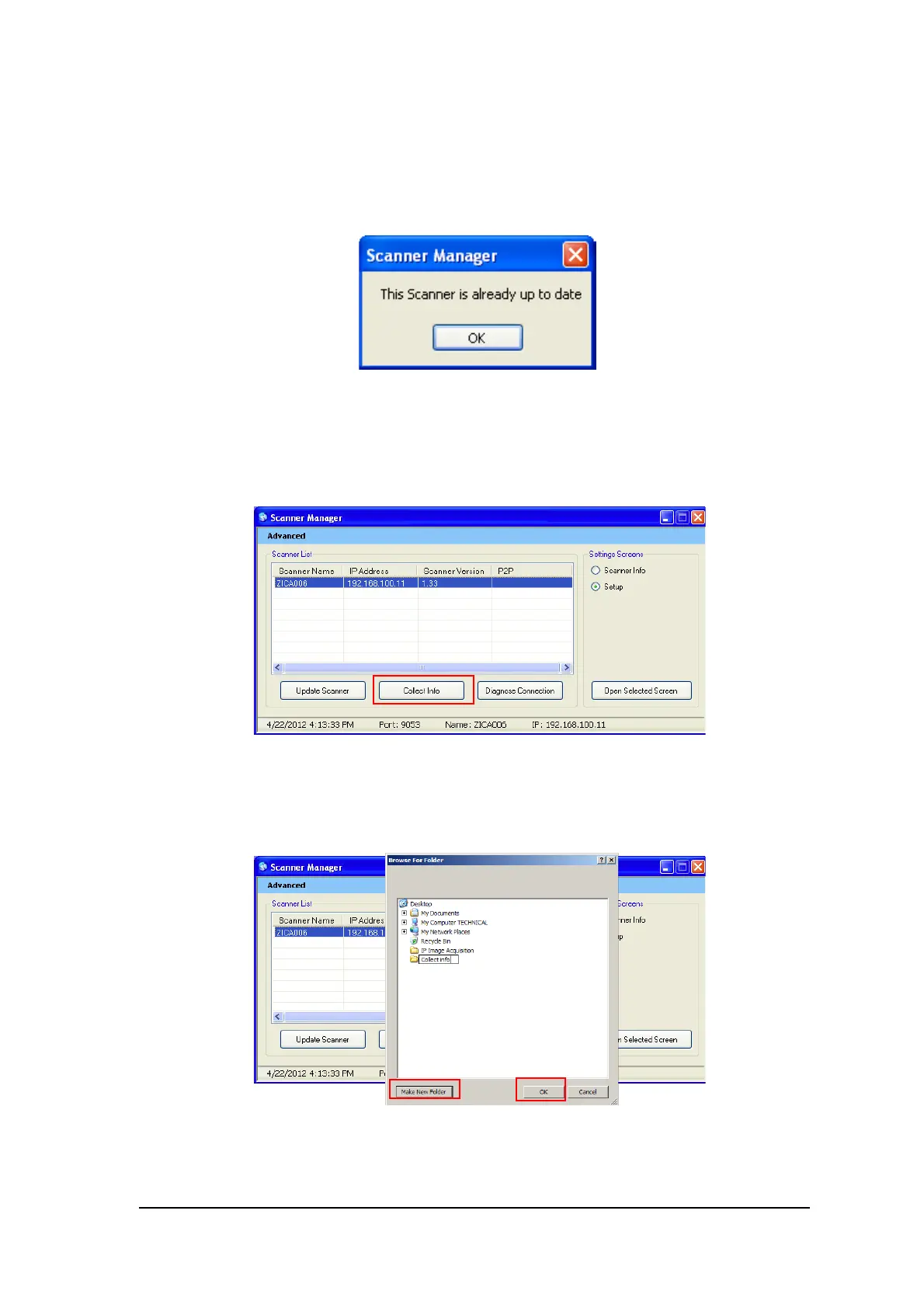
4 If the scanner is already up to date, the following message appears, click OK.
Collect Info
This tool is collecting the necessary log files from the Scanner and from the work station, and then the
DSE/User is able to save the zip file on the local PC and send it for inspection.
1 Select the scanner and click Collect Info.
2 Create new folder with the Scanner name (Recommended).
A browse window opens.











 To Next Page