CS 7600_User Guide (8J4071)_Ed04 45
5 Repeat steps 1 to 4 for any other imaging plates that need erasing.
Scanner Settings
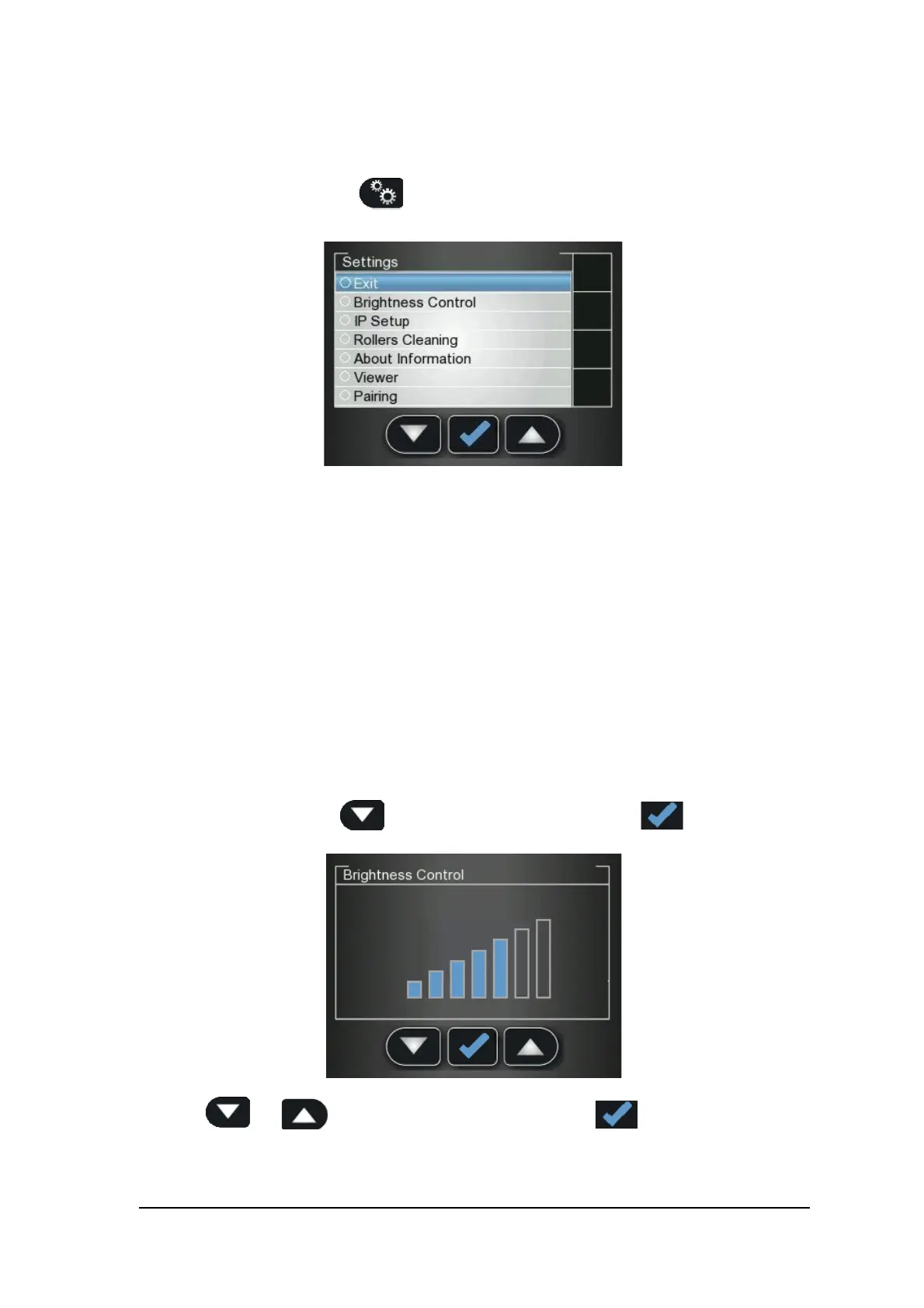
To open the scanner settings, press Settings.
The Scanner Settings menu opens.
In Scanner Settings menu you are presented with the following menu:
• Brightness Control, See “Brightness Control” on page 45
• IP Setup, See “Clearing Scanner Memory” on page 49
• Rollers Cleaning, See “Cleaning the Scanner Rollers” on page 67
• About Information, See “Scanner Info” on page 43
• Viewer, See “Viewer” on page 47
• Pairing, allows you to create a Peer to Peer (P2P) link between a scanner and computer. See
“Creating a Peer to Peer Connection” on page 34 and See “Disconnecting a Peer to Peer
Connection” on page 48
Brightness Control
1 In the Settings menu, press to select Brightness Control, and press
The Brightness Control screen opens.
2 Press and to lower or raise the brightness, and press
The Brightness is set and you are returned to the scanner insert plate screen.











 To Next Page