56 Chapter 5 Acquiring Images
Scanning the Imaging Plates
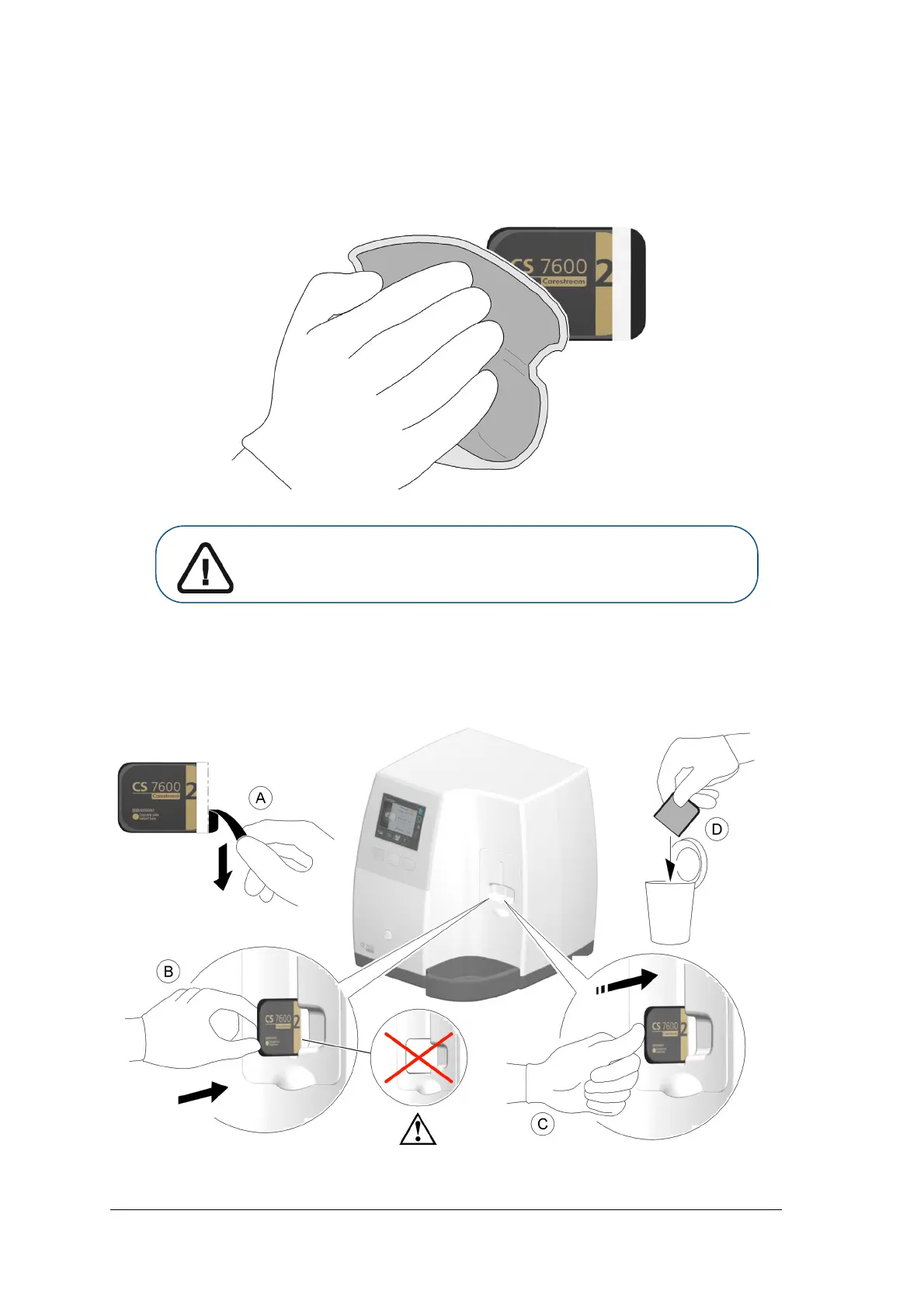
1 Remove the imaging plate from the patient’s mouth. Do not remove the imaging plate from its
hygienic sheath. Wipe and disinfect the exposed imaging plate’s hygienic sheath ( See “Disinfecting
the Hygienic Sheath and the Imaging Plates” on page 63). Keep the imaging plate in its hygienic sheath
to minimize exposure to light.
2 At the scanner location, tear open the hygienic sheath (A) and insert the exposed imaging plate into the
scanner by positioning the open side of the sheath in the insertion panel slot (B) with the foam side to
the right. Push out the tip of the imaging plate from its hygienic sheath (C).
The imaging plate (without its protective sheath) is drawn into the insertion slot by the scanner and the
scanner preview shows the scan progress.
Important: If the imaging plate is exposed to light, it could result in
degradation of image quality. Do not remove the imaging plate from its
hygienic sheath until you insert it in the scanner’s insertion slot.











 To Next Page