CS 7600_User Guide (8J4071)_Ed04 57
3 Dispose of the used protective hygienic sheath (D).
If the scanner is linked Peer to Peer with a workstation the image is sent automatically to the workstation
which it is linked with.
If you are working with Scan & Go, the image is sent straight to the previously assigned workstation.
4 If you are working without Scan and Go:
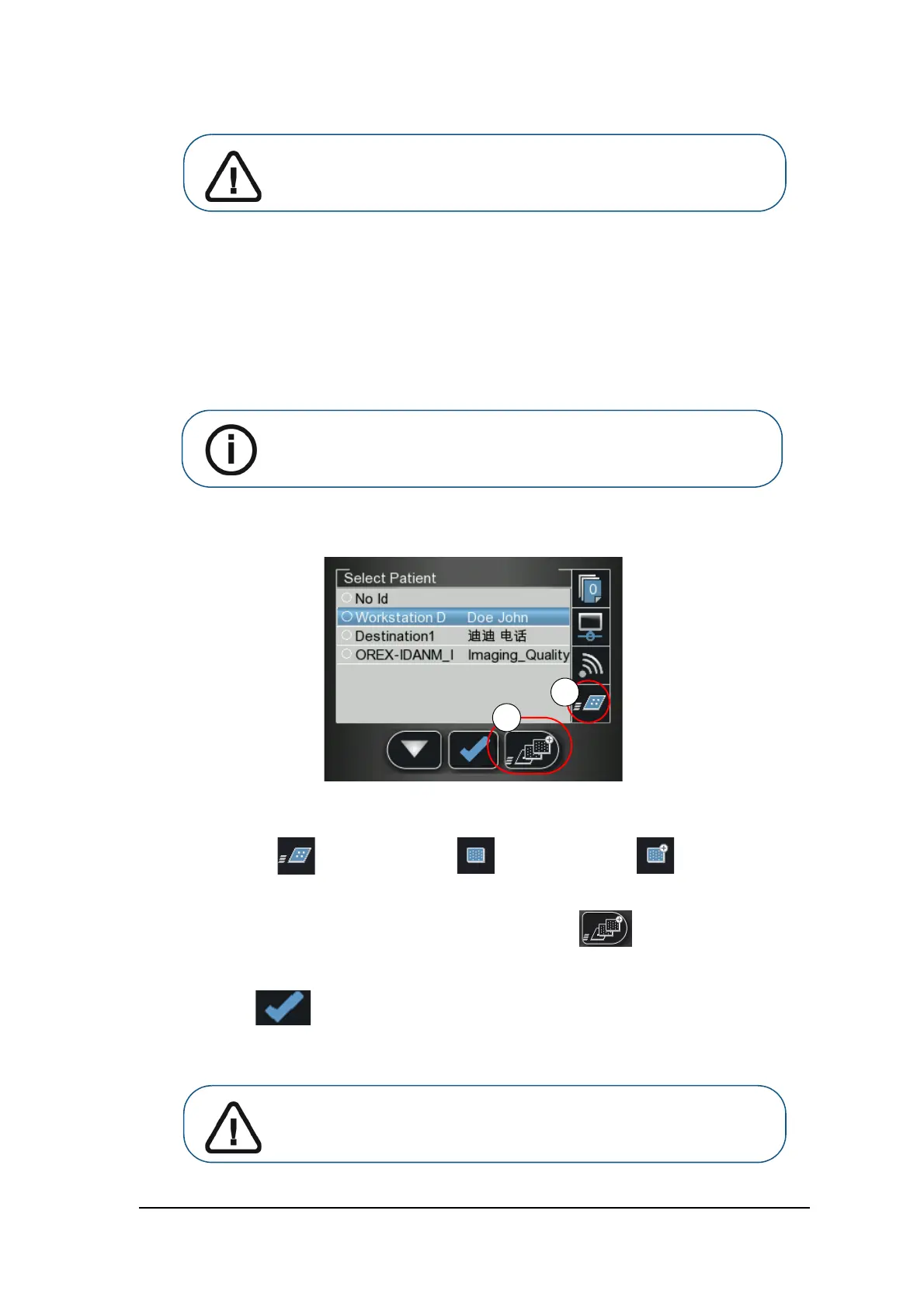
a Select the patient from the list. If the required patient does not appear in the list, select the No ID
option.
b Verify the scanning resolution is as desired – High Speed, High Resolution, or Super High
Resolution (A).
c
To change the scanning resolution for this specific scan press the scanner’s right function
button (B,) to toggle between the resolution levels. The resolution displayed is the scan resolution.
d Press the middle function button to scan the imaging plate.
5 Collect the ejected imaging plate from the lower tray after it is scanned, insert it into a new envelope,
seal the envelope and store it into the storage box for next use.
HS (High Speed) HR (High Resolution) SHR (Super High Resolution)
Important: If the user inserts the plate incorrectly, there is a possibility
of the plate falling into the scanner. If the plate falls into the scanner, See
“Retrieving a Fallen Imaging Plate” on page 58
Note: For information on retrieving No ID images, seeSee “Retrieving No ID
Images” on page 36
Important: After scanning the image, the scanner erases the imaging
plate before ejecting it. The imaging plate is ready for re-use.











 To Next Page