CS 7600_User Guide (8J4071)_Ed04 35
The Peer to Peer icon appears in the scanner.
Disconnecting a Peer to Peer Connection
Disconnecting a Peer to Peer Connection may be done from the image Acquisition interface or from the
Scanner interface.
To Unpair the Scanner, follow these steps:
1 In the Scanners Connections tab of the image Acquisition interface, click the Unpair button of the
scanner you wish to unpair.
OR
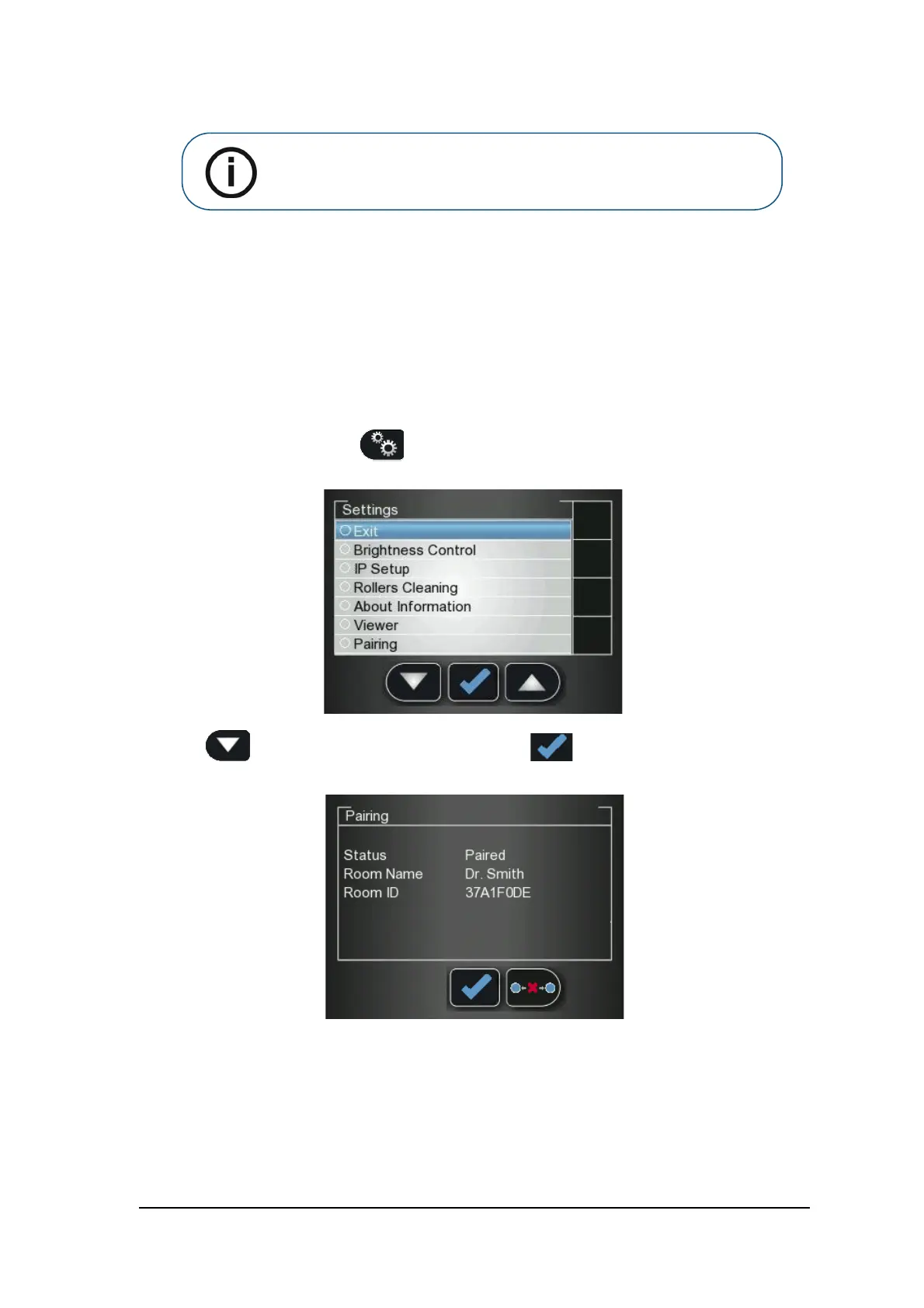
In the Scanner interface, press Settings.
The Scanner Settings menu opens.
2 Press to scroll to the Pairing checkbox, and press
The Pairing status screen opens and shows a paired status.
Note: If you change the resolution on the Scanner LCD, the change in
resolution will only take place upon next scan or image acquisition.











 To Next Page