CS 7600_User Guide (8J4071)_Ed04 71
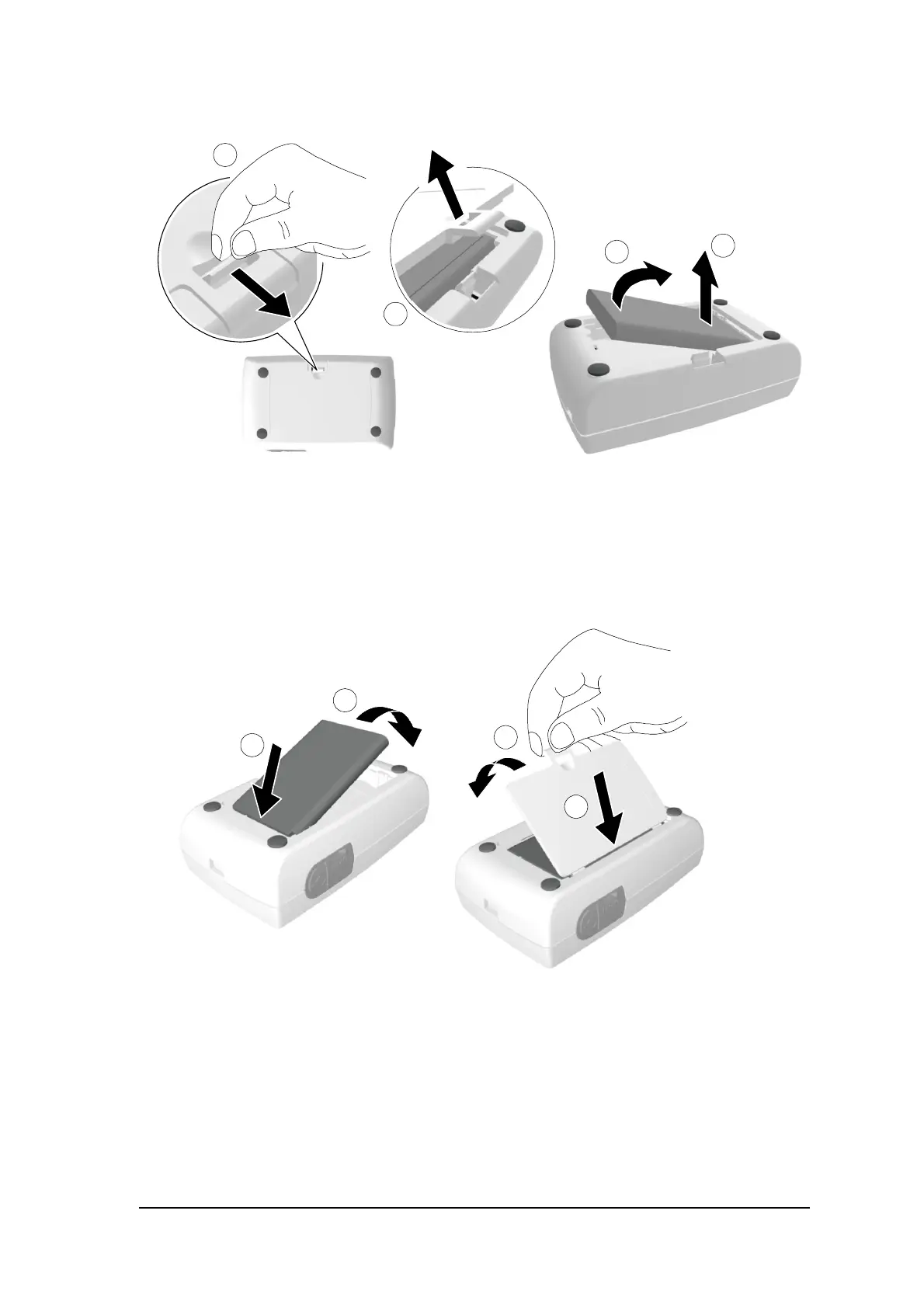
2 Open the battery compartment by carefully pressing the clip outwards and lifting out the cover (A, B).
3 Extract the battery as shown in the figure above (C, D) using the removal depression to lift the battery
out.
4 Insert the new battery by first pressing its contacts against the battery housing terminals (A) and then
place it in the housing (B).
5 Press the cover firmly to close it (C, D in above figure).
6 Connect the USB cable to the computer.











 To Next Page