CS 7600_User Guide (8J4071)_Ed04 65
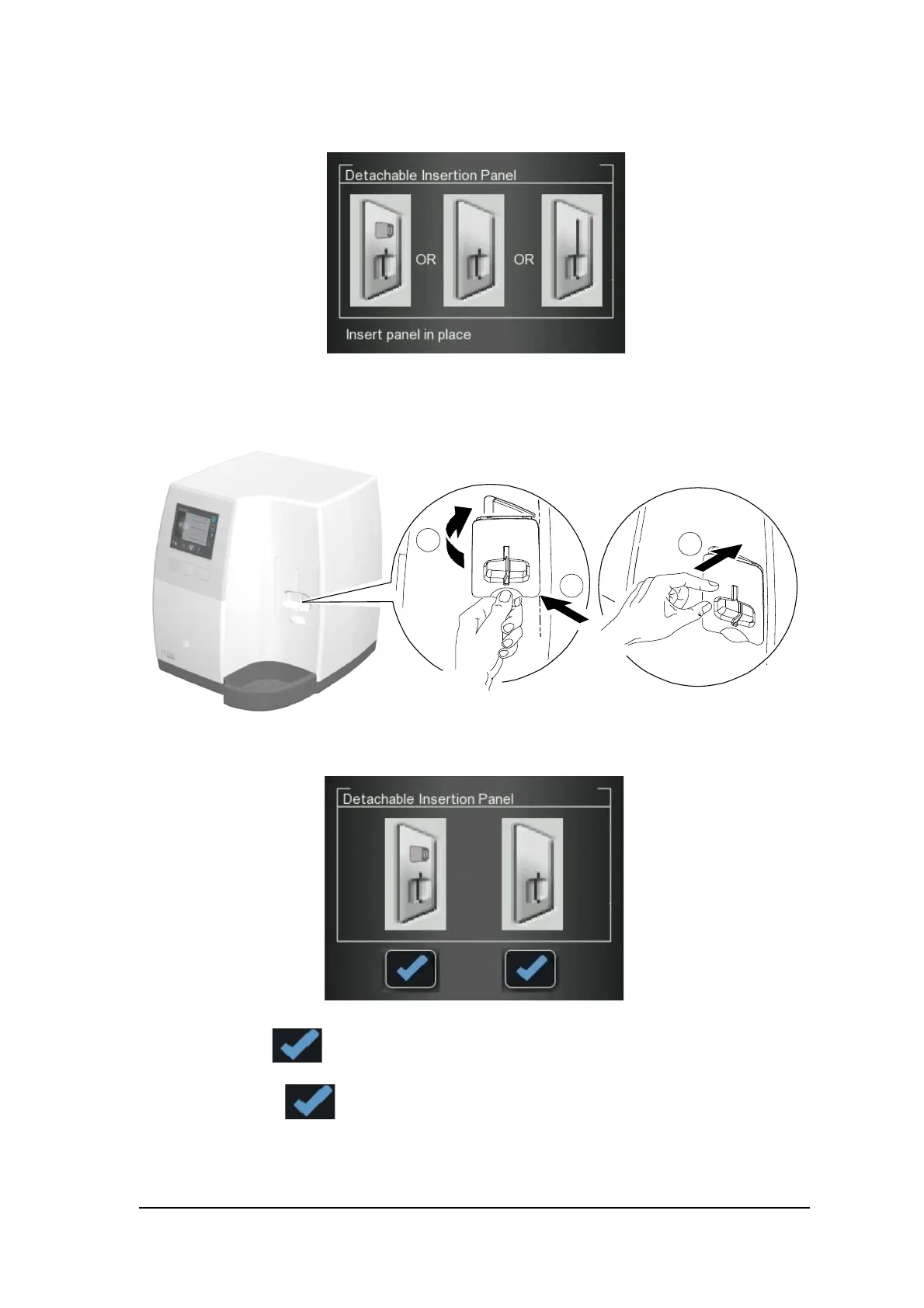
3 The scanner displays a prompt to put in place an insertion panel, either a size 0 (left figure in prompt),
size 0-3 (middle figure in prompt) or a size 4 (right figure in prompt) insertion panel.
4 Install the cleaned and disinfected insertion panel by positioning the insertion panel at a 45 degree angle
to the right side of the insertion panel’s housing (A) and pressing the insertion slot panel in from right to
left (B) until it’s completely inserted (C).
The scanner displays an insertion confirmation.
5 For size 0, press the left function button to confirm and return to the main screen.
6 For size 0-3, press the right function button to confirm and return to the main screen.











 To Next Page