3-CONTROLSANDINSTRUMENTS
Viewingscreens
AtanytimeduringoperationorwiththekeyswitchON,
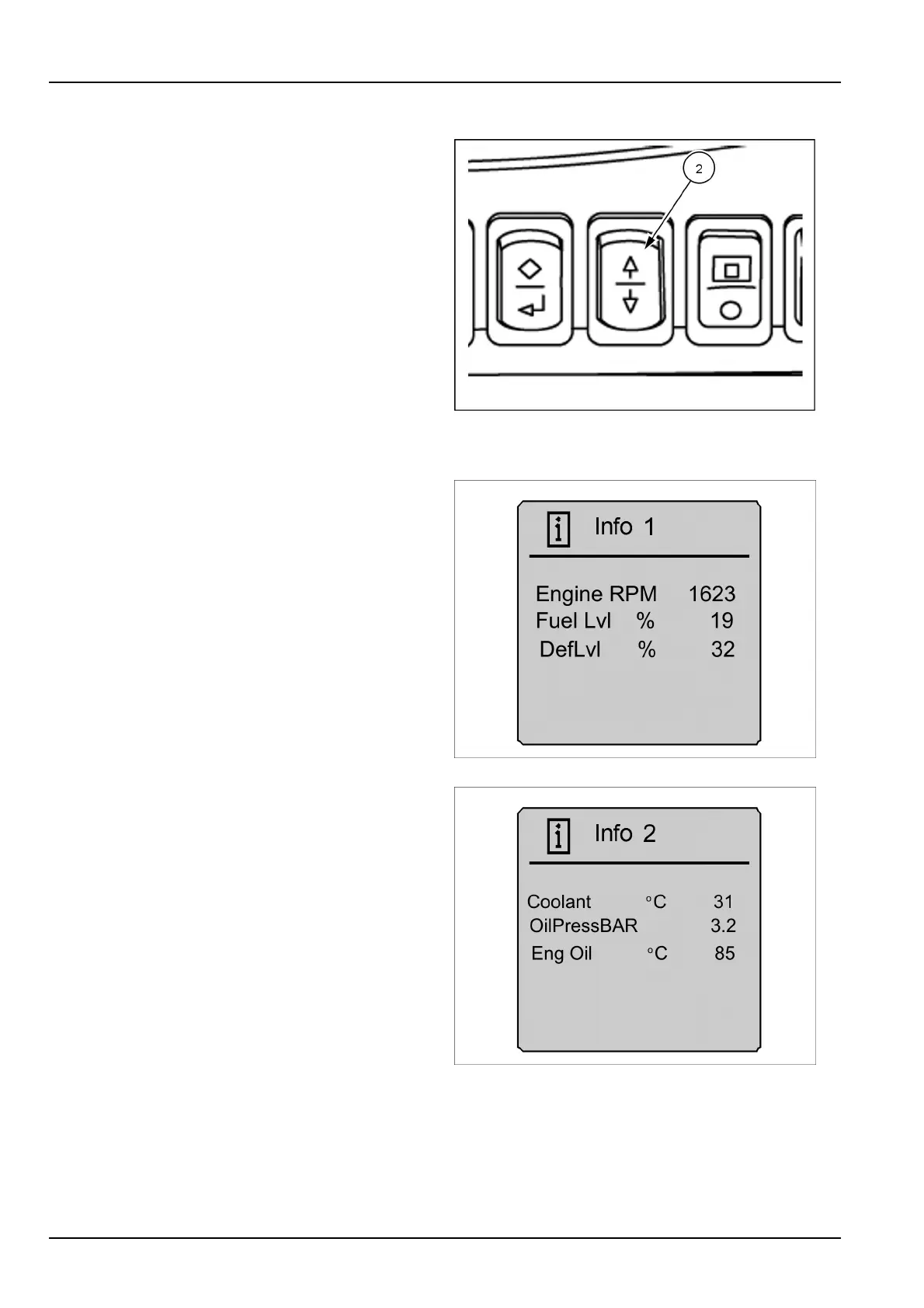
theoperatormayscrollthroughtheinformationscreens
andtwotripscreensbyusingthearrowswitch.These
screensareinacircularloopandmaybeaccessedby
pressingtheupordownswitch.Thefollowingsequence
shownusesthedownswitchonly.
NOTE:PressingtheescapeswitchwillreturntheLCD
backtothenormaldrivingscreen.Inordertolockthe
changesintomemory,theoperatormustpresstheenter/
conrmswitch,thenusetheescapeswitchtoreturntothe
mainscreen.
Fromthedrivingscreen,pushthedownarrow.
RAIL12DOZ0225AA4
Informationscreens
Info1istherstinformationscreendisplayedwhenusing
thedownarrowfromthedrivingscreen.Itdisplaysengine
RPM,fuellevel,andtheDEFuidlevel.
RAIL12DOZ1026AA5
PressthedownswitchagaintodisplayInfo2screen.This
screenwilldisplaycoolanttemperature,engineoiltem-
perature,andoilpressure.T emperaturecanbedisplayed
ineitherFahrenheitorCelsius.
RAIL12DOZ1027AA6
3-42


 To Next Page