Managing the System
Network Services
Cisco Small Business NSS 322, NSS 324, and NSS 326 Smart Storage Administration Guide 133
3
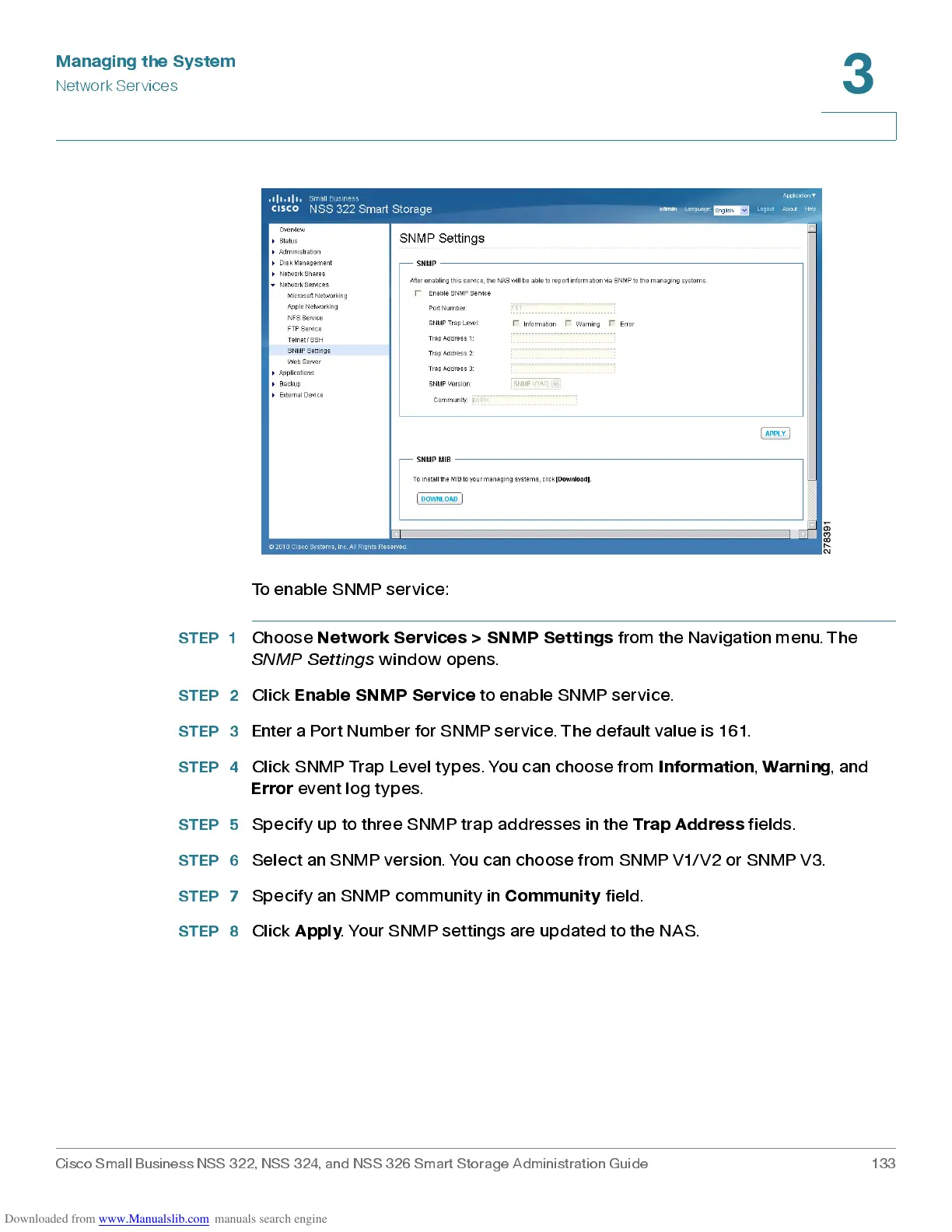
To enable SNMP service:
STEP 1
Choose
Network Services > SNMP Settings
from the Navigation menu. The
SNMP Settings
window opens.
STEP 2
Click
Enab le SN MP S ervi c e
to enable SNMP service.
STEP 3
Enter a Port Number for SNMP service. The default value is 161.
STEP 4
Click SNMP Trap Level types. You can choose from
Information
,
Warning
, and
Error
event log types .
STEP 5
Specify up to three SNMP trap addresses in the
Trap Address
fields.
STEP 6
Selec t an S N M P ver sion. You can cho os e from S N M P V1/V 2 or SN MP V3.
STEP 7
Specify an SNMP community in
Communit y
field.
STEP 8
Click
Apply
. Your SNMP settings are updated to the NAS.



 To Next Page