NAS Maintenance
Restart or Shut Down the NAS
Cisco Small Business NSS 322, NSS 324, and NSS 326 Smart Storage Administration Guide 176
5
Restart or Shut Down the NAS
Follow the steps below to restart or shut down the NAS.
STEP 1
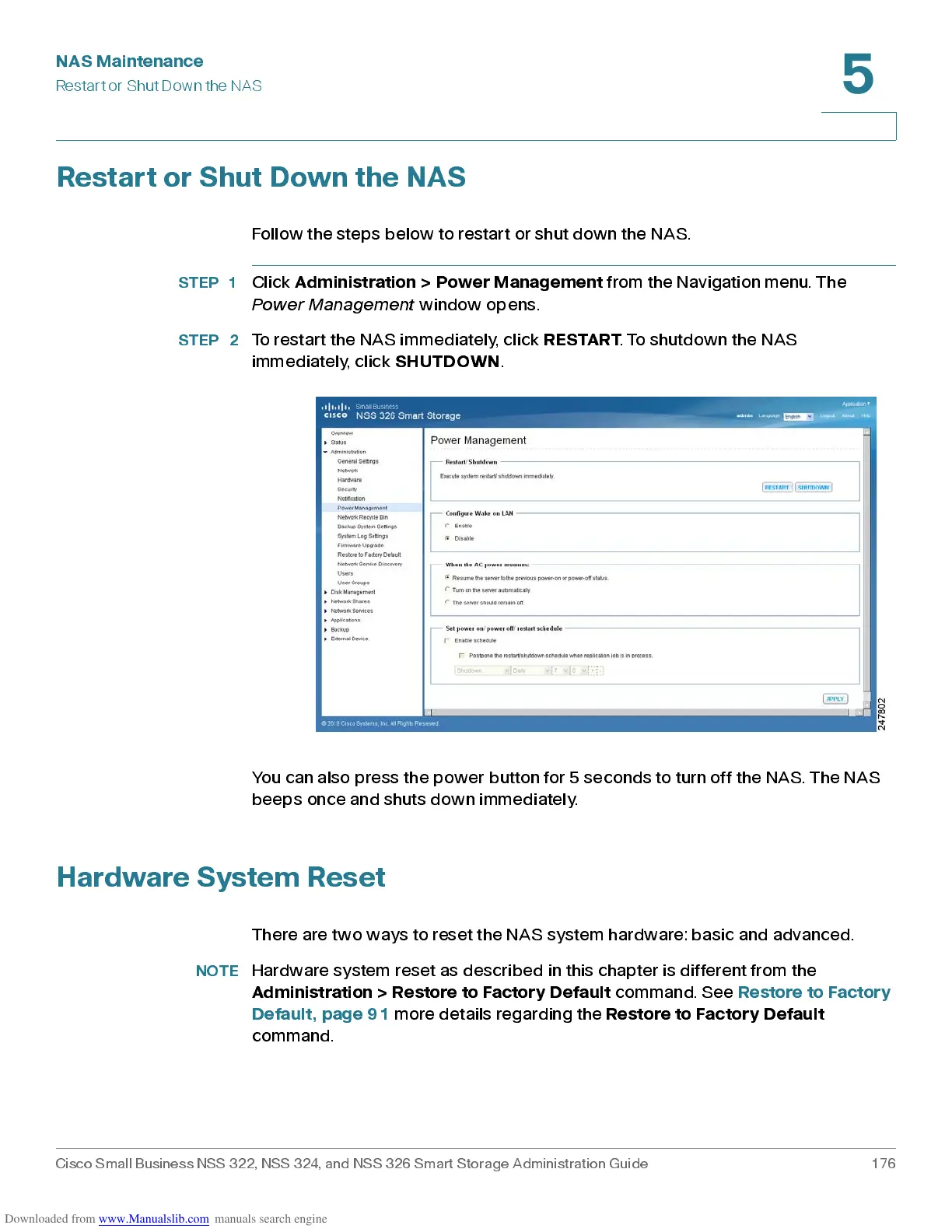
Click
Adm in ist ration > P ower Man ag em ent
from the Navigation menu. The
Power Management
window opens.
STEP 2
To restart the NAS immediately, click
RESTART
. To shutdow n the NAS
immediately, click
SHUTDOWN
.
You can also press the power button for 5 seconds to turn off the NAS. The NAS
beep s onc e and sh uts dow n imm ed iately.
Hardware System Reset
There are two ways to reset the NAS system hardware: basic and advanced.
NOTE
Hardware system reset as described in this chapter is different from the
Administration > Restore to Factory Default
command. See
Restore to Factory
Default, page 91
more details regarding the
Rest ore to Factor y D efau lt
command.



 To Next Page