Managing the System
Applications
Cisco Small Business NSS 322, NSS 324, and NSS 326 Smart Storage Administration Guide 141
3
To delete a file on th e NA S:
STEP 1
Selec t the file that you want to delete.
STEP 2
Click the
Delete
icon. The Rename dialog opens.
STEP 3
Click
Yes
to verify that you want to delete the file.
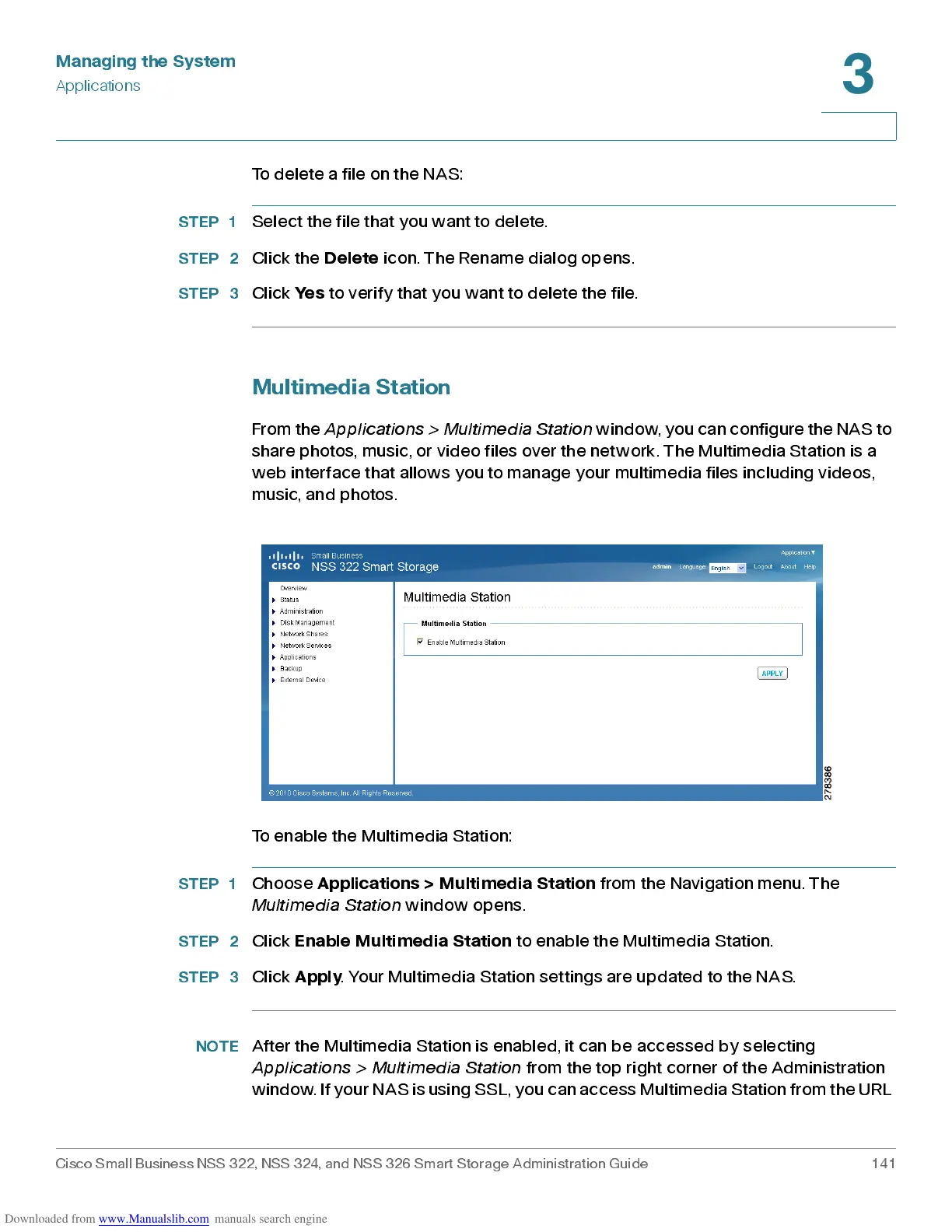
M ultimedia Station
From the
Applic a ti on s > Mult im edia St a ti on
win do w, y o u c an co n f i g u r e t he NAS to
share photos, music, or video files over the network. The Multimedia Station is a
web interface that allows you to manage your multimedia files including videos,
music, an d photos .
To enable the Multimedia Station:
STEP 1
Choose
Applic ation s > Mu lti m ed i a St ation
from the Navigation menu. The
Multimedia Station
window opens.
STEP 2
Click
Enable Multimedia Station
to enable the Multimedia Station.
STEP 3
Click
Apply
. Your Multimedia Station settings are updated to the NAS.
NOTE
After the Multimedia Station is enabled, it can be accessed by selecting
Ap pl ica tio ns > Mult im e d ia Sta tio n
from the top right corner of the Administration
wi nd o w. I f yo ur NAS i s u s i ng SSL, y o u ca n a ccess Mu l t i me dia St ation f r o m t h e UR L



 To Next Page