Managing the System
Administration
Cisco Small Business NSS 322, NSS 324, and NSS 326 Smart Storage Administration Guide 77
3
•
Send A Test SMS message
—Click to send a test SMS message to the cell
phone numb er s spe cified in the S MS notification s ettings.
NOTE
The S M SC server must b e configured to send S M S notification.
STEP 3
Click
Apply
to save the a lert notific ation s ettings.
Power Ma na geme nt
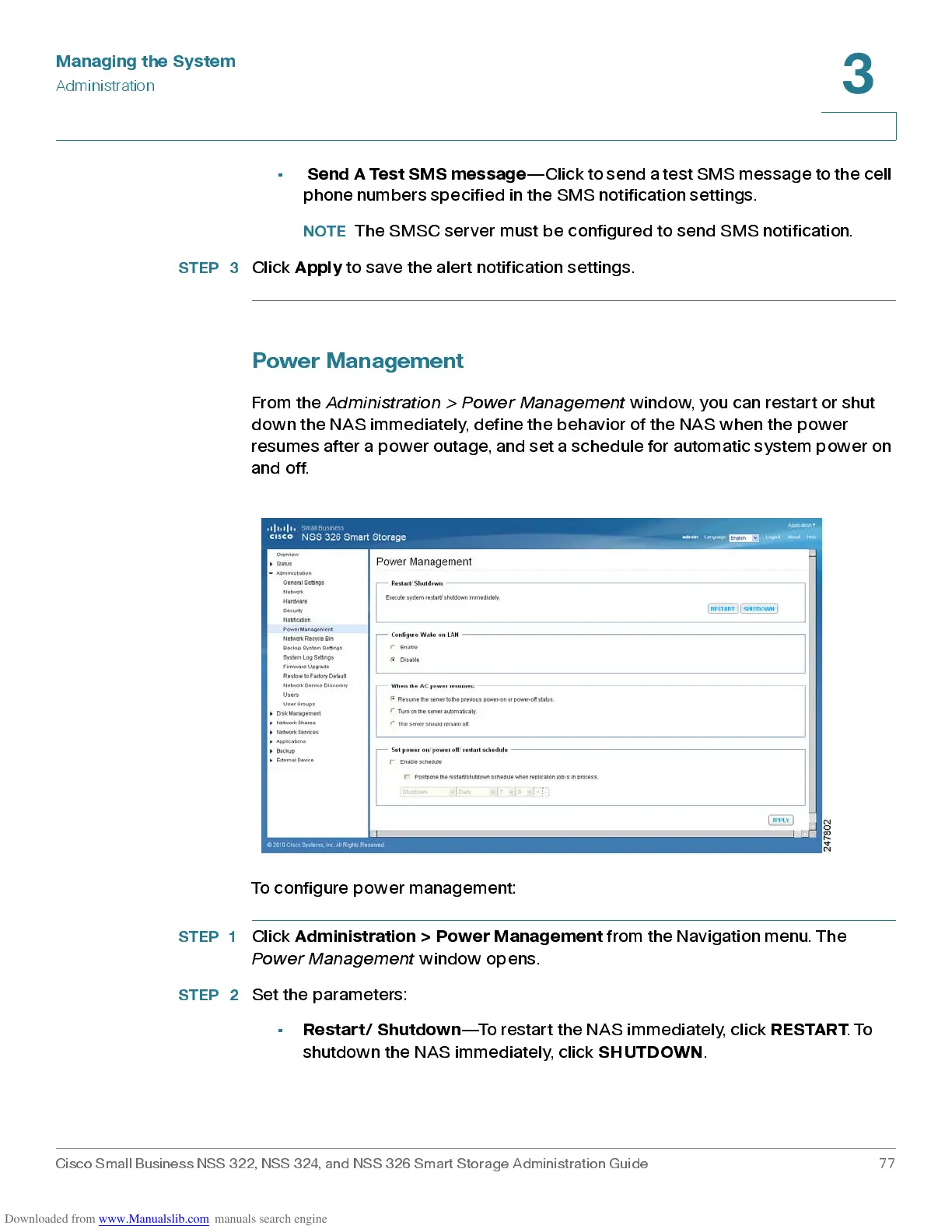
From the
Administration > Power Management
window, you can restart or s hut
down the NAS immediately, define the behavior of the NAS when the power
resumes after a power outage, and set a schedule for automatic system power on
and off.
To configure pow er ma nagem ent :
STEP 1
Click
Adm in ist ration > P ower Man ag em ent
from the Navigation menu. The
Power Management
window opens.
STEP 2
Set the parameters:
•
Restart/ Shutdown
—To rest art the NAS immediately, click
RESTART
. To
shutdown the NAS immediately, click
SHUTDOWN
.



 To Next Page