Managing the System
Applications
Cisco Small Business NSS 322, NSS 324, and NSS 326 Smart Storage Administration Guide 148
3
STEP 3
If you want to view the UPn P Me dia S erver configur ation win dow with your
br o wse r, cl ick
After enabling this service, click the following link to enter UPnP
Media Server configuration page
. You can access the configuration page
directly from
http://NAS IP:9000/
if SSL is enable d.j
STEP 4
Click
Apply
. Your UP nP Media Server settings are updated to the NAS.
MySQL Server
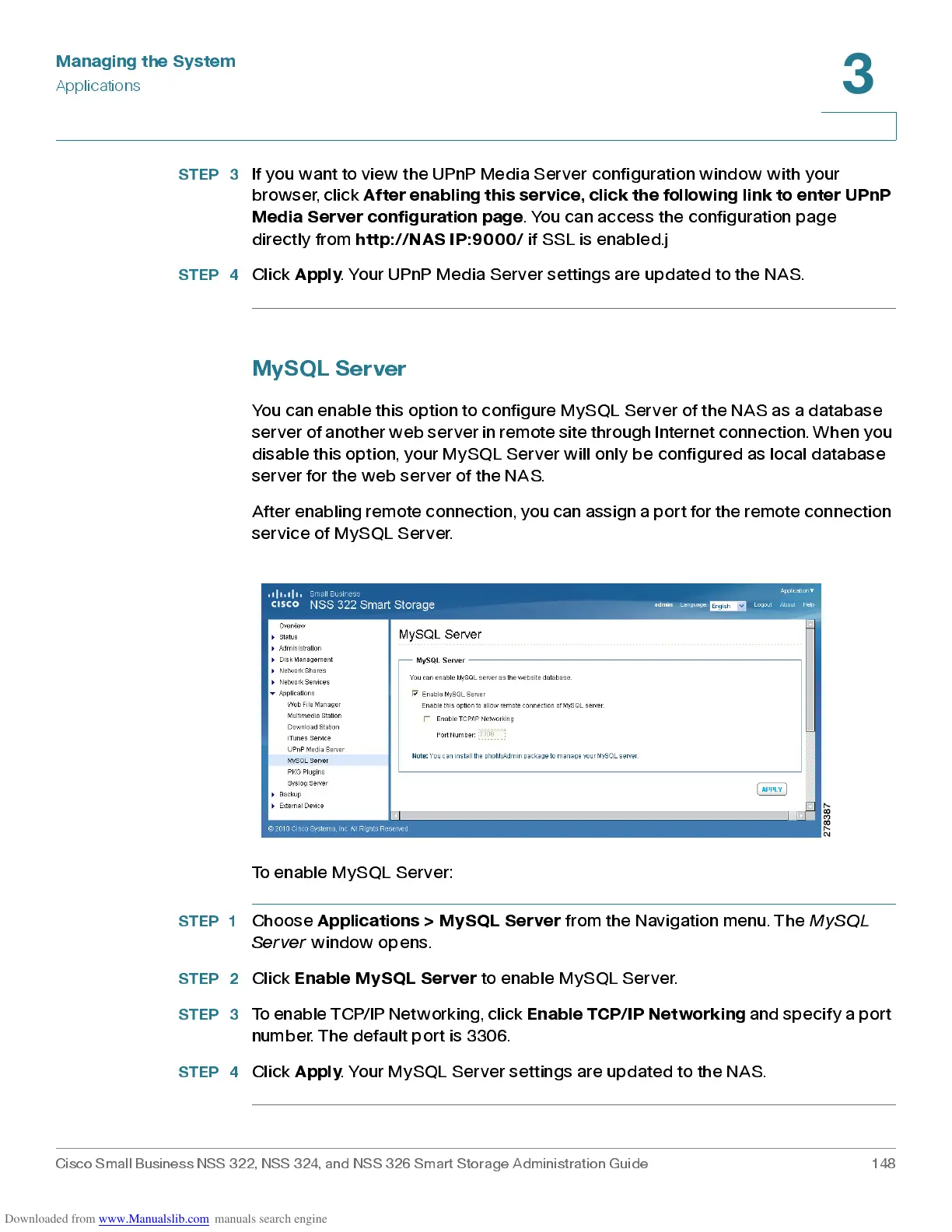
You can enable this option to configure MySQL Ser ver of the NAS as a database
server of another web server in remot e site through Internet connection. When you
disable this option, your MySQL Server will only be configured as local database
server for the web server of the NAS.
After enabling remote connection, you can assign a port f or the remote connection
service of MySQL Server.
To enable My SQ L S erv er:
STEP 1
Choose
Applications > MySQL Server
from the Navigation menu. The
MySQL
Server
window opens.
STEP 2
Click
Enab le MyS Q L Server
to enable My SQ L S erver.
STEP 3
To enable TCP/IP Networking, click
Enable TCP/IP Networking
and specify a port
numb er. The default port is 3306.
STEP 4
Click
Apply
. Your MySQL Se rver settings are updated to the NAS.



 To Next Page