Managing the System
Applications
Cisco Small Business NSS 322, NSS 324, and NSS 326 Smart Storage Administration Guide 154
3
Server Settings
Remote Authentication Dial In User Service (RADIUS) is a networking prot ocol that
provides centralized authentication, authorization, and accounting management
for compu ter s to c onn ec t and us e a netw ork serv ice. It is often us ed to man age
access to the Internet or internal networks which may incorporate modems,
acc ess points, and web server s . The bu ilt-in RADIU S S erv er mon itors UD P ports
1645, 1812 (for RADIUS authentication) and 1646, 1813 (for RADIUS accounting)
for R AD IUS reques ts .
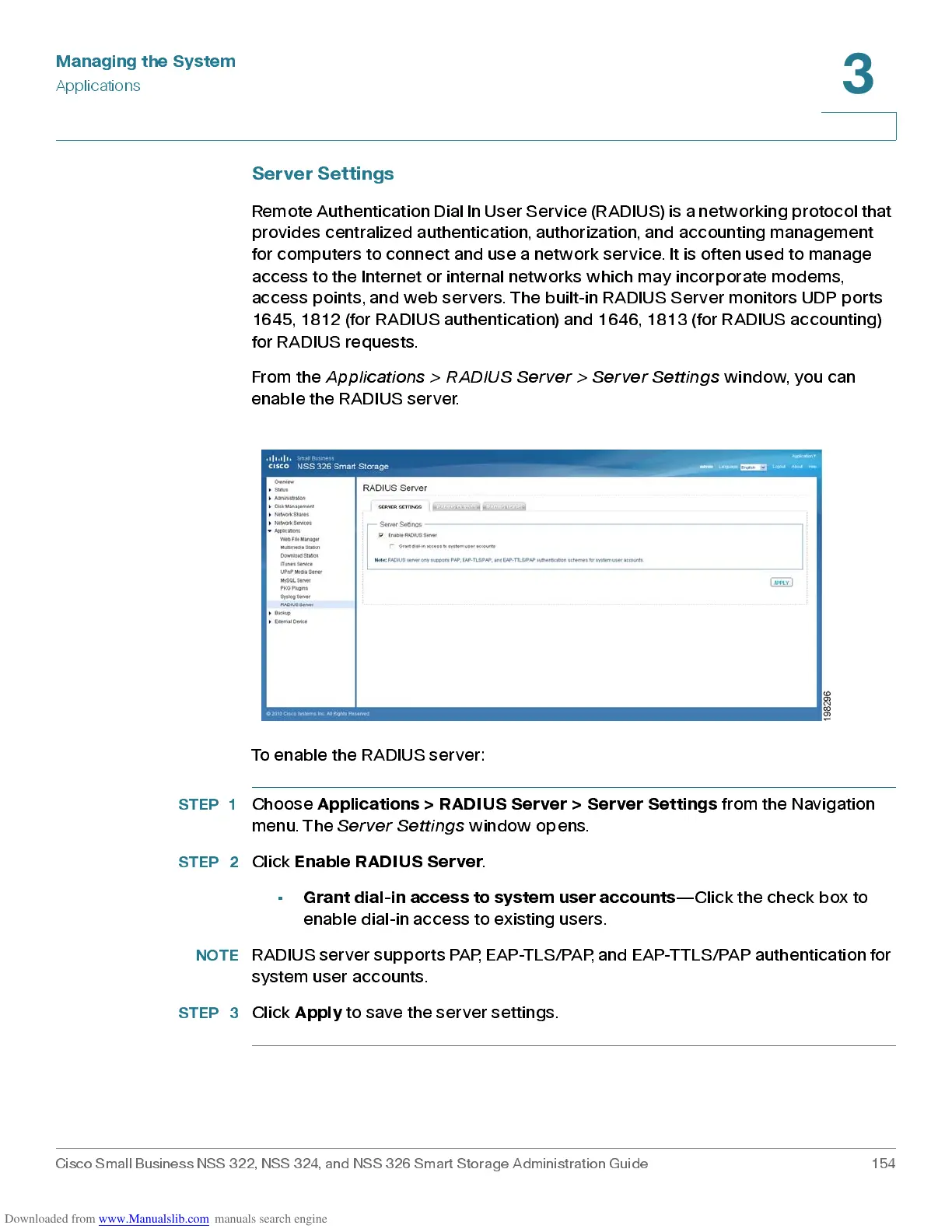
From the
Ap p lic ati ons > RADIU S S e rver > Se rve r S etting s
window, you can
enable the R AD IUS s erver.
To enable the RADIUS server:
STEP 1
Choose
Applications > RADIUS Server > Server Settings
from the Navigation
menu. The
Server Settings
window opens .
STEP 2
Click
Enab le R AD IU S Server
.
•
Grant dial-in access to system user accounts
—Click the chec k b ox to
enable dial-in access to existing users.
NOTE
RADIUS server supports PAP, EAP-TLS/PAP, and EAP-TTLS/PAP authentication for
system user accounts.
STEP 3
Click
Apply
to save the server settings.



 To Next Page