ComNav P4 Installation and Operation
Basic Operations
Document PN 29010100 V1r0 - 138 -
When you first enter AUTO mode, the autopilot will use the heading that the boat
was on at the
moment the mode was entered as the initial Commanded Heading. To change the Commanded
Heading, use the COURSE CHANGE knob:
A clockwise turn will result in an increase of the Heading.
A counter-clockwise turn will decrease the Heading.
One ‘click’ will change the Heading by 1 degree.
A quick spin of the knob changes the Heading by 10 degrees.
The autopilot will then bring the boat around to the new Commanded Heading at no more
than the
rate of turn specified for Turn Rate in the Auto menu. The actual Heading shown in
the display will
gradually change to match the Commanded Heading.
Notes on AUTO Mode
If you need to, you can quickly “dodge” around obstacles, and automatically return to
your original
Commanded Heading when the boat is clear of the obstacle, without
having to turn the COURSE
CHANGE knob. See the Dodge and Jog Steering Turns section for more information.
You can limit the maximum amount of rudder travel in AUTO mode by turning on the
Auto/Nav rudder
limits. Turning them on, and adjusting them to suit, is done in the
Power Steer menu.
The autopilot has an automatic Off-Course Alarm that will be activated should the
boat fall off the
Commanded Heading by more than 20°. There is a 32 second delay
on this alarm.
Caution: On a P4VS without an RFU, you should always manually steer a steady,
straight
Heading, in STANDBY mode, for at least 10 seconds – or longer, if
necessary - until you
don’t have to continue to move the wheel/tiller to
maintain a straight Track – before switching
into POWER STEER, AUTO or
NAV modes. The rudder must be in the dead-ahead position
when you
switch modes.
Hi & Lo Speed Rudder Gain
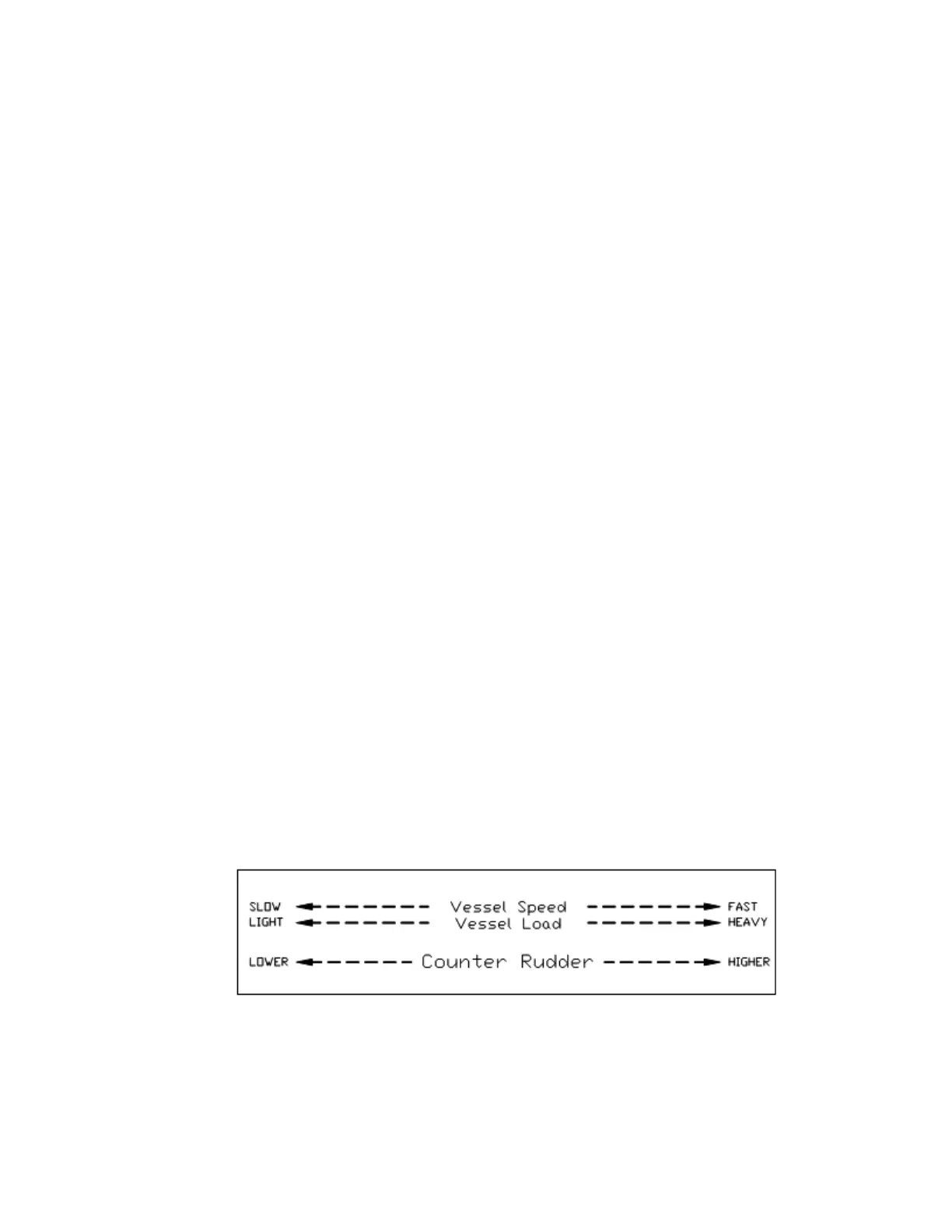
Counter Rudder is a measure of how much rudder is applied for a given rate of change in
course error. If the course error is increasing, the counter rudder adds to the rudder
correction, and if the course error is decreasing, the counter rudder subtracts from the rudder
correction applied.
Like Rudder Gain, there are two numbers shown; one for LO speed, and one for HI speed.
The parameter values do not have any units. The following diagram provides a general guide
to setting Counter Rudder:
Figure 60 – Guidelines for setting Counter Rudder



 To Next Page