ComNav P4 Installation and Operation
Basic Operations
Document PN 29010100 V1r0 - 145 -
Correction set to XTE – Cross-Track Error Steering
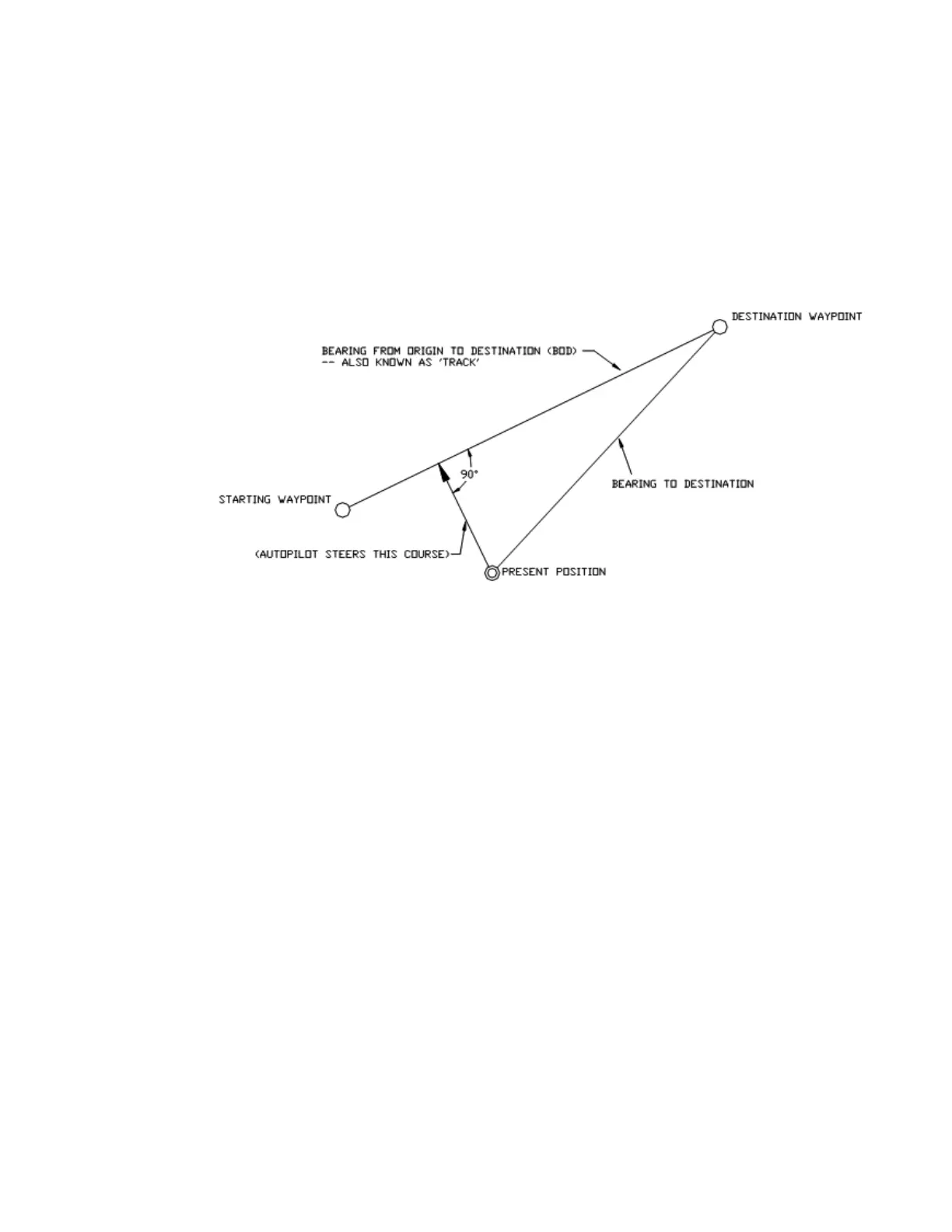
Cross-track error is the perpendicular distance from the track to the vessel’s position.
When using Cross-Track Error Steering, the autopilot initially steers on its present heading,
and monitors the Cross-Track Error reported by the Navigation System. The autopilot
changes the heading so as to minimize the cross-track error.
If the initial cross-track error is large, the autopilot will steer a course almost perpendicular to
the original track, so as to get back on the track as quickly as possible.
Figure 65 – Steering with Correction set to XTE
Test this out so as to be familiar with it by performing the following steps:
1) Change “Correction” in the Nav menu to “XTE”
2) Make sure the Navigation System is turned on and that a waypoint is programmed in.
3) Switch the autopilot to STANDBY mode and manually steer the vessel onto the track.
4) Place the P4 into NAV mode by pressing and holding the NAV button until the unit
beeps and the letter “N” appears in the upper left portion of the display.
5) Observe the vessel’s heading and the cross-track error. The autopilot should be
steering so as to minimize cross-track error.
The course steered when Correction is set to “XTE” may not be the most efficient in terms of
overall distance traveled.
NOTE: If the vessel seems to be continually falling off course away from the track, change
the “XTE Sense” (cross-track error sense) in the Nav menu from “Norm” (normal) to “Rev”
(reverse) and observe any performance differences.



 To Next Page