ComNav P4 Installation and Operation Getting Started
Document PN 29010100 V1r0 - 78 -
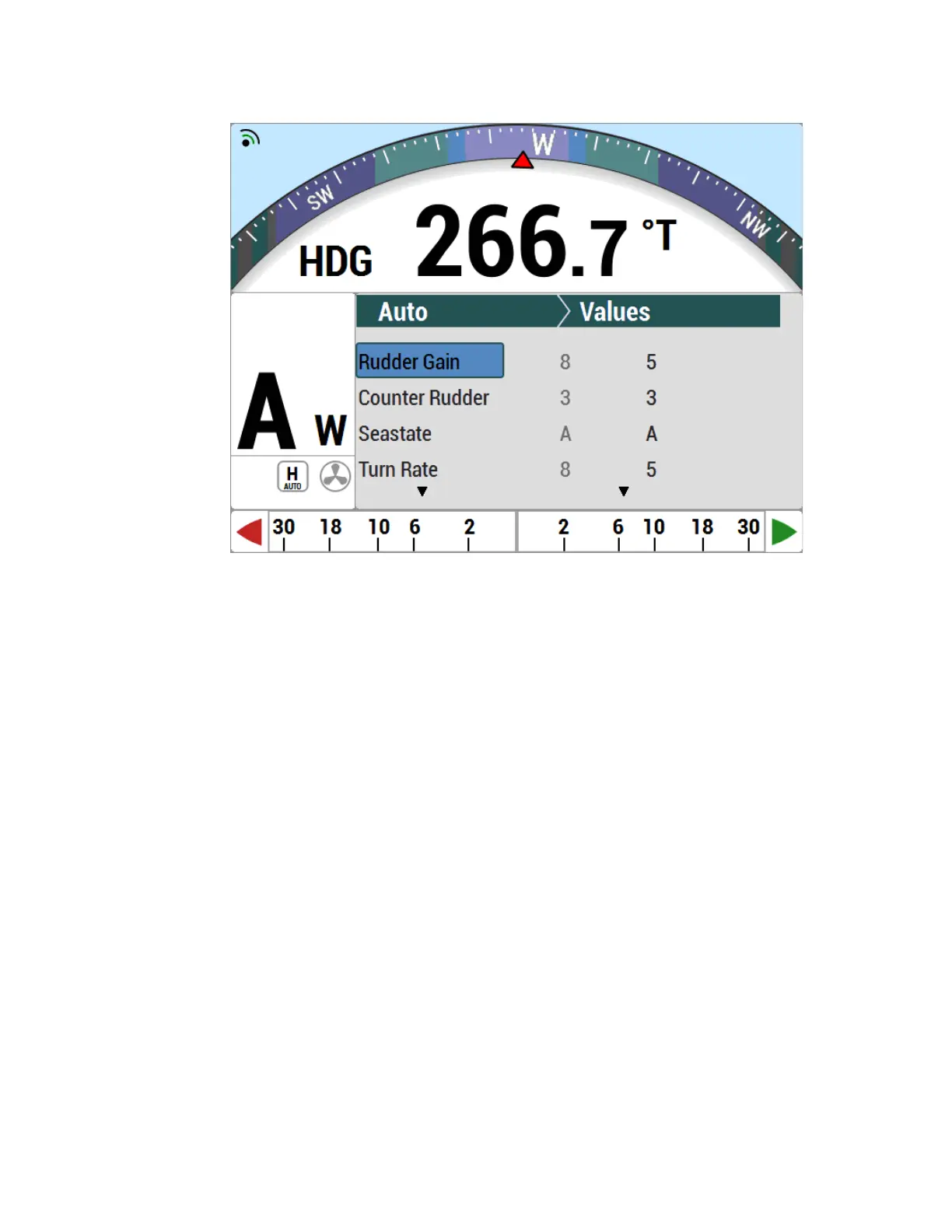
Figure 48 – Typical WORK Mode Screen (Engaged)
To disable WORK mode, press the WORK button again, for approximately 1 second, until a
confirmation beep is heard and the letter ‘W´ disappears from the display. WORK mode can
also be cancelled by switching to either STANDBY or POWER STEER mode.
When WORK mode is engaged, the Rudder Scale Factor changes the amount of corrective
rudder movement which the steering algorithms calculate using the Rudder Gain setting. In
WORK mode, that calculated amount (i.e., proportional to the course error) will also be
multiplied by the Scale Factor, resulting in larger rudder movements for a given course error.
The Rudder Scale Factor is entered on the Work menu.
Other effects take place in WORK mode as well.
The corrective rudder movement calculated for Counter Rudder is reduced to the minimum
possible for the Vessel type (i.e., as if the Counter Rudder parameter was set to 0), which
enhances the effect of the Rudder Gain and Rudder Scale Factor.
Turn Rate is limited to 10° per second while WORK mode is active, for all changes of
Heading controlled by the autopilot, and for Special Turns.
Particularly useful for pair trawling, the autopilot also disables the automatic course trim
unless Autotrim (in the Work menu) is specifically turned on.
Finally, the built-in off-course alarm will be disabled the entire time WORK mode is engaged.
If the user is not satisfied with the fixed helm bias determined by the Autopilot at the onset of
WORK mode, manual adjustments can be made “on-the-fly” while WORK mode is engaged.
A double-press of the WORK button will bring up the regular Work menu, but with an
additional line. Rudder Bias will be the first line on the list, and will show the current helm
bias. You can change this value to suit, using the COURSE CHANGE knob. This feature is
useful in order to accommodate changing load or sea conditions.



 To Next Page