ComNav P4 Installation and Operation
Basic Operations
Document PN 29010100 V1r0 - 149 -
Once the button is released, the Autopilot will turn the vessel back to the commanded course
(i.e., Heading, Track, or Angle, depending on which operating mode is in effect).
Figure 69 – A Dodge in Progress (in AUTO Mode)
Caution! During a Dodge turn (for example, while one of the ARROW buttons is
maintained), the Autopilot will not limit the rate of turn of the vessel. Once an ARROW
button is released, the autopilot will begin to turn the vessel back to the Commanded
Course, but this time the turn will occur at no greater than the maximum turn rate that is
set in the Steering Parameters.
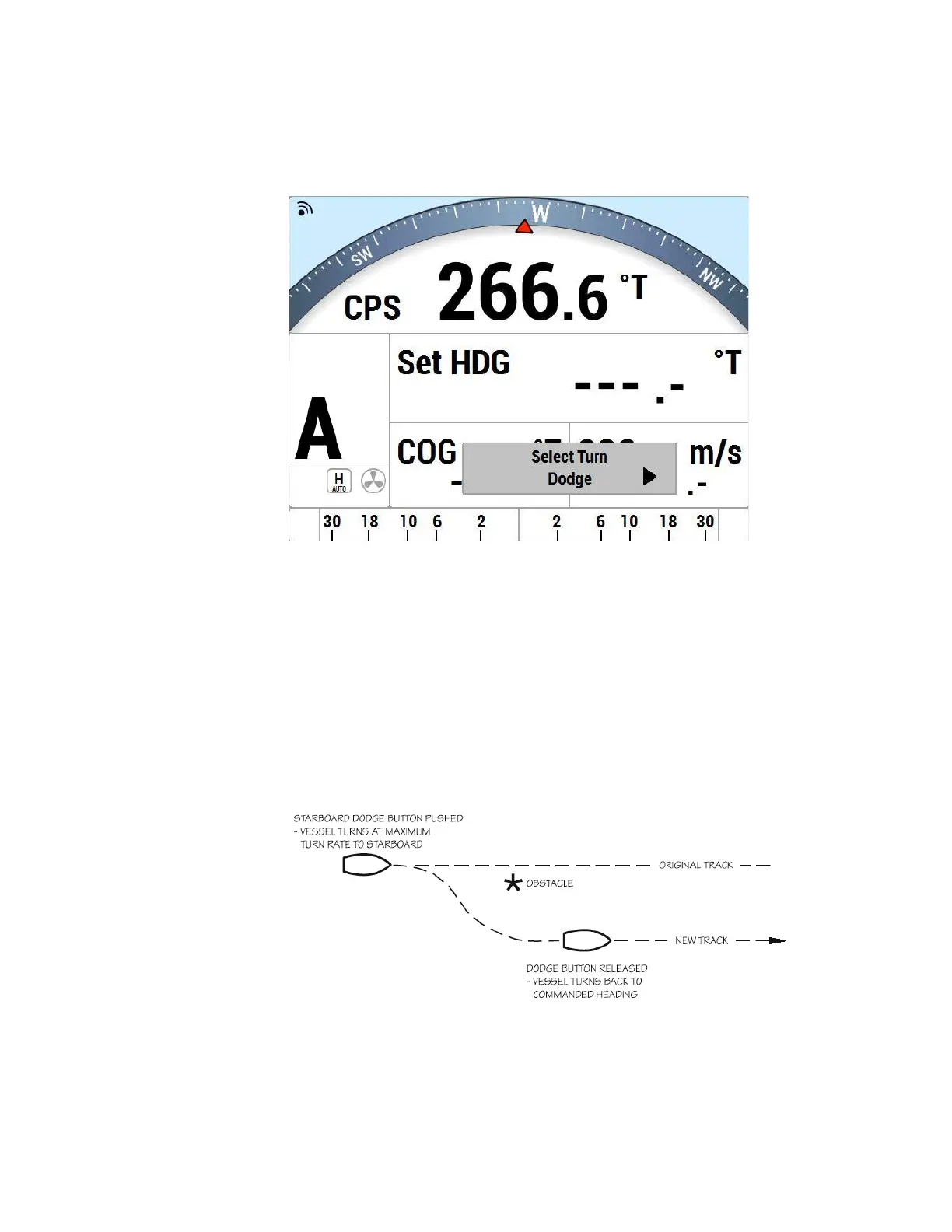
NOTE: If you dodge the vessel in AUTO or WORK modes, when you release the PORT
or STARBOARD ARROW button, the vessel will return to the same Heading, but not the
same Track. The new Track will be offset from the original Track by the distance
traveled during the Dodge manoeuvre. This is illustrated in Figure 70.
.
Figure 70 – Vessel Track During a Dodge Manoeuvre in AUTO Mode
By contrast, when you execute a Dodge in NAV mode, the autopilot will return the vessel to
the original Track, once you release the PORT and/or STARBOARD button.



 To Next Page