ComNav P4 Installation and Operation
Basic Operations
Document PN 29010100 V1r0 - 144 -
Commanded Heading Displayed
The commanded heading shown on the display in NAV mode may not be the same as the
bearing given by the Navigation System. This is because there are three different methods
that the P4 can use to process and react to the navigation data from the Navigation System.
You select which method you want the P4 to use by specifying “XTE”, “CTS”, or “Both” for the
“Correction” parameter in the Nav menu.
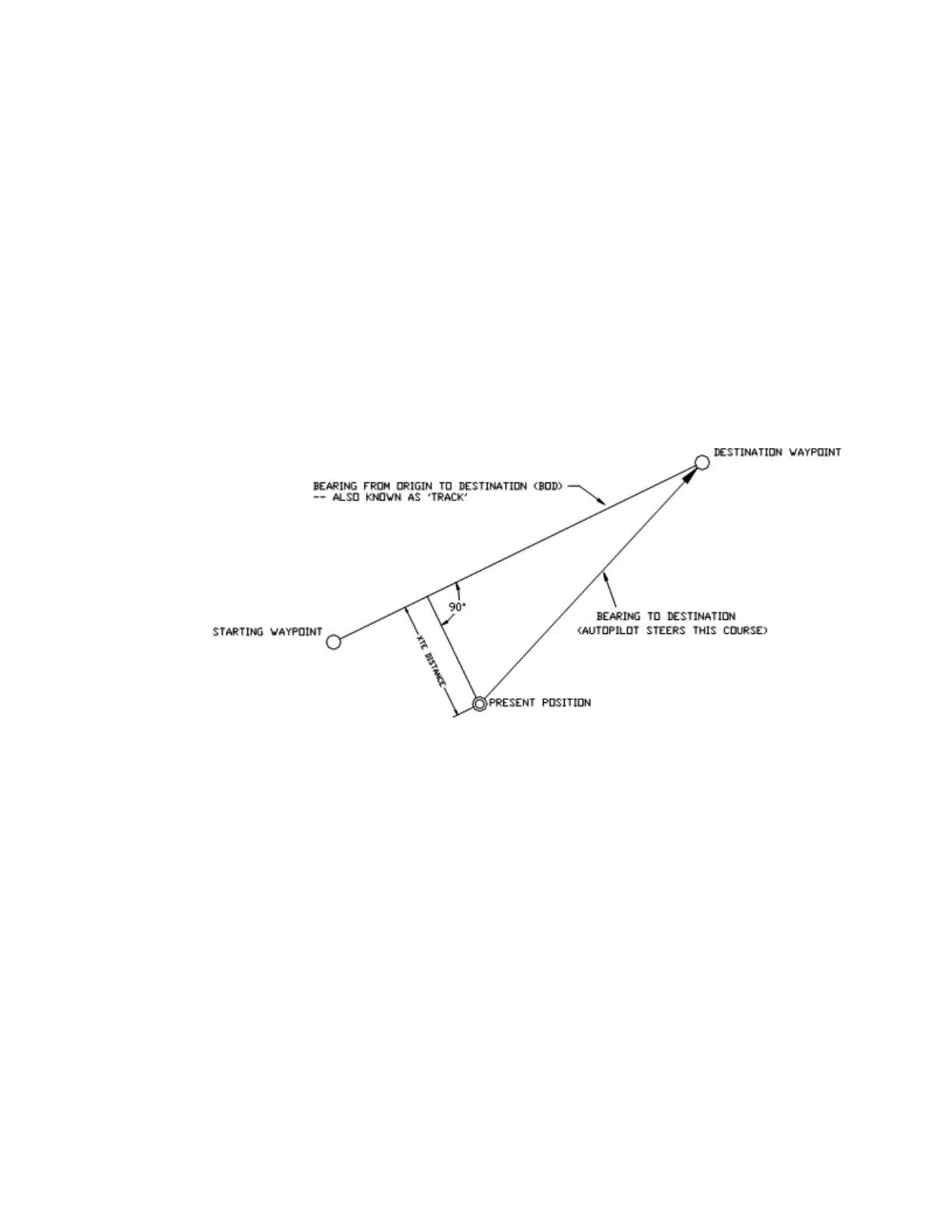
Correction set to CTS – Steering a Direct Bearing
In this method, Cross-Track Error is not factored into the calculation that the P4 uses to
determine the heading to steer. The autopilot therefore steers directly to the destination
waypoint, as depicted in Figure 64:
Figure 64 – Steering with Correction set to CTS
Test this out to be familiar with it, by performing the following steps:
1) Change “Correction” in the Nav menu to “CTS”
2) Make sure the Navigation System is turned on and that a waypoint is programmed in.
3) Switch the autopilot to STANDBY mode and manually steer the vessel away from the
waypoint track by a few hundred meters or more.
4) Place the P4 into NAV mode by pressing and holding the NAV button until the unit
beeps and the letter “N” appears in the upper left portion of the display.
5) Observe the commanded heading on the P4 display. It should match the bearing
reported by the Navigation System.
Caution! Be sure to maintain a sharp lookout to ensure that there are no obstacles
between the vessel and the destination when steering directly to a waypoint.



 To Next Page