ComNav P4 Installation and Operation Getting Started
Document PN 29010100 V1r0 - 89 -
Connect Rotary Follower unit to system
1. Press Enter to acknowledge the alarm
2. Press the CMD button to take control
3. Press the CMD button to bring up the menu.
4. Select SPU Setup
5. Select Setup (it works only when it is “S” STANDBY mode)
6. Note that the “S” changed to “D”(Dockside Setup Menu)
7. Select Drive Setup
8. Follow instructions to move rudder to finish setup.
9. After Dockside, the screen returns to “Drive Setup)
10. Select “Exit” on the Dockside Setup Menu, DO NOT use the MENU button to go to
the previous screen.
11. Press the Menu button to go back to STANDBY mode
12. To verify, press P.STR button to activate the rudder, and the rudder indicator on the
screen should show accordingly
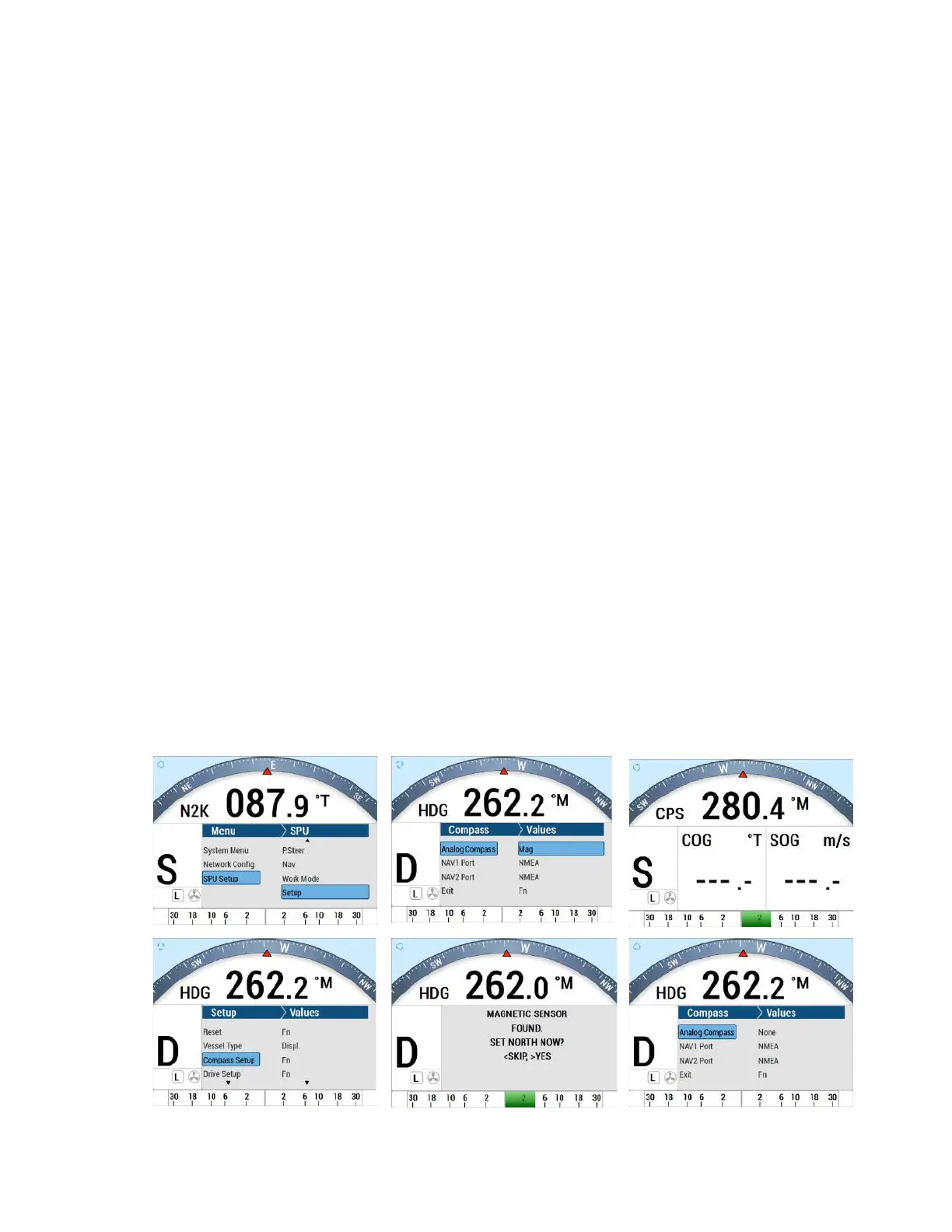
For Magnetic /Fluxgate Compass and Rotary Feedback Follower
The following is how to install and connect a ComNav Magnetic/Fluxgate Compass and
Rotary Feedback Follower.
1. Install the P4 SPU according to the section “Wiring the system” for Signal Processor
Unit and for Power Supply.
2. Install the Rudder Follower unit, Pumps, Drive and Navigation devices under section
“Installation” and “Wiring the system” for Rudder Follower Unit to the P4 SPU.
3. Connect the Magnetic /Fluxgate Compass onto J8 and /or J9 of the SPU under
section “Installation” and “Wiring the system” for Magnetic/Fluxgate/NMEA0183 to the
P4 SPU.
4. Connect Control Head to SPU
5. Do the same as for a N2K system
6. Connect a Magnetic compass to the SPU



 To Next Page