ComNav P4 Installation and Operation Getting Started
Document PN 29010100 V1r0 - 80 -
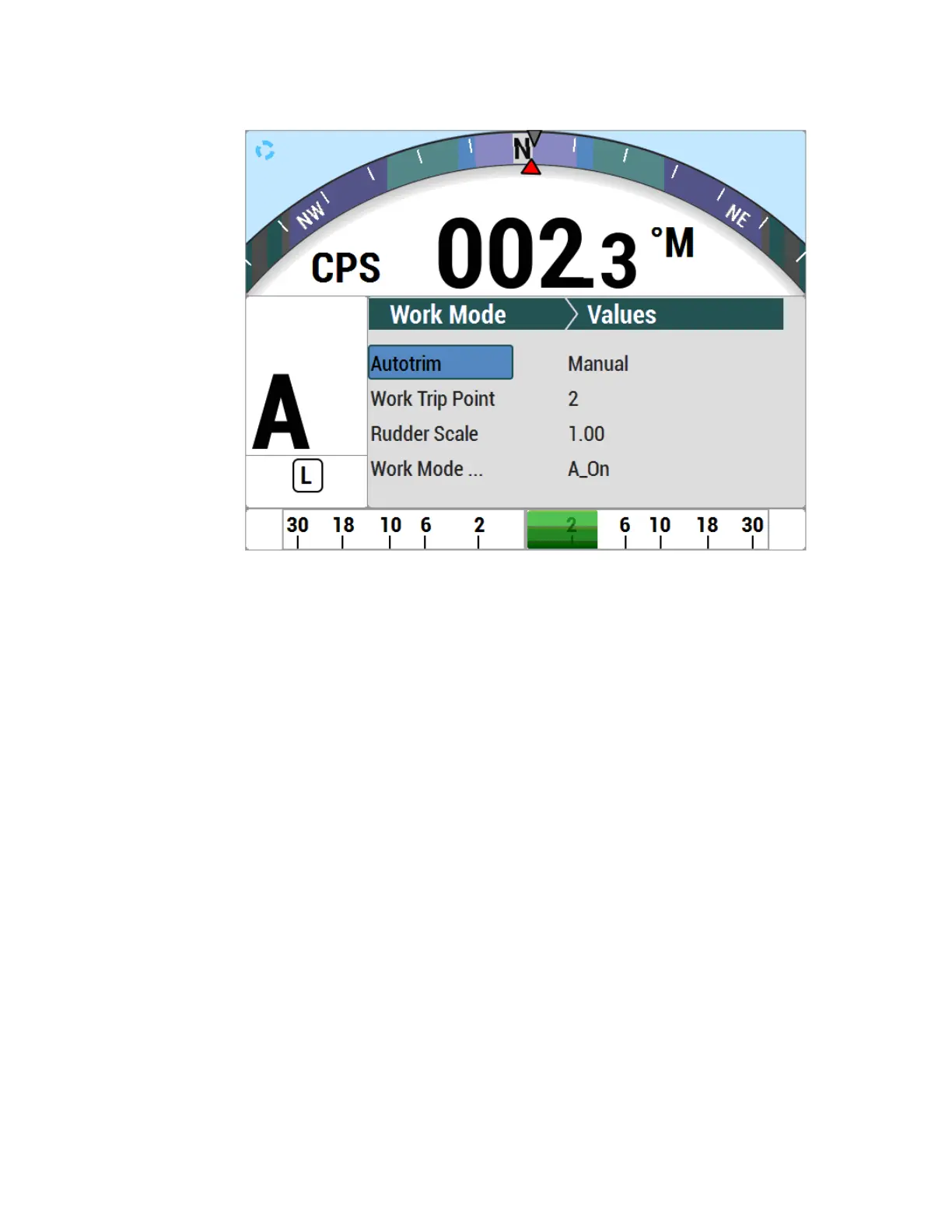
Figure 49 – WORK Mode Menu
Rudder Bias
This menu line only appears when WORK mode is active. It shows the current rudder bias,
which can be adjusted if desired.
Autotrim
The autopilot’s WORK mode can be configured to use manual or automatic rudder bias trim
when in WORK mode (the default is to use automatic bias).
Manual rudder bias is fixed by the position of the rudder when the autopilot first enters WORK
mode, but can be adjusted by the user if desired.
Automatic rudder bias is initially set to the position of the rudder when the autopilot first
enters WORK mode, but is automatically adjusted on a continual basis thereafter to ensure
that the vessel remains on-course.
Work Trip Pt. (Work Trip Point)
This is the speed below which WORK mode can be engaged, and above which WORK mode
will be disengaged automatically. The value can be 1 to 10, and these units refer to the
information the Speed Source is providing (see the Auto menu).
Rudder Scale (Rudder Scale Factor)
When WORK mode is engaged, the “Rudder Scale Factor” will multiply the Rudder Gain
setting in the Auto menu. Normally, the rudder is moved an amount proportional to the course



 To Next Page