ComNav P4 Installation and Operation Getting Started
Document PN 29010100 V1r0 - 83 -
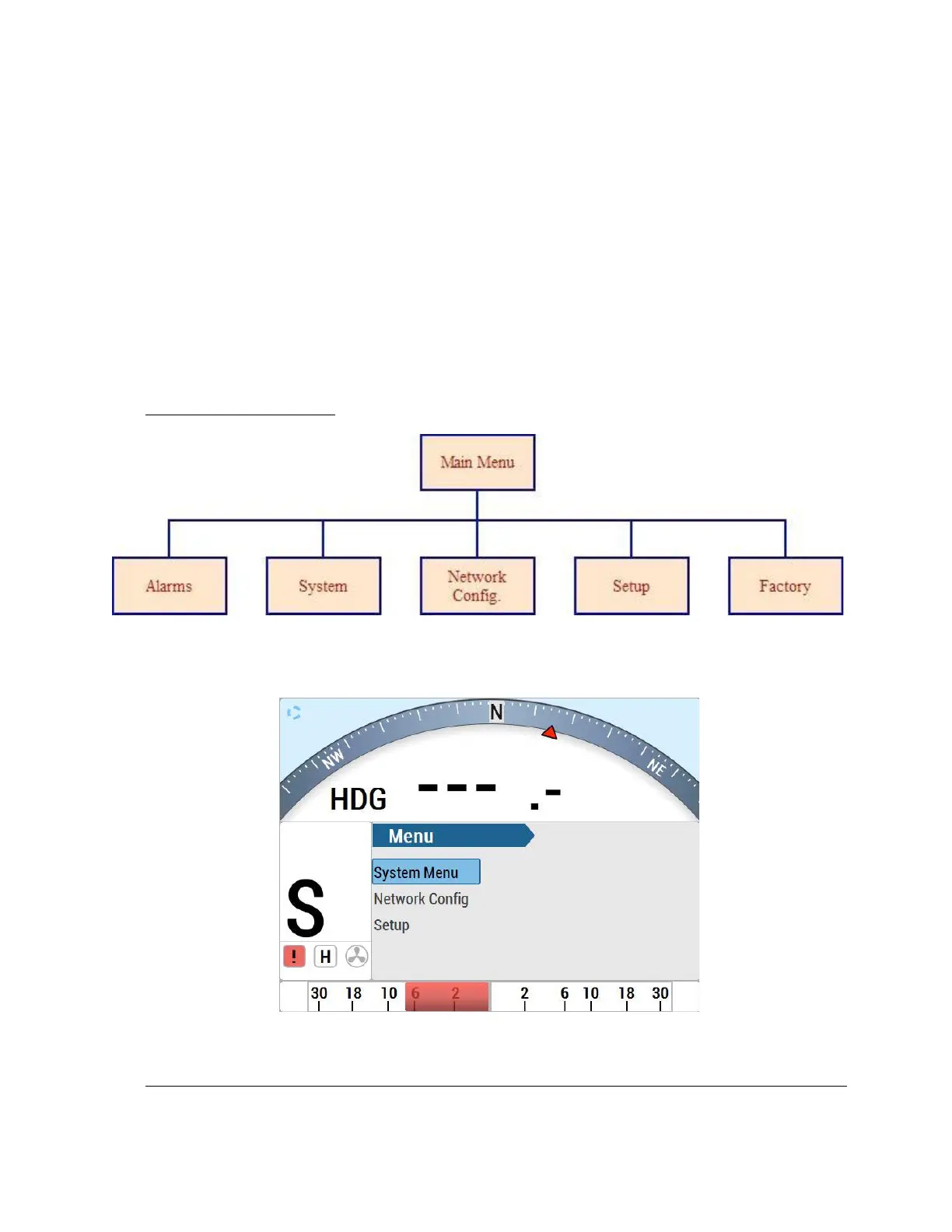
Alarm – contains all alarm messages on the screen that have been
acknowledged (May not show if there are no alarm messages)
System Menu – defines the format and layout for Heading, speed, provides
system and SPU info etc.
Network Config – allows user to connect any devices (such as Heading and
Navigation source) on N2K network to the P4 SPU. In order for the P4 system to
work, the P4 Control Head gets configured to the P4 SPU through the N2K
before any use. On the other side, the P4 Control Head can be used as the
Heading Display without SPU, if configured to a valid Heading Source through
this selection.
Factory – allows user for Factory Testing & Upgrading units.
Main Menu Flowchart
System, Network Config. and Setup Flowchart (Setup devices for N2K network)



 To Next Page