INS_CNGE3FE8MS[POE][HO] Rev. 11.7.17 PAGE 107
INSTRUCTION MANUAL CNGE3FE8MS[POE][HO]
TECH SUPPORT: 1.888.678.9427
Object Description
URI Unsolicited Report Interval.
The Unsolicited Report Interval is the time between repetitions of a node’s initial report of
interest in a multicast address.
The allowed range is 0 to 31744 seconds, default unsolicited report interval is 1 second.
Add New MLD VLAN Click to add A new MLD VLAN. Specify the VID and configure the new entry, then click “Apply”.
The specific MLD VLAN starts working after the corresponding static VLAN is created.
Apply Click to apply changes.
Reset Click to revert to previous values.
Refresh Click to refresh the table starting from VLAN input fields.
|<< Click to update the table starting from the first entry in the VLAN Table (lowest VLAN ID).
>> Click to update the table starting with the entry after the last entry currently displayed.
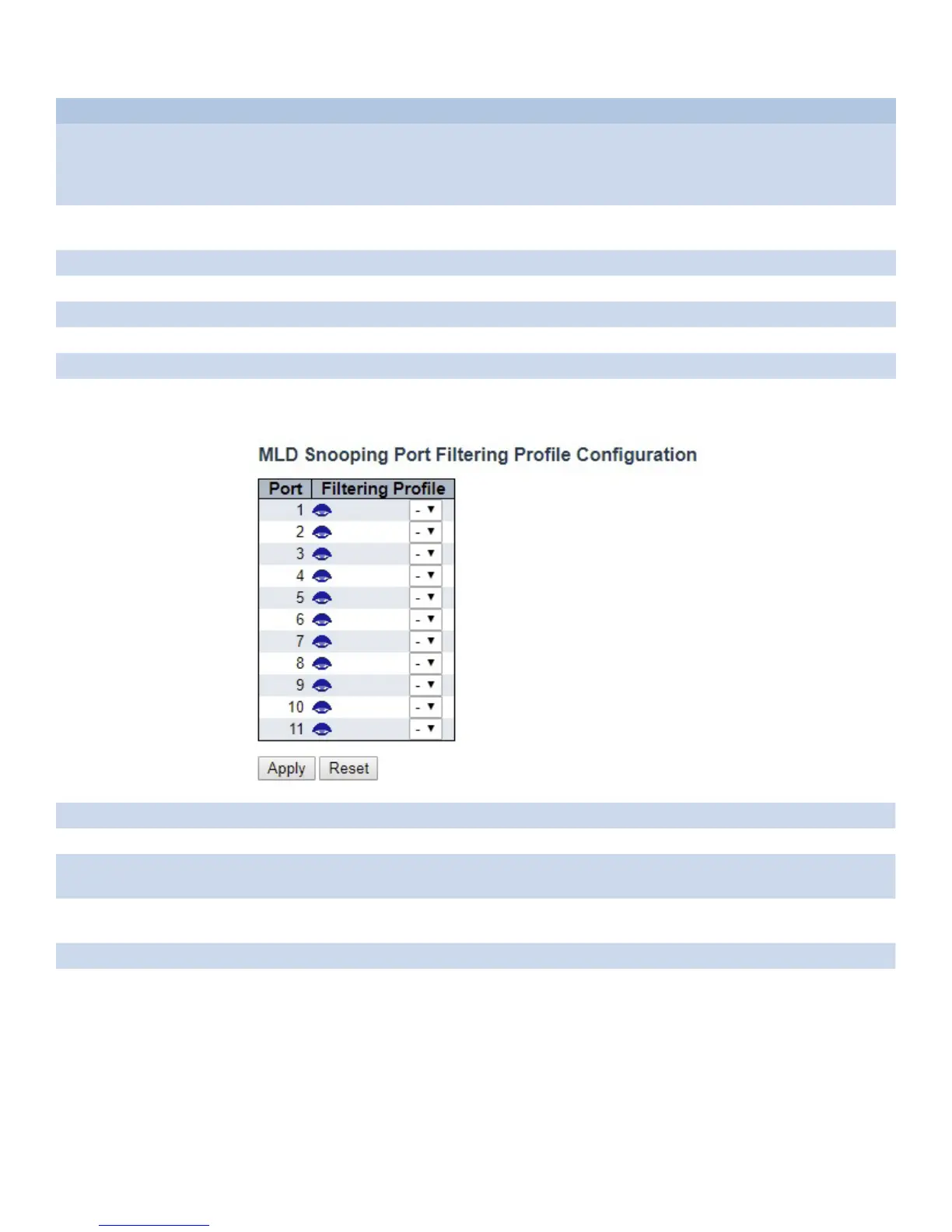
Port Filtering Profile
Object Description
Port The logical port for the settings.
Filtering Profile Select the IPMC Profile as the filtering condition for the specific port. Summary about the
designated profile will be shown by clicking the view button.
Profile Management
Button
You can inspect the rules of the designated profile by using the following button “Eye”: List
the rules associated with the designated profile.
Apply Click to apply changes.
Reset Click to revert to previous values.



 To Next Page