INS_CNGE3FE8MS[POE][HO] Rev. 11.7.17 PAGE 155
INSTRUCTION MANUAL CNGE3FE8MS[POE][HO]
TECH SUPPORT: 1.888.678.9427
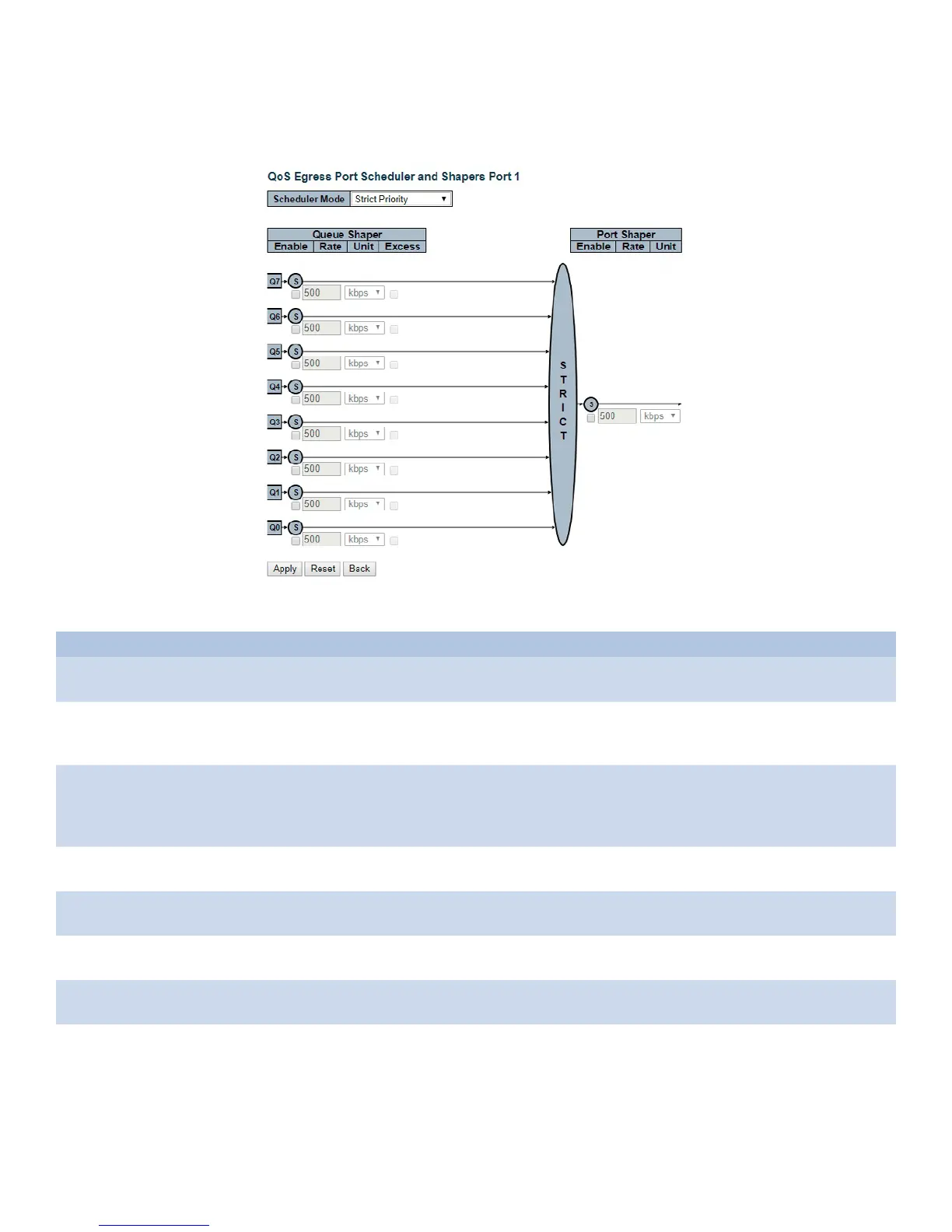
QoS Egress Port Scheduler and Shapers Configuration
This page allows you to configure the Scheduler and Shapers for a specific port.
The settings relate to the currently selected stack unit, as reflected by the page header.
Object Description
Scheduler Mode Controls how many of the queues are scheduled as strict and how many are scheduled as
weighted on this switch port.
Queue Shaper Enable Controls whether the queue shaper is enabled for this queue on this switch port. Ports in
Basic or Hierarchical Scheduling Mode (HQoS setting) only have queue shapers on queue 6
an d 7.
Queue Shaper Rate Controls the rate for the queue shaper. This value is restricted to 100-3281943 when "Unit"
is kbps, and 1-3281 when "Unit" is Mbps. Ports in Basic or Hierarchical Scheduling Mode
(HQoS setting) only have queue shapers on queue 6 and 7. The rate is internally rounded up
to the nearest value supported by the queue shaper.
Queue Shaper Unit Controls the unit of measure for the queue shaper rate as kbps or Mbps. Ports in Basic or
Hierarchical Scheduling Mode (HQoS setting) only have queue shapers on queue 6 and 7.
Queue Shaper Excess Controls whether the queue is allowed to use excess bandwidth. Not shown for ports in
Basic or Hierarchical Scheduling Mode (HQoS setting).
Queue Scheduler
Weight
Controls the weight for this queue. This value is restricted to 1-100. This parameter is only
shown if "Scheduler Mode" is set to "Weighted".
Queue Scheduler
Percent
Shows the weight in percent for this queue. This parameter is only shown if "Scheduler
Mode" is set to "Weighted".
Port Shaper Enable Controls whether the port shaper is enabled for this switch port. Only shown for Non-
service configuration.



 To Next Page