INS_CNGE3FE8MS[POE][HO] Rev. 11.7.17 PAGE 242
INSTRUCTION MANUAL CNGE3FE8MS[POE][HO]
TECH SUPPORT: 1.888.678.9427
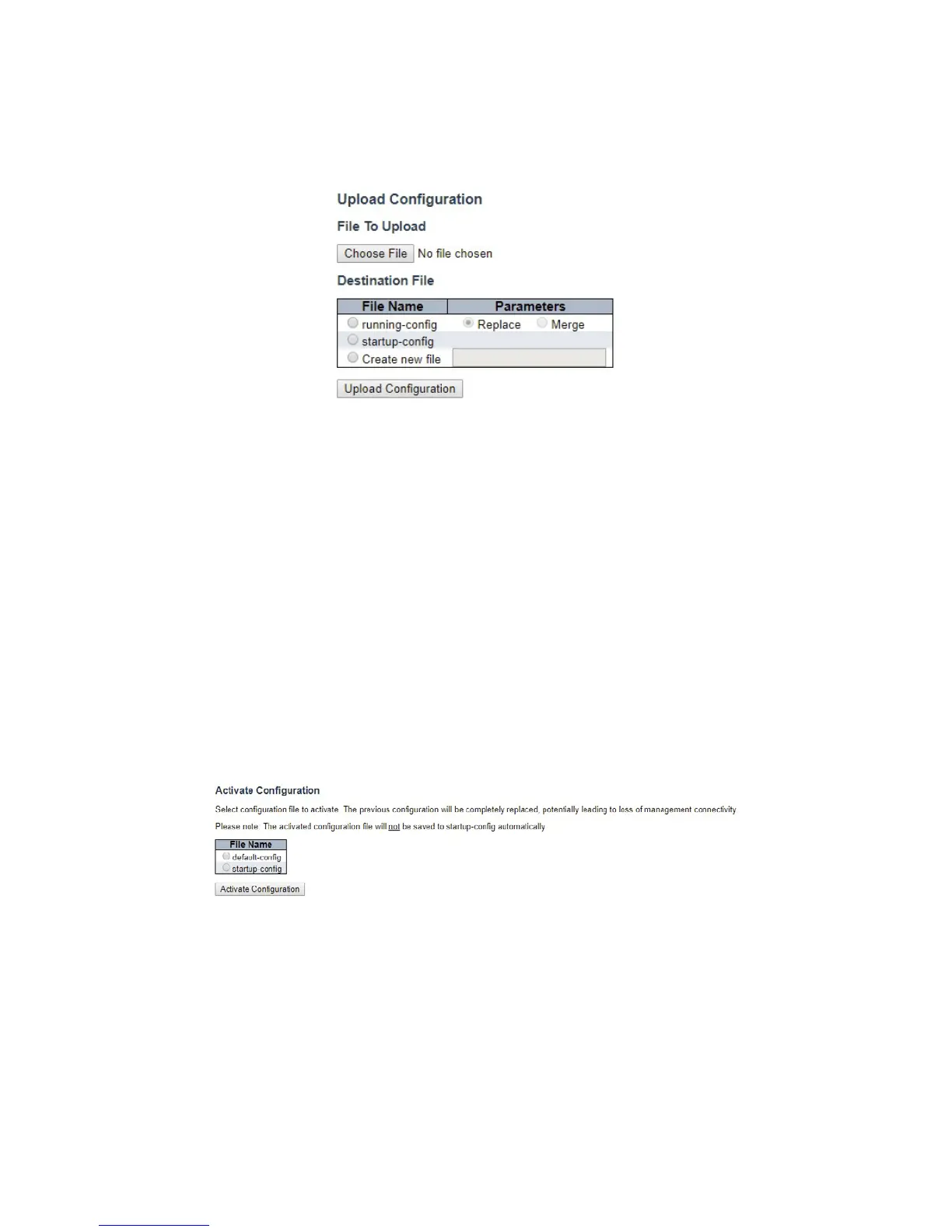
Upload
It is possible to upload a file from the web browser to all the files on the switch, except default-
config, which is read-only.
Select the file to upload, select the destination file on the target, then click “Upload
Configuration”.
If the destination is running-config, the file will be applied to the switch configuration. This can be
done in two ways:
- Replace mode: The current configuration is fully replaced with the configuration in the uploaded
file.
- Merge mode: The uploaded file is merged into running-config.
If the file system is full (i.e. contains the three system files mentioned above plus two other files), it
is not possible to create new files, but an existing file must be overwritten or another deleted first.
Activate
It is possible to activate any of the configuration files present on the switch, except for running-
config which represents the currently active configuration.
Select the file to activate and click “Activate Configuration”. This will initiate the process of
completely replacing the existing configuration with that of the selected file.



 To Next Page