INS_CNGE3FE8MS[POE][HO] Rev. 11.7.17 PAGE 301
INSTRUCTION MANUAL CNGE3FE8MS[POE][HO]
TECH SUPPORT: 1.888.678.9427
Configuring Switch 3
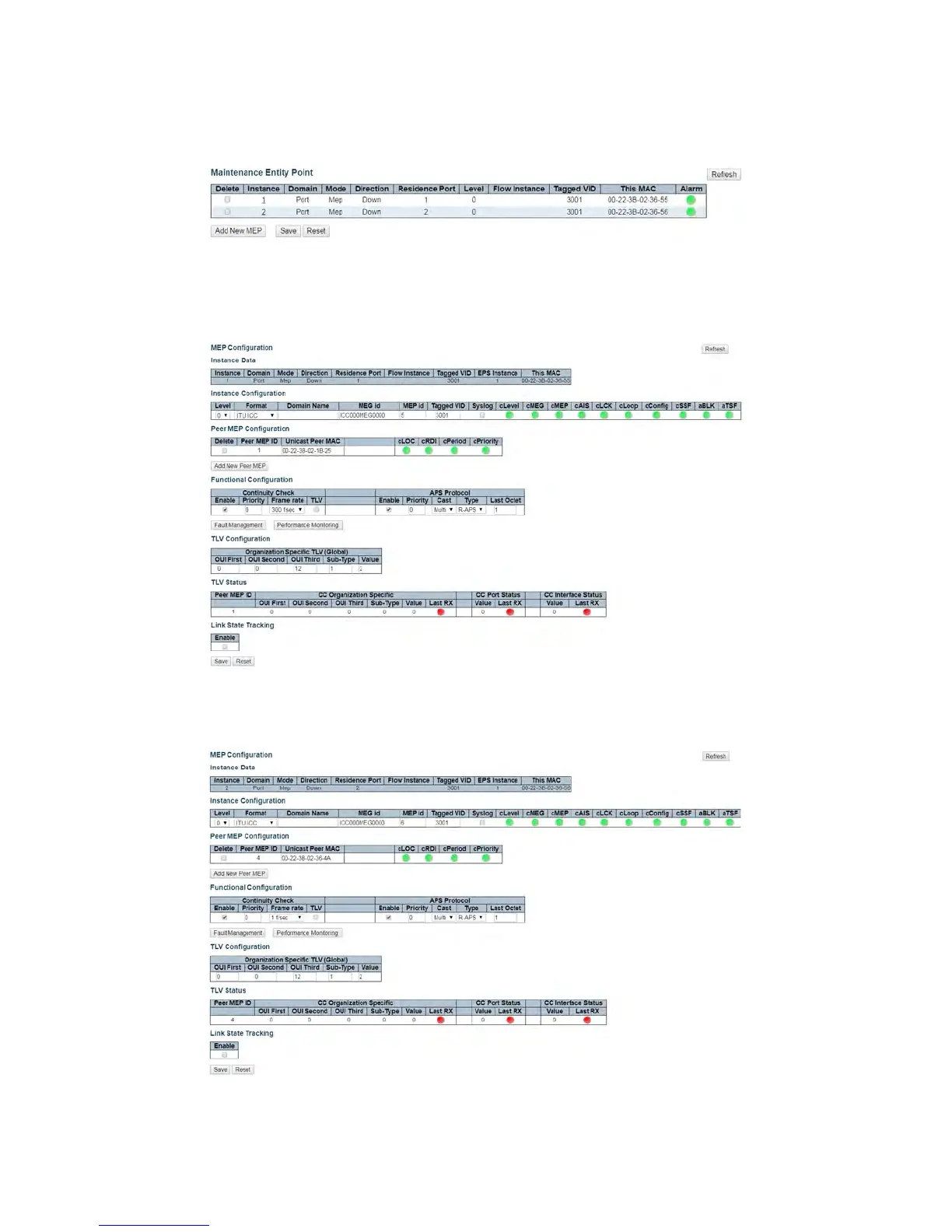
1. Add a new MEP on port 1 and 2 of switch 3.
Figure 8 – Switch 3 Port 1 and 2 MEP Configuration
2. Edit MEP1 of switch 3 by clicking 1 under Instance of the MEP table. Configure the MEP as
shown, and click Save or Apply.
Figure 9 – Switch 3 MEP 1 Configuration
3. Edit MEP2 of switch 3 by clicking 2 and configuring the MEP as shown, and click Save or Apply.
Figure 10 – Switch 3 MEP 2 Configuration



 To Next Page