INS_CNGE3FE8MS[POE][HO] Rev. 11.7.17 PAGE 76
INSTRUCTION MANUAL CNGE3FE8MS[POE][HO]
TECH SUPPORT: 1.888.678.9427
IP Source Guard
Configuration
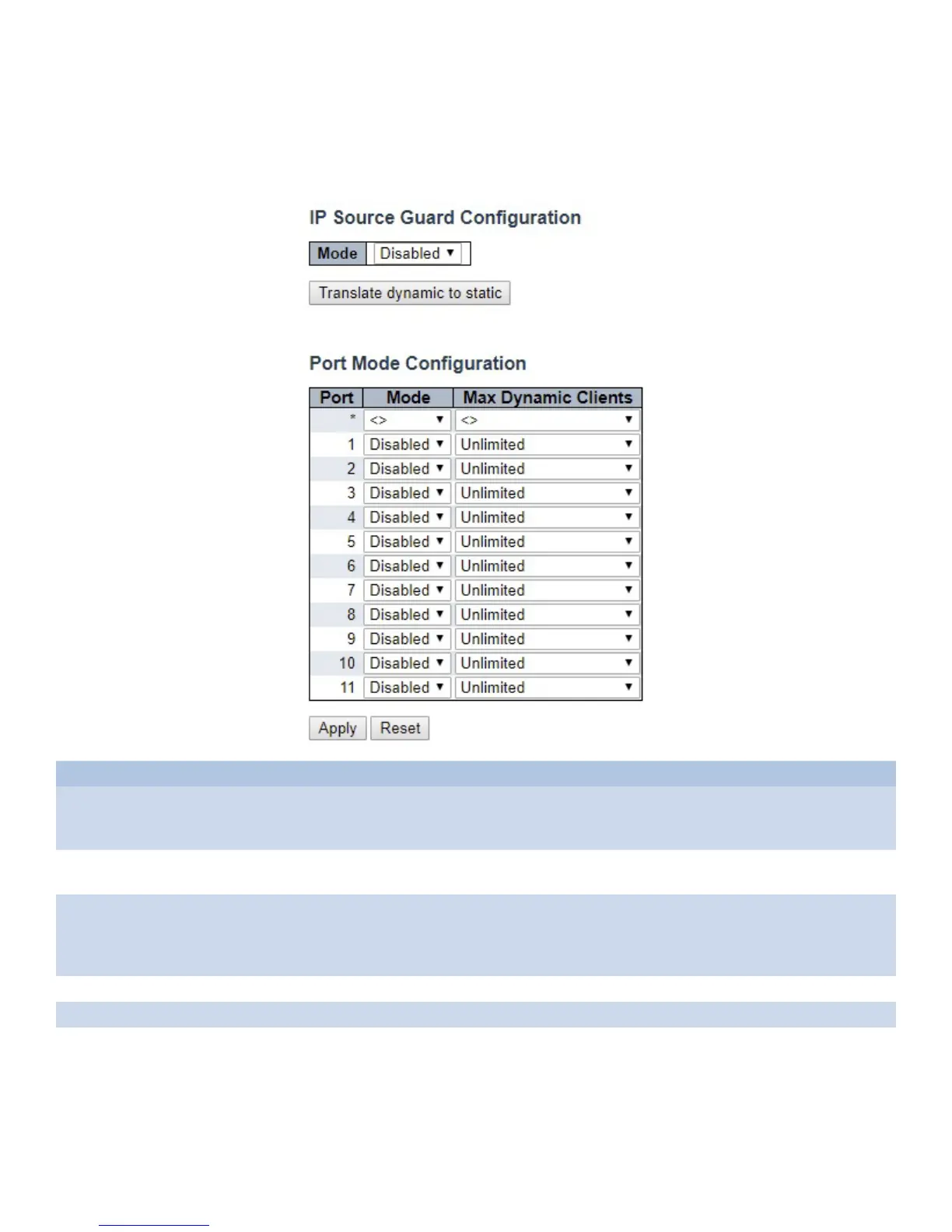
This page provides IP Source Guard related configurations.
Object Description
Mode of IP
Source Guard
Configuration
Enable the Global IP Source Guard or disable the Global IP Source Guard. All configured ACEs
will be lost when the mode is enabled.
Port Mode
Configuration
Specify IP Source Guard is enabled on which ports. Only when both Global Mode and Port
Mode on a given port are enabled, IP Source Guard is enabled on this given port.
Max Dynamic
Clients
Specify the maximum number of dynamic clients that can be learned on given port. This value
can be 0, 1, 2 or unlimited. If the port mode is enabled and the value of max dynamic client is
equal to 0, it means only allow the IP packets forwarding that are matched in static entries on the
specific port.
Apply Click to apply changes.
Reset Click to revert to previous values.
Translate dynamic
to static
Click to translate all dynamic entries to static entries.



 To Next Page