104
MINI-DRIVER
HANDPIECE
E
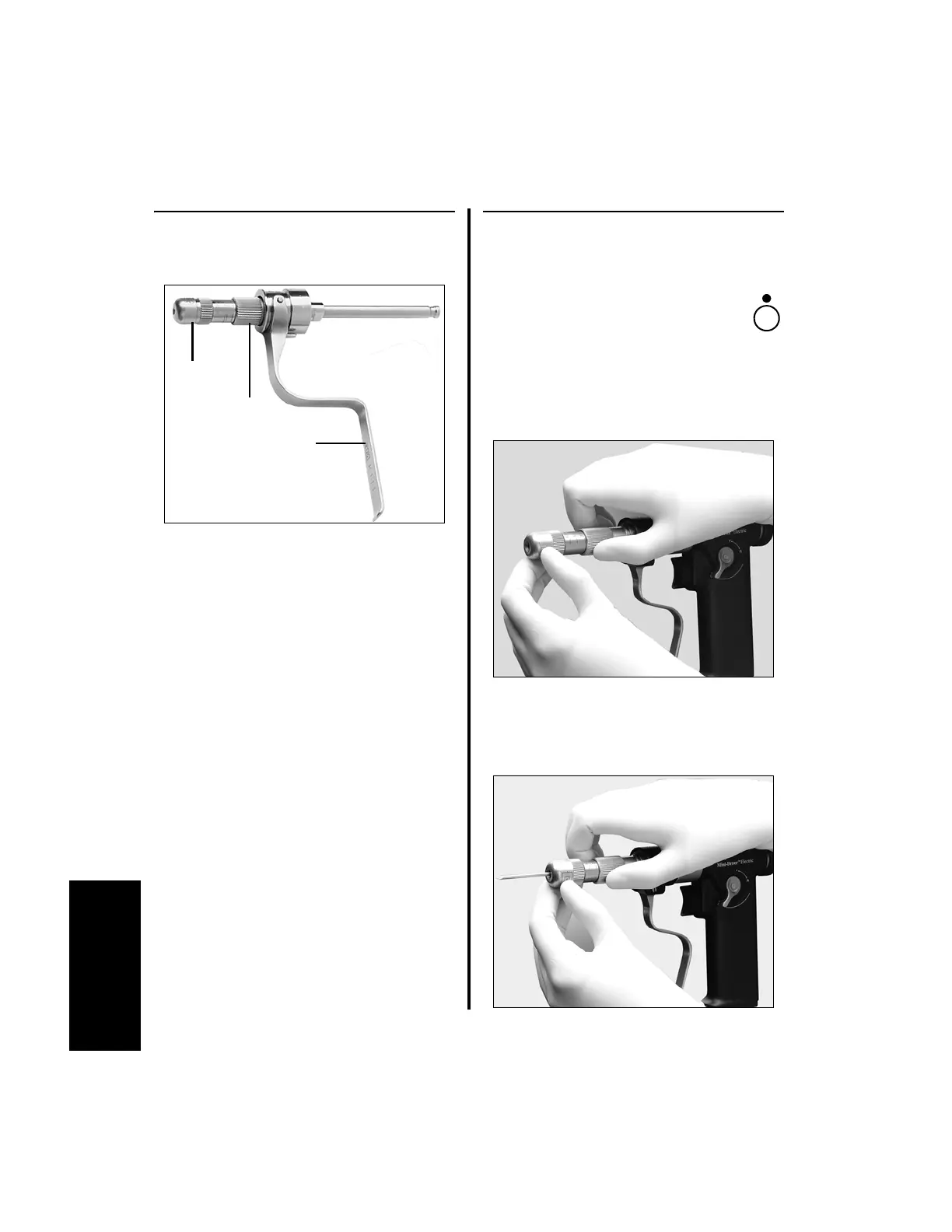
3.10.3.2 Wiredriver Attachment
(K111A)
The Automatic Wire Driver has a quick release
for easy wire insertion, removal and
advancement.
3.10.3.3 Pin and Wire Insertion
1. To insert a pin or wire:
(a) Ensure the handpiece is in the
safe or off position before
inserting or removing a pin or
wire.
(b) Rotate the adjustment sleeve until the
desired pin/wire size graduation appears
on the shaft of the nosepiece.
(c) Insert the pin or wire. While holding the
nosepiece, tighten the adjustment sleeve
until the pin or wire is held firmly in
place.
Through Cannulation: 0.7 - 1.8 mm
(0.028 in to 0.071in.)
(1/32 - 5/64 in.)
Nosepiece
Wire Grasping Lever
Adjustment Sleeve















 To Next Page