59
CONTROLLER
OPERATION
A
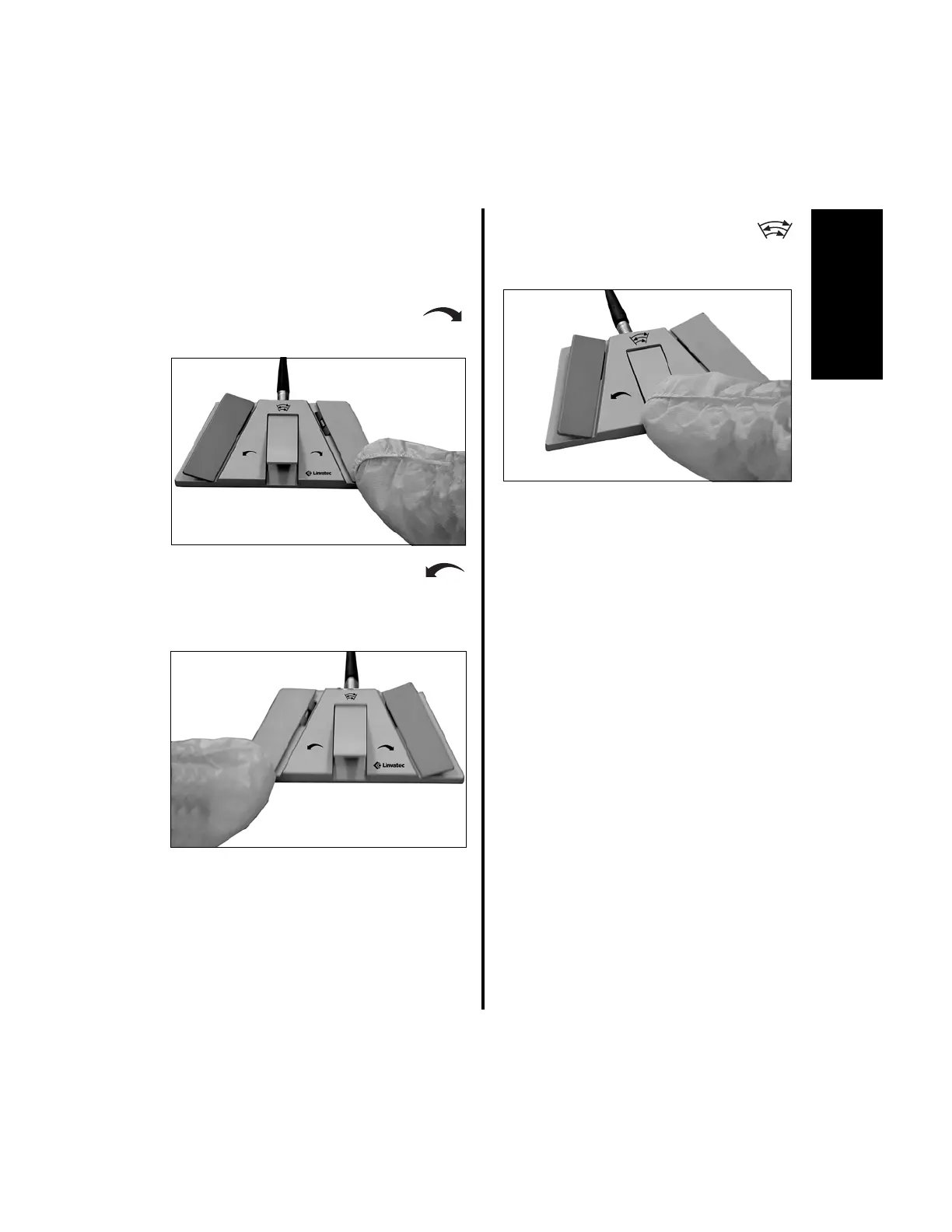
Operation of the footswitch when using the
following handpieces (C9820, MC9820,
C9824, C9828, MC9828, C9840, MC9840,
E9005, D9820, D9824, D9920, and D9924):
1. Depress the right pedal to activate
the handpiece in the forward
direction.
2. Depress the left pedal to activate
the handpiece in the reverse
direction. A brief beep will
indicate reverse direction when the
handpiece is initially activated.
3. Depress the center pedal to
activate the handpiece in oscillate
mode. There is no variable speed
with the center pedal, only on or off.
4. If irrigation is being utilized, fluid flow will
begin when either the left or right pedal is
depressed.
Window Indexing:
When “Window Indexing” is enabled with DIP
Switch 5 on the E9000 controller or the top
section only of the Advantage console (see
“2.1.3.8 Switch 5 - Window Indexing” on
page 44) the footswitch right or left pedals are
used to “index” or position the blade cutting so
that it stops in the same position each time the
blade stops, i.e., where it starts is where it stops.
1. To set Window Indexing:
(a) Press the right or left pedal slowly until
a single beep is heard, then maintain
pedal position. The blade will rotate
slowly. When the cutting window is at
the desired position, release the pedal.
Once the blade starts to rotate you can
fully depress the pedal, if desired.















 To Next Page