OPERATION Special Features
Cubiscan 325 33
Special Features
You can measure items with an improved variety of available
configurations. To learn more about these options, see “Operation screen
2” on page 38.
Measuring with apparel methods
The following steps describe how to measure apparel in a way that allows
you to measure average length, width, and height with filtering. This
example is a more efficient way to obtain measurements for accurate
packaging of flexible items.
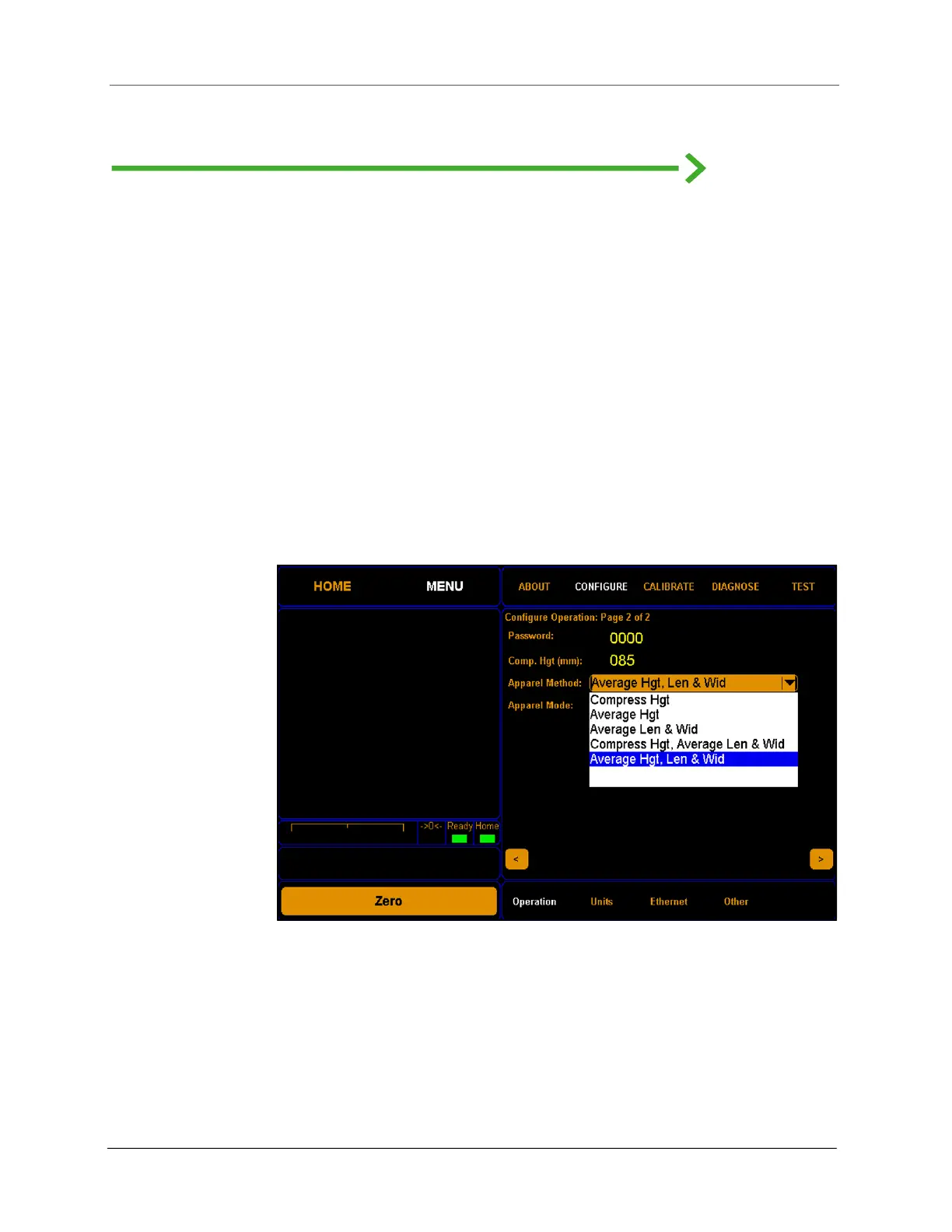
1. On the Menu > Configure > Operation screen, touch the right arrow
to go to screen 2 of the menu. Under Apparel Method, select Average
Hgt, Len & Wid.
2. Under Apparel Mode, select Lock-On.
3. Touch the left arrow to return to screen 1 of the menu.
Figure 28
Apparel Method drop-down menu



 To Next Page