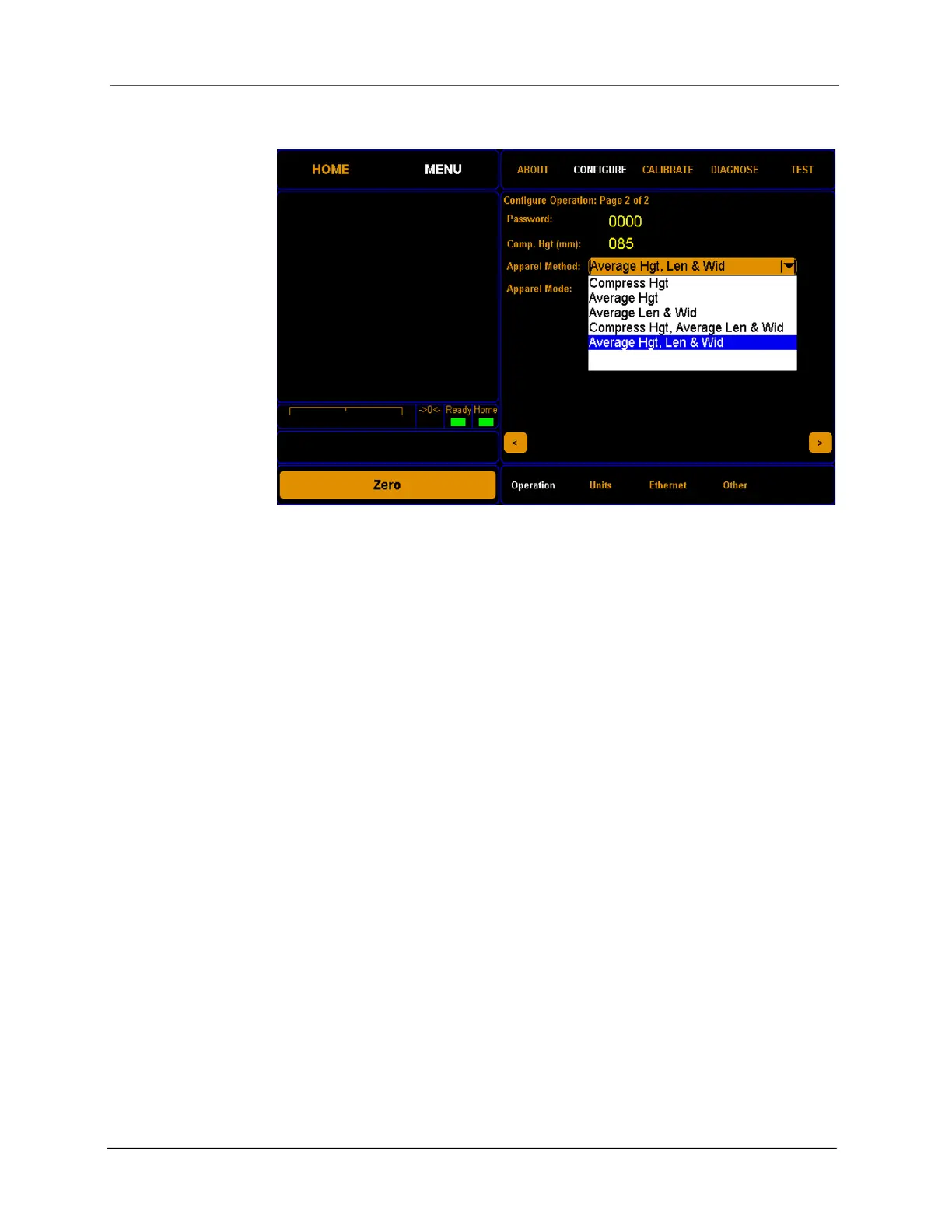
CONFIGURATION System configuration
Cubiscan 325 43
Password
In this field you can enter a four-digit password. If you set up a password, it
must be entered each time you try to access any of the menu screens
(except for the About menu).
Comp. Hgt.
(mm)
This field displays the height (85 mm) of the compression plate provided by
Cubiscan. If a different compression plate is used, you’ll need to change
the value in this field so that the Cubiscan 325 can subtract the height of
the compression plate from measurements in which it is used.
Apparel Method
This drop-down menu offers different methods for measuring apparel.
• Compress Hgt This method produces compressed height results when
using a compression plate.
• Average Hgt Some items have uneven heights. This method enables
you to obtain the average height of an item.
• Average Len & Wid Some items have overstated lengths and widths.
This method enables you to obtain the average dimensions of an item
that may not have straight edges.
• Compress Hgt, Average Len & Wid When using this method with a
compression plate, the results will show the compressed height, and the
average legnth and width of an item that may not have straight edges.
• Average Hgt, Len, & Wid This option is ideal to obtain realistic
dimensions for apparel and other flexible objects without the use of a
Figure 38
Configure Operation menu page 2



 To Next Page