SETUP Setup checklist
Cubiscan 325 25
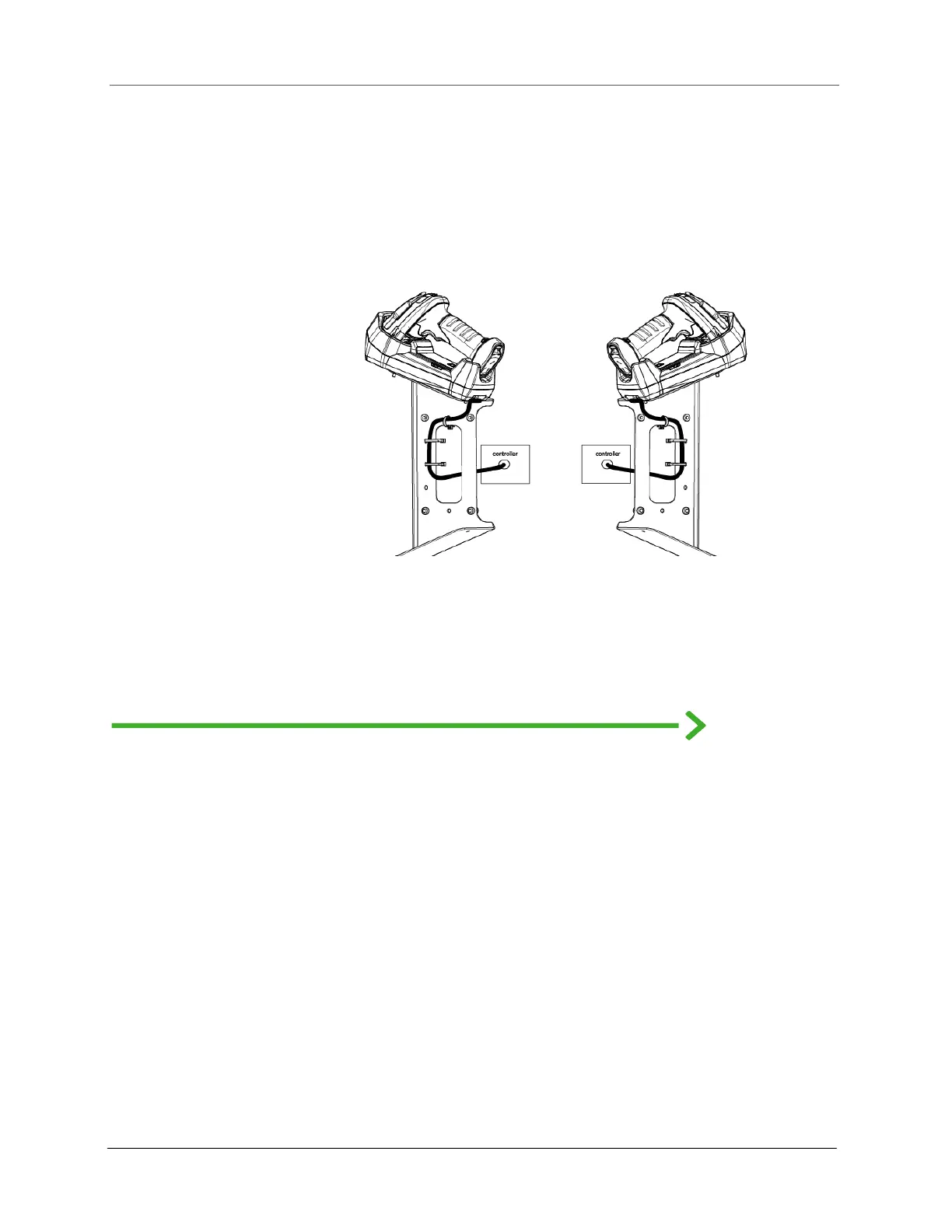
Depending on the orientation, the cord will wrap on the left or right side of
the mount as seen in the figure. Use cable ties to secure the cord to the
mount.
Run the cord through the gap in the mount to the controller unit.
Setup checklist
Before using the Cubiscan 325 for the first time, verify the following:
1. Have the Cubiscan 325 and the computer (if applicable) been
placed in the proper operating environment? (page 7)
2. Has the Cubiscan 325 been fully assembled? (page 7)
3. Has all shipping material been removed? (page 9)
4. Is the Cubiscan 325’s glass platform free moving? The Cubiscan
325 should not be pushed up against a wall and no object, cable,
etc., should be resting on it or against it.
5. Has the Ethernet, RS-232, or USB cable been attached to the
Cubiscan 325 and the computer (if applicable)? (page 16)
6. Has the AC power cord been connected correctly? (page 15)
Figure 24
Cord winding



 To Next Page