User's Manual
90
Comparison".
6.3.5.6 Face Search
You can search face records by attributes or by image, and then export the search results. For details,
see "6.2.4 Face Search".
6.3.6 Video Metadata + Face Comparison by Recorder
For scenes that prioritize the accuracy of face comparison, we recommend the combination of face
detection and face comparison. Video metadata is not an ideal option for face comparison in such
scenes.
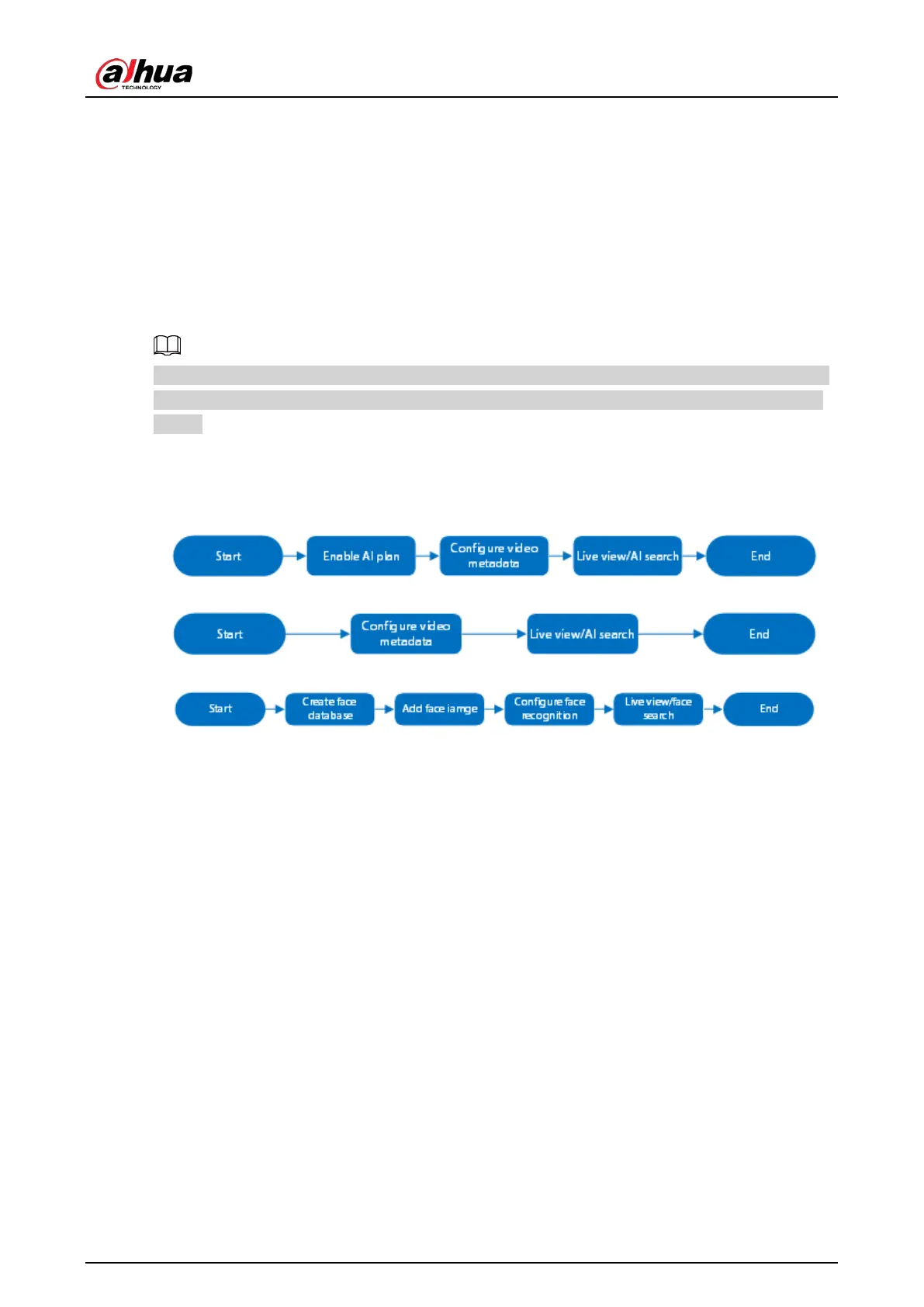
6.3.6.1 Configuration Procedure
Figure 6-23 Configure video metadata (AI by camera)
Figure 6-24 Configure video metadata (AI by recorder)
Figure 6-25 Configure face comparison (AI by recorder)
6.3.6.2 Enabling the Smart Plan
To use AI by Camera, you need to enable the corresponding smart plan first. For details, see "6.2.1
Enabling the Smart Plan".
6.3.6.3 Configuring Video Metadata
The Device supports metadata (AI by Camera or by Recorder). For details on the configuration
operations, see "6.5.2 Configuring Video Metadata"
6.3.6.4 Configuring Face Comparison (by Recorder)
Configure face comparison rules. For details, see "6.3.3.5 Configuring Face Comparison (by
Recorder)".
6.3.6.5 Live View
You can view real-time face comparison images. For details, see "6.3.2.5 Live View of Face
Comparison".



 To Next Page
 Loading...
