User's Manual
28
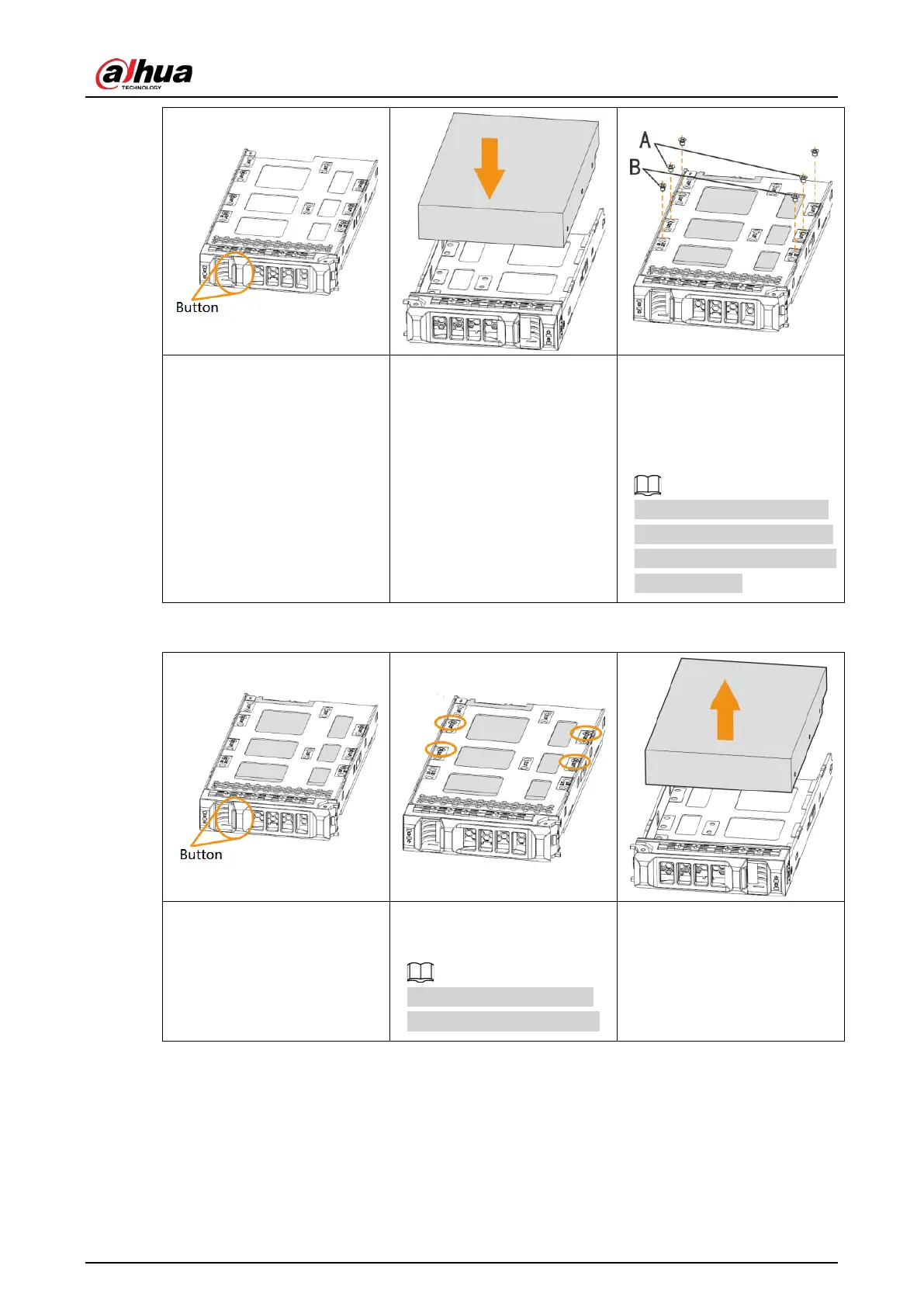
①
Press the button on the
front panel of IVSS, open the
handle, and then pull out the
HDD box.
②
Put the HDD into the box
along the direction shown in
the figure.
③
Lock the screws on the
back of the HDD box. Insert
the box into the HDD slot,
push it to the bottom, and
then close the handle.
In the figure, you only need
to lock one set of the screws
(Group A or Group B). See the
actual situation.
Removing HDD
①
Press the button on the
front panel of IVSS, open the
handle, and then pull out the
HDD box.
②
Unlock the screws on the
back of the HDD box.
The screws are at different
positions for different HDDs.
③
Take out the HDD and
reinsert the box to the slot.
Push it to the bottom and
close the box handle.
3.4 Cable Connection
The section introduces cable connection of the Device.


 To Next Page
 Loading...

