User's Manual
139
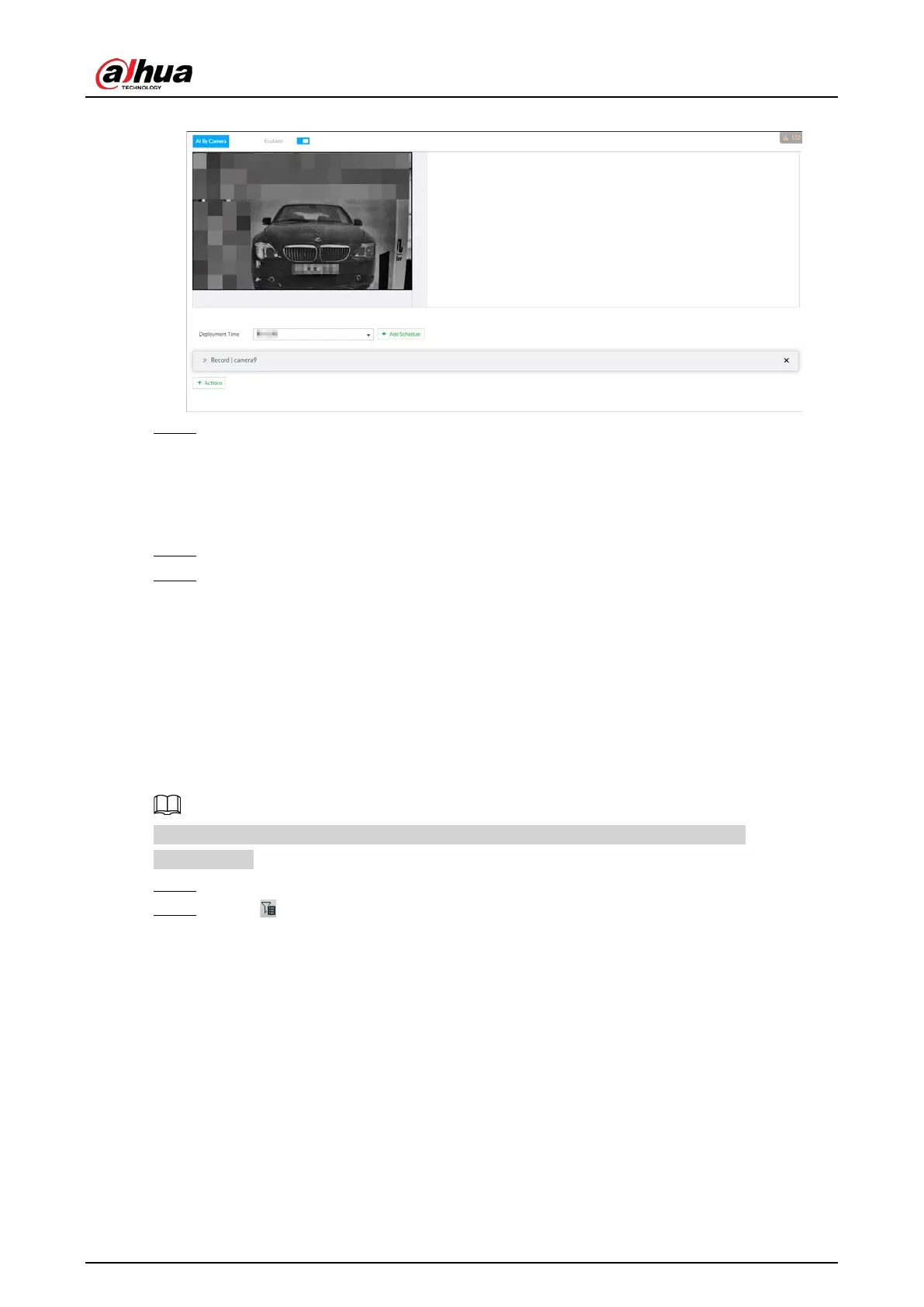
Figure 6-109 Vehicle recognition
Step 4 Click the Deployment Time drop-down list to select schedule.
IVSS links alarm event when alarm is triggered within the defined schedule.
●
Click
View Schedule to view detailed schedule settings.
●
If the schedule is not added or the added schedule does not meet actual needs, click
Add Schedule. For details, see "8.8.4 Schedule".
Step 5 Click Actions to set alarm action. For details, see "8.4.1 Alarm Actions".
Step 6 Click Save.
6.7.3 Live View of Vehicle Recognition
View vehicle recognition results on the LIVE page.
6.7.3.1 Setting AI Display
Set the display rules of detection results.
Make sure that view is created before setting AI display. To create view, see "7.1.1 View
Management".
Step 1 Select a view from LIVE > View > View Group.
Step 2 Click , and then select Vehicle tab.



 To Next Page
 Loading...
