User's Manual
241
Encryption Method Description
RTSP over TLS
Click to enable RTSP encryption using the TLS tunnel, and then
select a device certificate. We recommend you enable this function to
ensure data security.
You can click
Certificate Management
to install a device certificate.
For details, see "8.5.4.1 Installing the Device Certificate".
Step 4 Click
Apply
.
8.5.6 Security Warning
The Device gives warnings to the user when a security error occurs.
Procedure
Step 1 Log in to the PC client.
Step 2 On the home page, select
Security
>
Security Warning
.
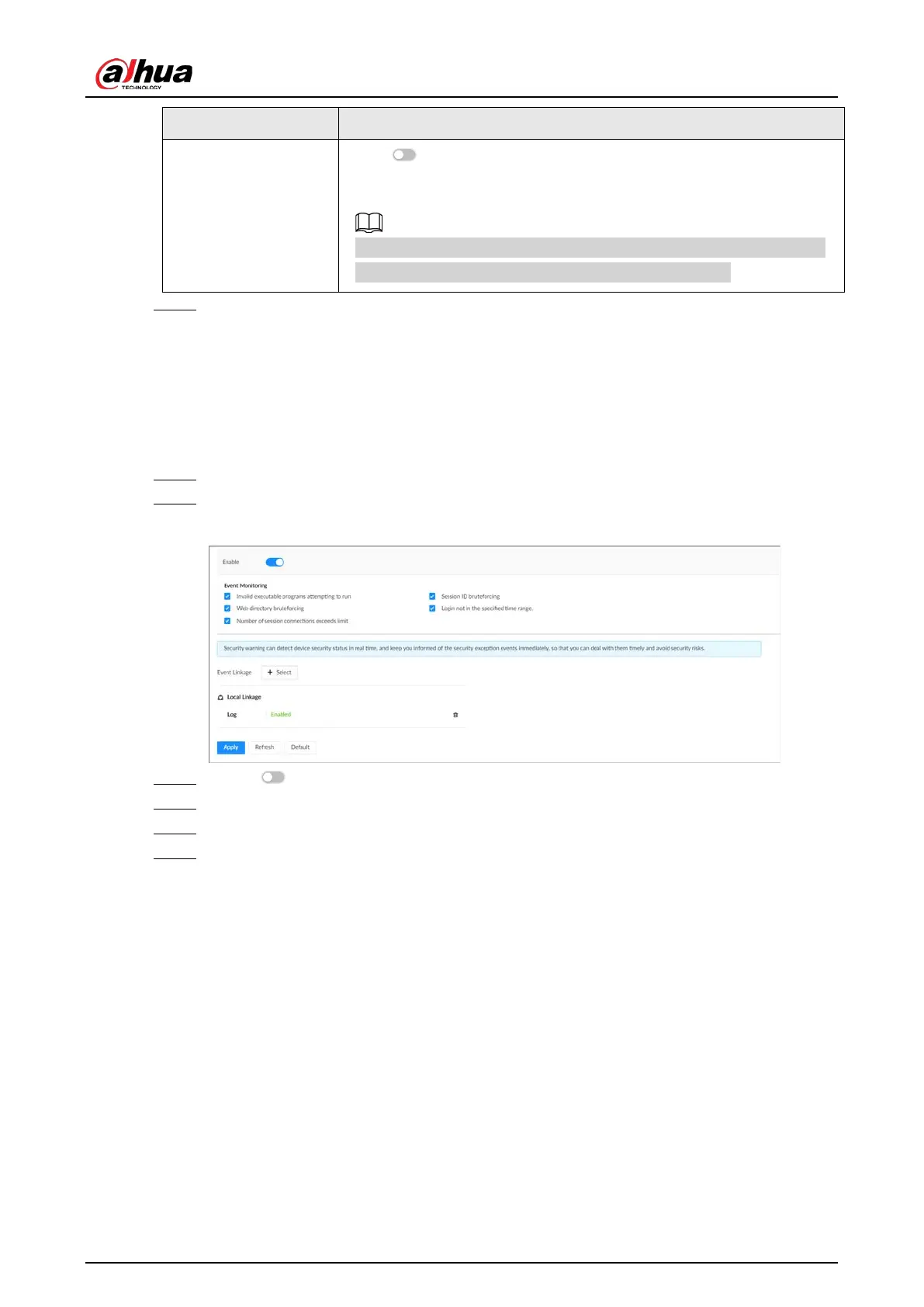
Figure 8-76 Security warning
Step 3 Click to enable the function.
Step 4 Select the events to be monitored.
Step 5 Click
Select
next to
Event Linkage
to set alarm actions.
Step 6 Click
Apply
.
8.6 Account Management
The Device adopts two-level account management mode: user and user group. Every user must
belong to a group, and one user only belongs to one group. To conveniently manage the users, we
recommend the permissions of general users should be lower than those of high-level users.


 To Next Page
 Loading...

