User's Manual
17
3 Front panel lock
Once the front panel lock is secure, it can prevent
HDD from being stolen or removed by mistake.
Unlock the front panel lock and remove the front
panel, you can view 16 HDD slots.
4 24-HDD slot
After you remove the front panel, you can see there
are 24 HDDs. From the left to the right and from the
top to the bottom, it ranges from 1–4, 5–8, 9–12, 13–
16, 17–20, and 21–24.
There are two indicator lights on the HDD slot: HDD
indicator light and HDD read/write indicator light.
●
: HDD indicator light. The light is yellow after
you install the HDD.
●
: Read/write indicator light. The blue light
flashes when it is reading and writing data.
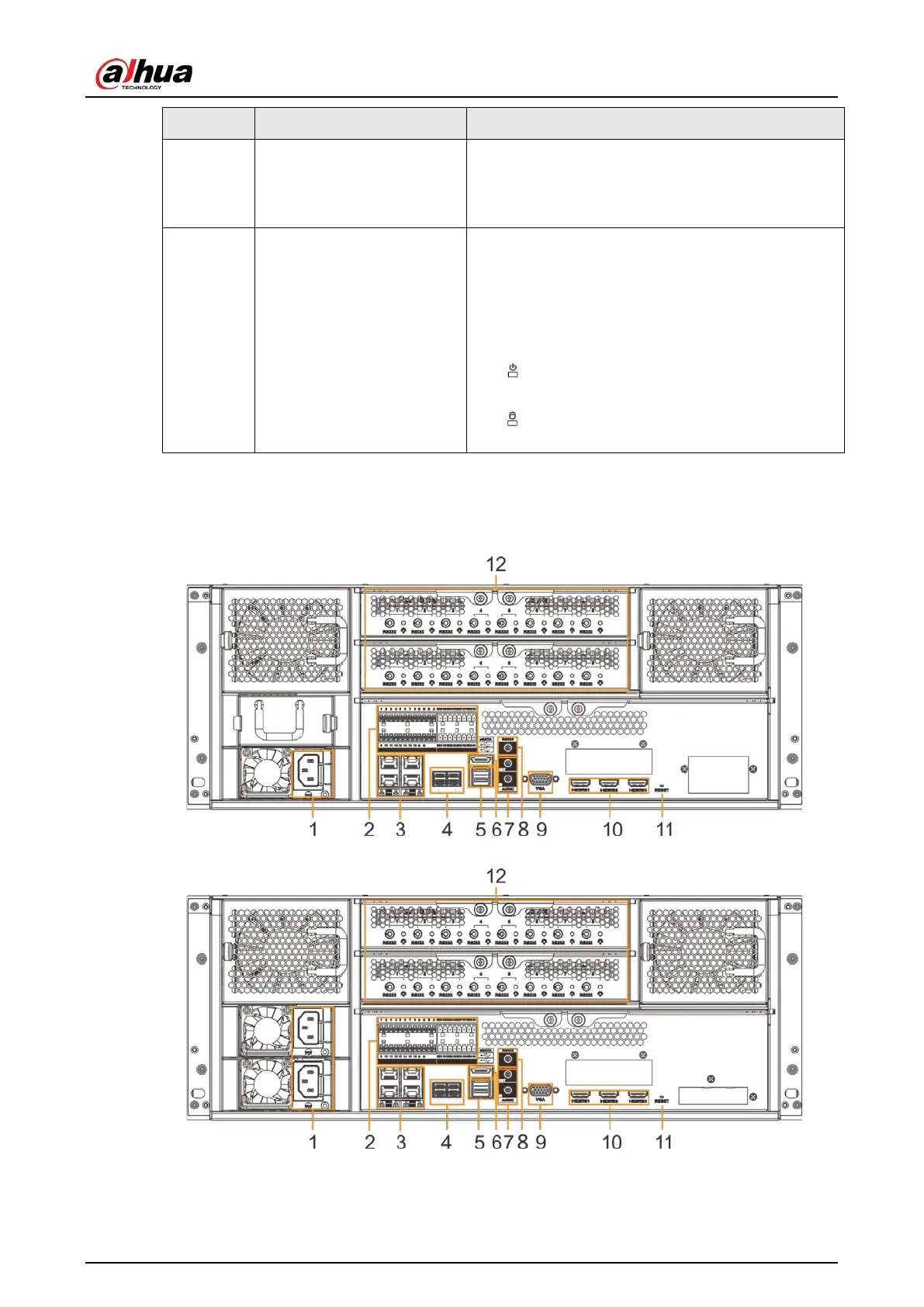
2.4.2 Rear Panel
Figure 2-25 IVSS7024 rear panel (single power)
Figure 2-26 IVSS7024 rear panel (redundant power)


 To Next Page
 Loading...

