User's Manual
275
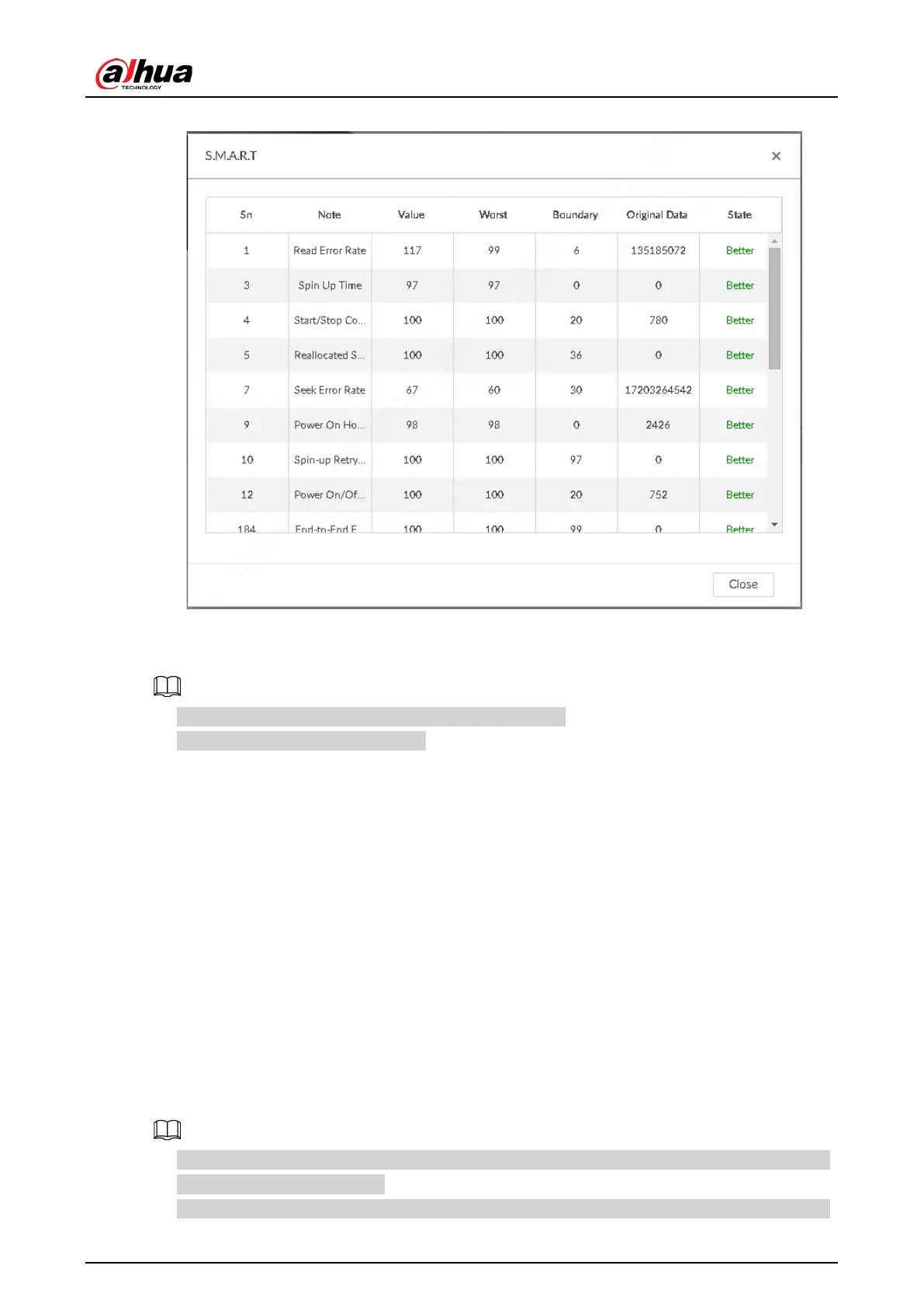
Figure 8-66 S.M.A.R.T
8.5.1.1.2 Format
●
Formatting HDD will clear all data on the HDD. Be careful!
●
Hot spare HDD cannot be formatted.
Enter the Local Hard Disk page, select HDD, and click Format. It is to format the selected HDD.
8.5.1.1.3 File System Repair
Once you cannot mount the HDD or you cannot properly use the HDD, you can try to use the File
System Repair function to fix the problem.
Enter the Local Hard Disk page, select one or more HDD(s) you cannot mount, and click File System
Repair, you can repair the selected file system of the corresponding HDD(s). The repaired HDD can
work properly or to be mounted.
8.5.1.2 RAID
RAID (Redundant Array of Independent Disks) is a data storage virtualization technology that
combines multiple physical HDD components into a single logical unit for the purposes of data
redundancy, performance improvement, or both.
●
The Device supports RAID0, RAID1, RAID5, RAID6, RAID10, RAID50 and RAID60. See "Appendix 3
RAID" for detailed information.
●
You are recommended to use enterprise HDD when you are creating RAID, and use surveillance


 To Next Page
 Loading...

