User's Manual
64
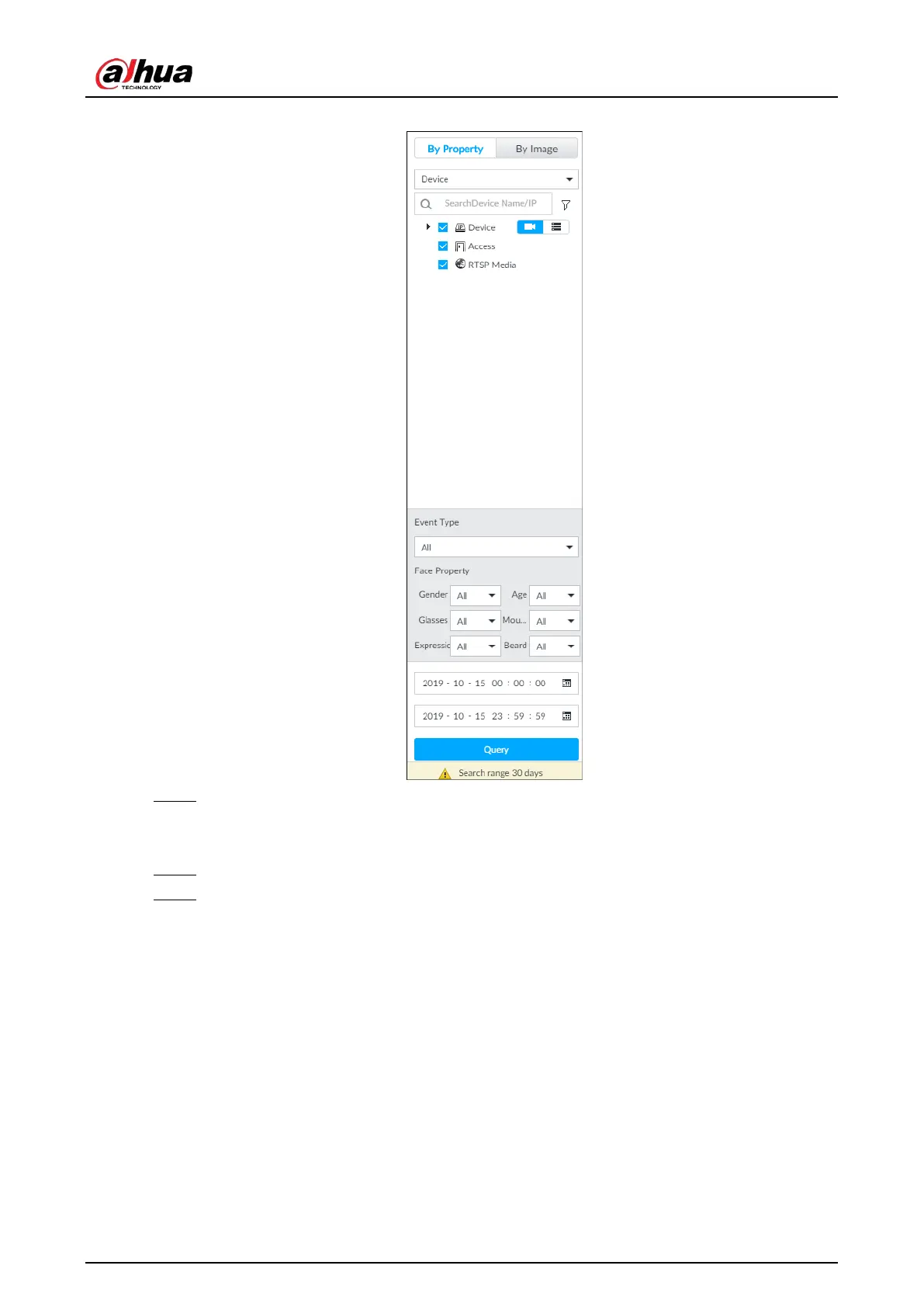
Figure 6-9 Search by property
Step 2 Select a remote device, and then set Event Type to be Face Detection.
In the Event Type drop-down list, if you select All, the search results will include both face
detection records and face recognition records.
Step 3 Set face property and time.
Step 4 Click Query.
The search results are displayed.


 To Next Page
 Loading...

