User's Manual
67
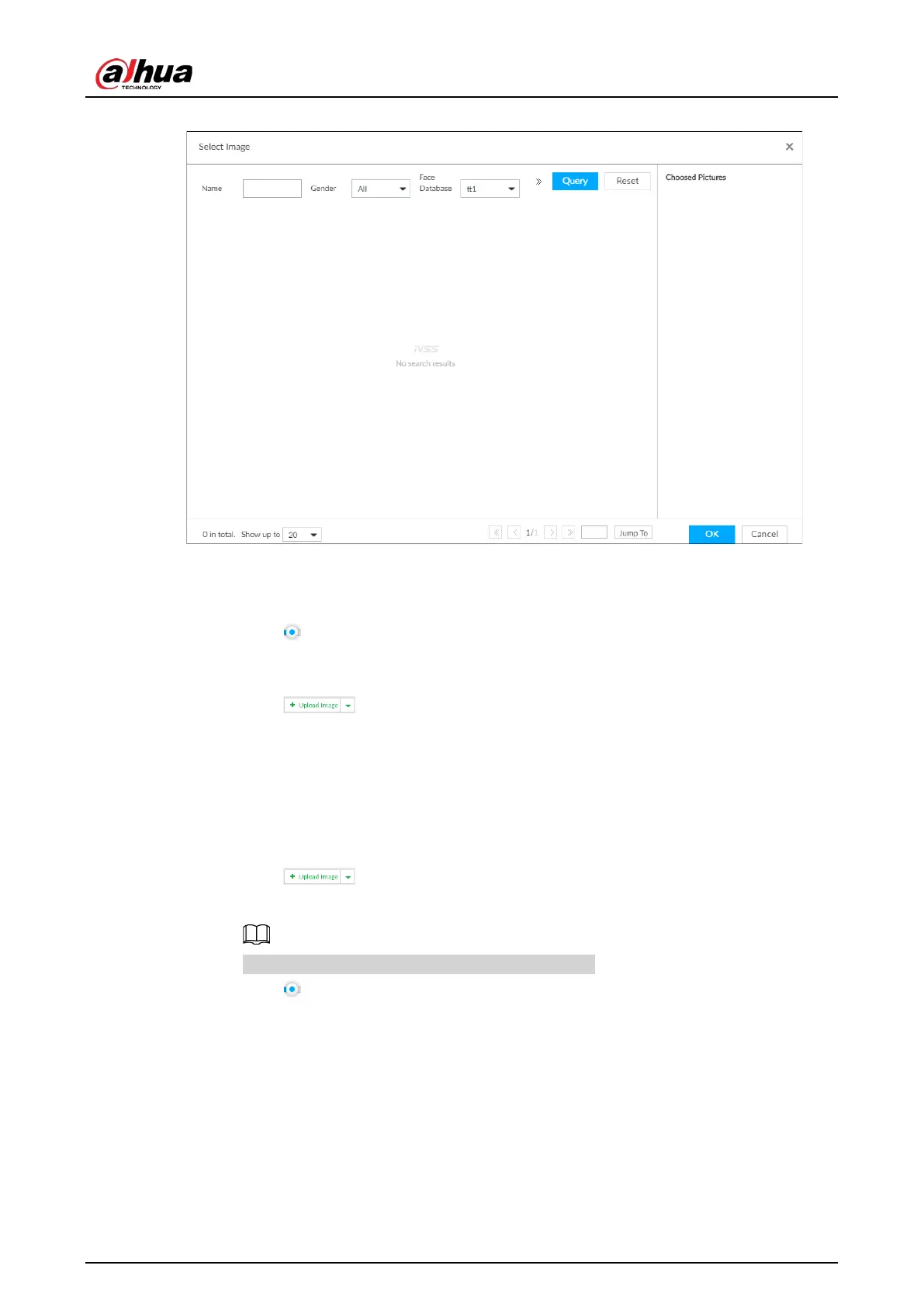
Figure 6-12 Choose picture from face database
2) Specify search conditions.
3) Click
Query.
4) Select a face image.
5) Drag to set similarity.
6) Click
OK to upload face image.
●
Upload the image from the passerby database.
1) Click and select
Passerby Database.
2) Specify search conditions.
3) Click
Query.
4) Select a face image.
5) Click
OK to upload face image.
●
Local image: Upload images from the client PC or USB storage device connected to the
Device.
1) Click and select
Local.
2) Select the face image you want to upload.
You can select several face images at the same time.
3) Drag to set similarity.
4) Click
OK to upload face image.
After uploading the images, device displays the face images on the upper-left corner. The
latest 10 images are selected.


 To Next Page
 Loading...

