User's Manual
98
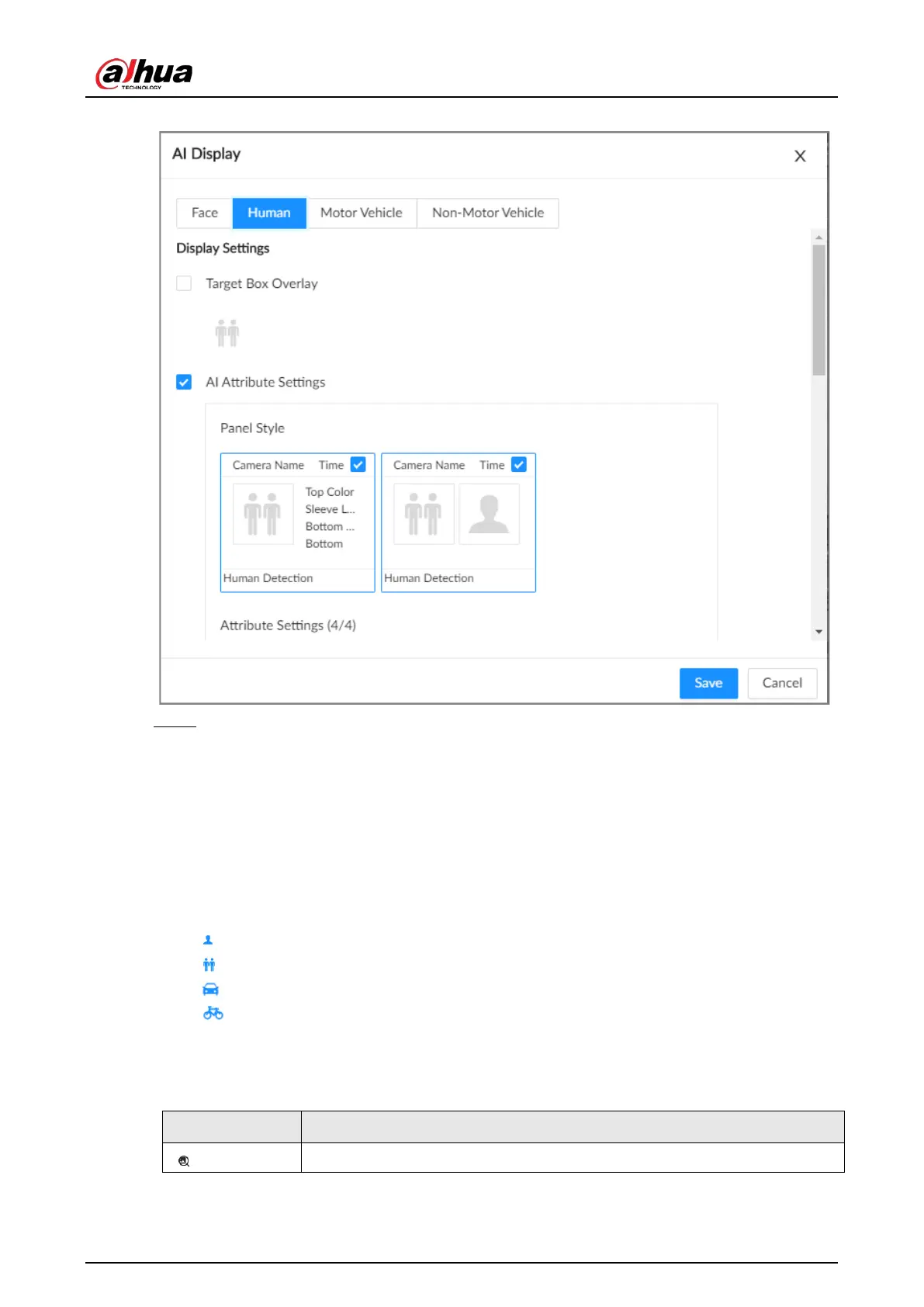
Figure 6-26 Attribute display
Step 6 Click
Save
.
6.5.3.2 Live View
Log in to the PC client, and then under the
Live
tab, open a view window. The video image of the
view is displayed.
●
The target box is displayed in real-time in the video image. Different detection targets
correspond to different colors of target boxes.
●
You can view the statistics on the detected targets at the upper-right corner of the
Live
page.
◇
: face.
◇
: human.
◇
: motor vehicle.
◇
: non-motor vehicle.
●
Features panels are displayed on the right side of the
Live
page.
Point to a features panel, and then the icons are displayed.
Table 6-18 Management of detection results
Icon Operation
Use this image to search all channels for similar records.


 To Next Page
 Loading...

