User's Manual
115
●
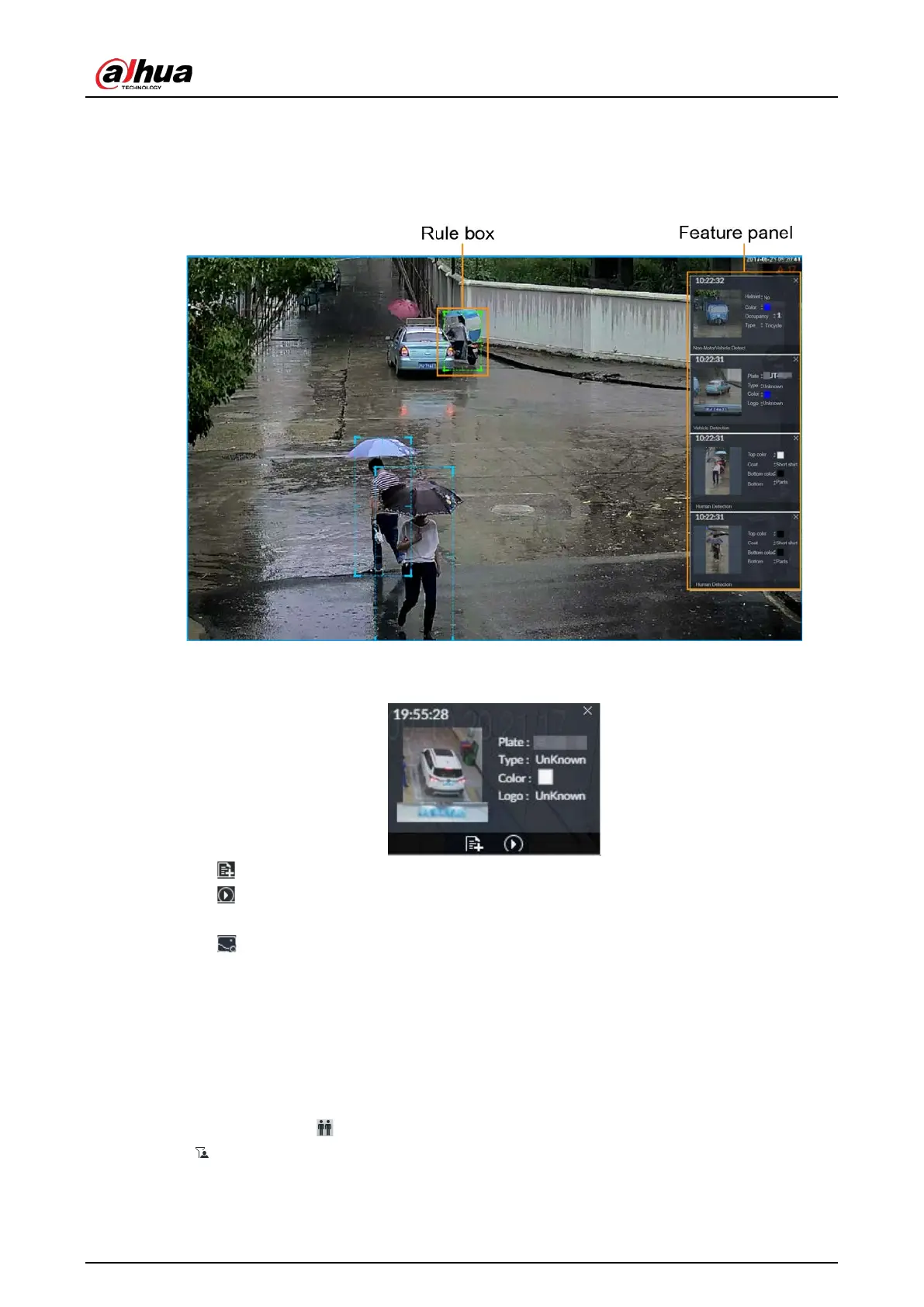
Rule box is displayed in real-time in the video image. Different detection targets correspond to
different colors of rule box.
●
Features panels are displayed on the right side of the video image.
Figure 6-76 Live
Point to the features panel, and the icons are displayed.
Figure 6-77 Icons (vehicle detection)
●
Click to add plate information to plate database.
●
Click , or double-click the detected image to play back the video record (10 s before and after
the snapshot).
●
Click to search for similar targets in the history videos.
6.5.3.3 Detection Statistics
View the detection statistics of human, motor vehicle and non-motor vehicle.
6.5.3.3.1 Human
On the LIVE page, click .
Click , and then select Snap With Face and Snap Without Face. The information of detected
human and face is displayed.


 To Next Page
 Loading...

