User's Manual
270
All configurations are lost after factory default operation.
Procedure
Step 1 Log in to the PC client.
Step 2 On the home page, select
Maintain
>
Manager
>
Default
.
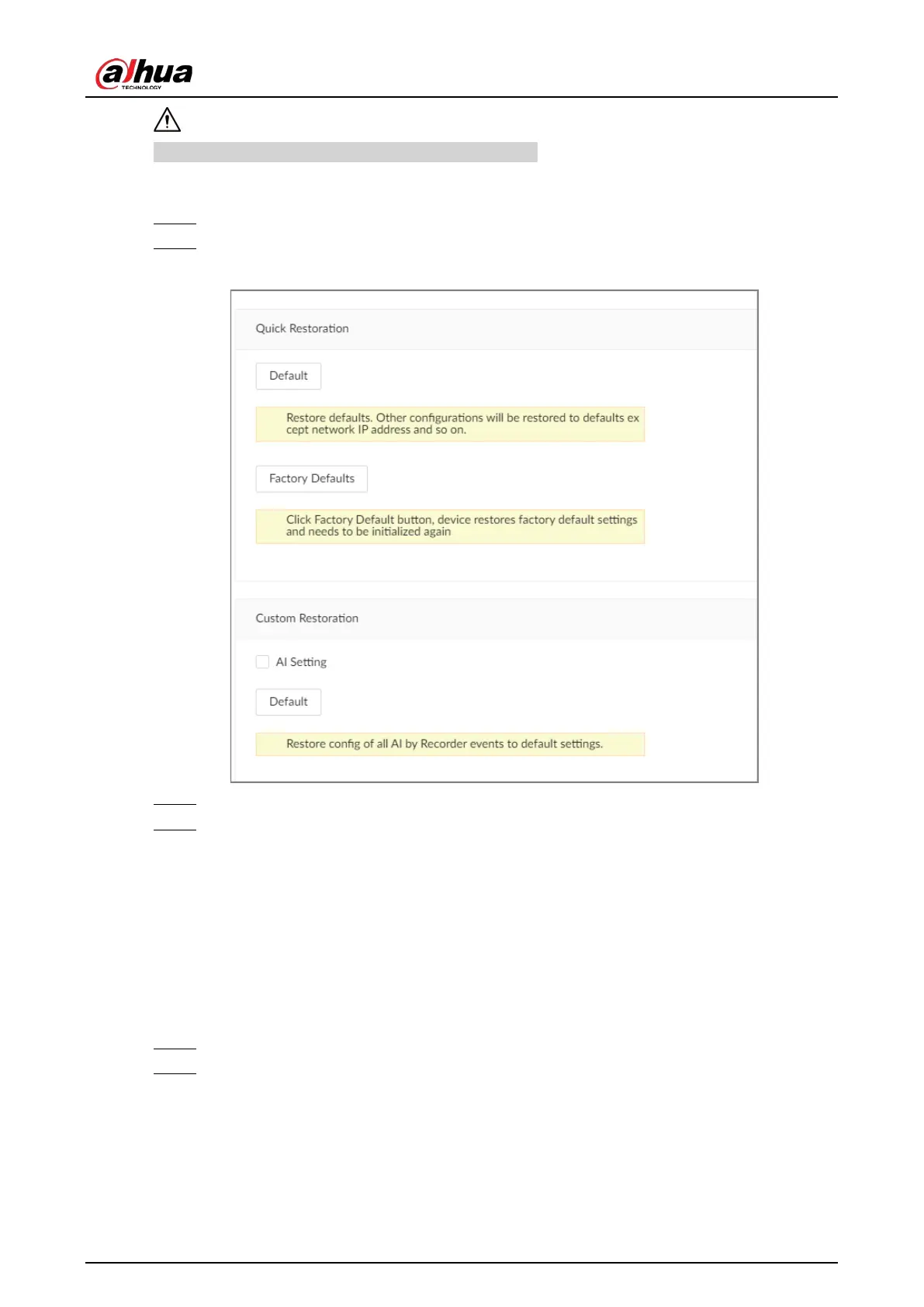
Figure 9-11 Default
Step 3 Select a method between
Quick Restoration
and
Custom Restoration
.
Step 4 Click
OK
.
The system begins to restore default settings. After that, the system prompts you to restart
the Device.
9.8.3 Automatic Maintenance
If the device has run for a long time, you can set the Device to automatically restart at idle time.
Procedure
Step 1 Log in to thee PC client.
Step 2 On the home page, select
Maintain
>
Manager
>
Maintenance
.


 To Next Page
 Loading...

