User's Manual
160
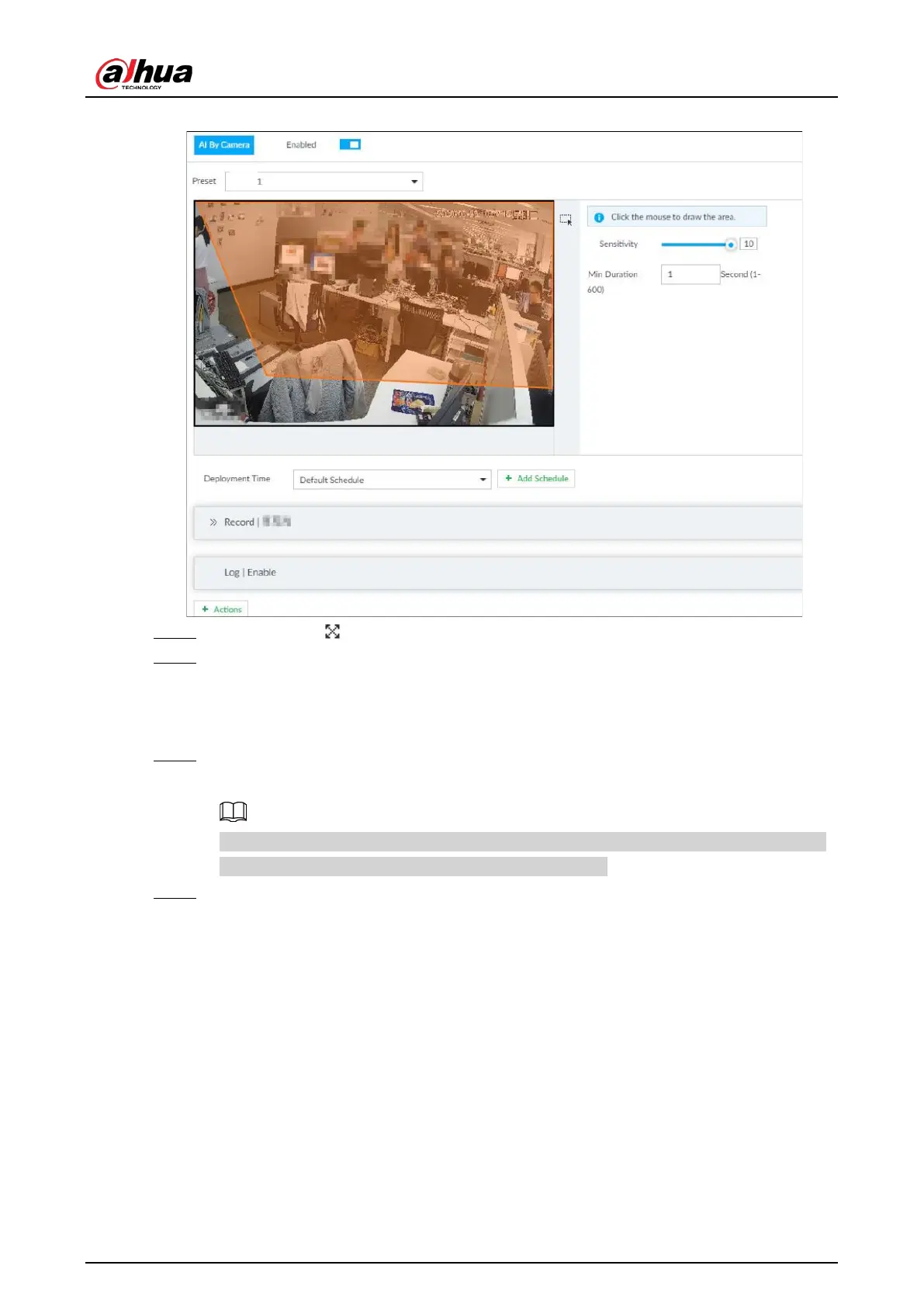
Figure 6-135 Configure call alarm
Step 5 Click and drag to adjust the size of the detection area (yellow area).
Step 6 Set Sensitivity and Min Duration.
●
Sensitivity: The higher the
Sensitivity is, the easier the call action is detected.
●
Min Duration: The minimum duration the call action lasts. If the call action still lasts
after the
Min Duration, the system will trigger an alarm.
Step 7 Click Deployment Time to select a schedule from the drop-down list.
System triggers corresponding alarm actions only during the alarm deployment period.
You can select an existing schedule from the Deployment Time drop-down list. You can
also add a new schedule. For details, see "8.8.4 Schedule".
Step 8 Click
Action to set alarm action. See "8.4.1 Alarm Actions" for detailed information.
6.10.3 Live View of Call Alarm
Log in to PCAPP. On the LIVE page, open a view that contains the call alarm detection channel. The
call action is highlighted in red when the alarm is triggered.


 To Next Page
 Loading...

