User's Manual
56
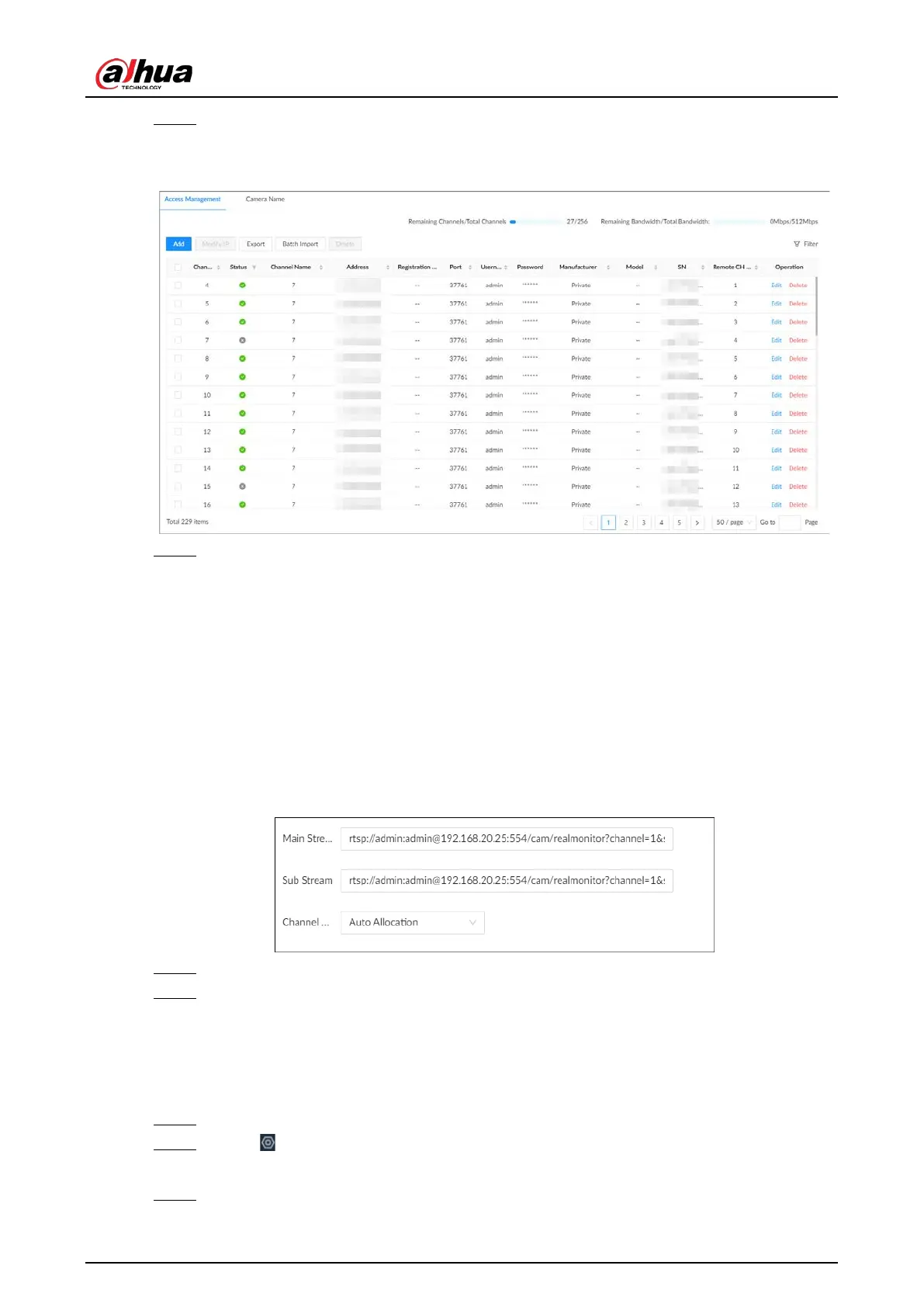
Step 3 Under the
Access Management
tab, click
Add
.
You can also click
Add
under the device tree.
Figure 5-15 Access management
Step 4 Under the
RTSP
tab, enter the RTSP address.
The RTSP address format is rtsp://<username>:<password>@<IP
address >:<port>/cam/realmonitor?channel=1&subtype=0. For example,
rtsp://admin:admin@192.168.20.25:554/cam/realmonitor?channel=1&subtype=0.
●
Username: Username of the remote device.
●
Password: Password of the remote device.
●
IP address: IP address of the remote device.
●
Port: 554 by default.
●
Channel: The channel number of the stream media device to be added.
●
Subtype: Stream type. 0 for main stream, and 1 for sub stream.
Figure 5-16 RTSP
Step 5 Select a channel No.
Step 6 Click
OK
.
5.5.2.4 Batch Add
Procedure
Step 1 Log in to the PC client.
Step 2 Click on the upper-right corner of the page and then click
Access Management
.
You can also click
Access Management
from the configuration list on the home page.
Step 3 Under the
Access Management
tab, click
Add
.


 To Next Page
 Loading...

