User's Manual
148
6.8.3.3.1 Editing Vehicle Information
Step 1 Point to the database, and then click .
Step 2 Modify vehicle information according to actual needs.
Step 3 Click OK.
6.8.3.3.2 Copying Vehicle Information
Copy the vehicle information in a database to another database. You can only copy and apply the
vehicle information to a database of the same type. For example, vehicle information in a blocklist
database can only be copied to another blocklist database.
Step 1 Point to the database, and then click .
●
Multiple vehicle information can be selected at a time.
●
Select
All to select information of all vehicles on the page.
Step 2 Click .
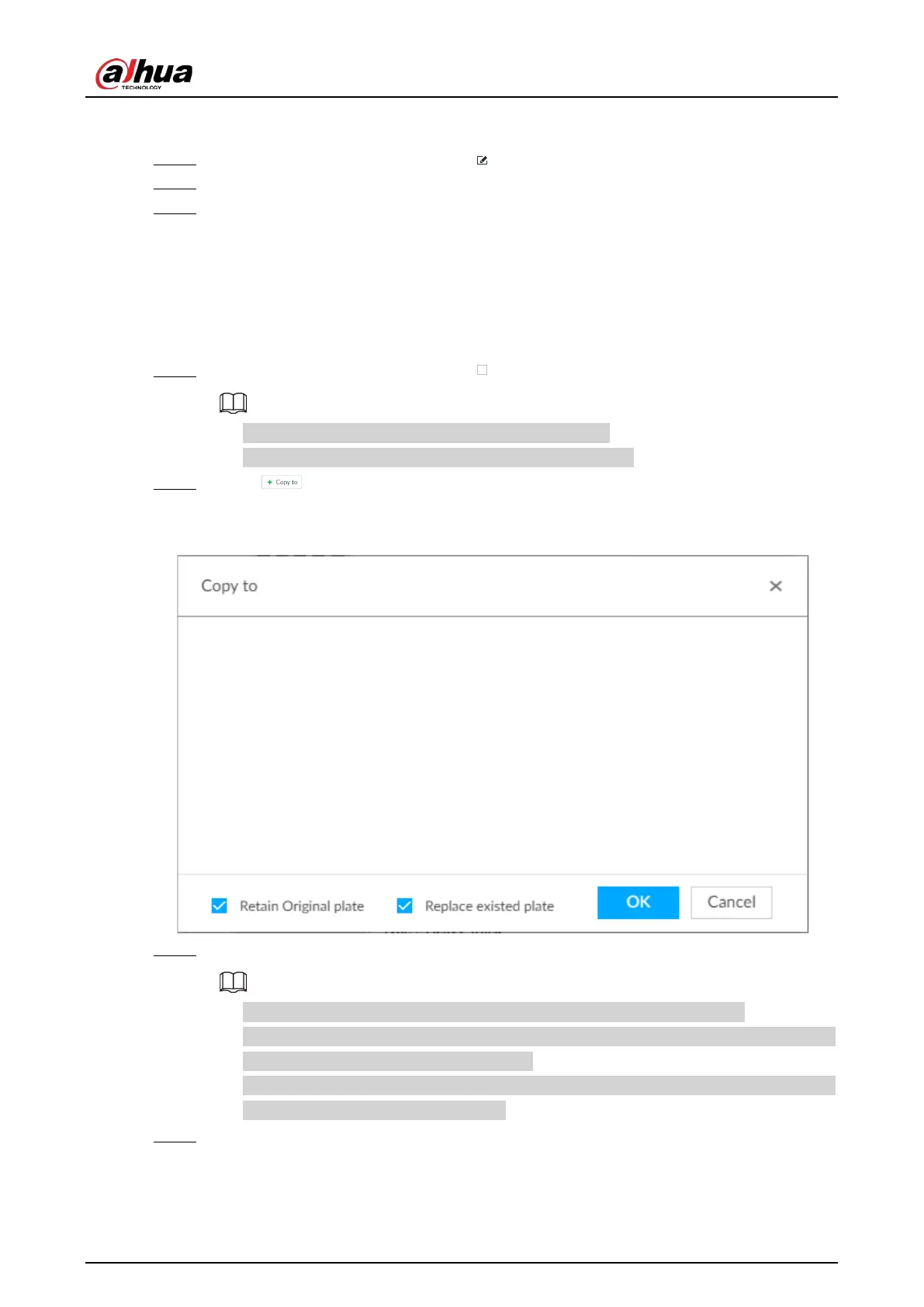
The Copy to page is displayed.
Figure 6-120 Copy to
Step 3 Select the target database.
●
Multiple databases can be selected at a time. Blue means already selected.
●
Select
Retain Original plate: When the same plate is detected, the vehicle information
in the target database will not be replaced.
●
Select
Replace existed plate: When the same plate is detected, the vehicle information
in the target database will be replaced.
Step 4 Click
OK.



 To Next Page
 Loading...
