User's Manual
74
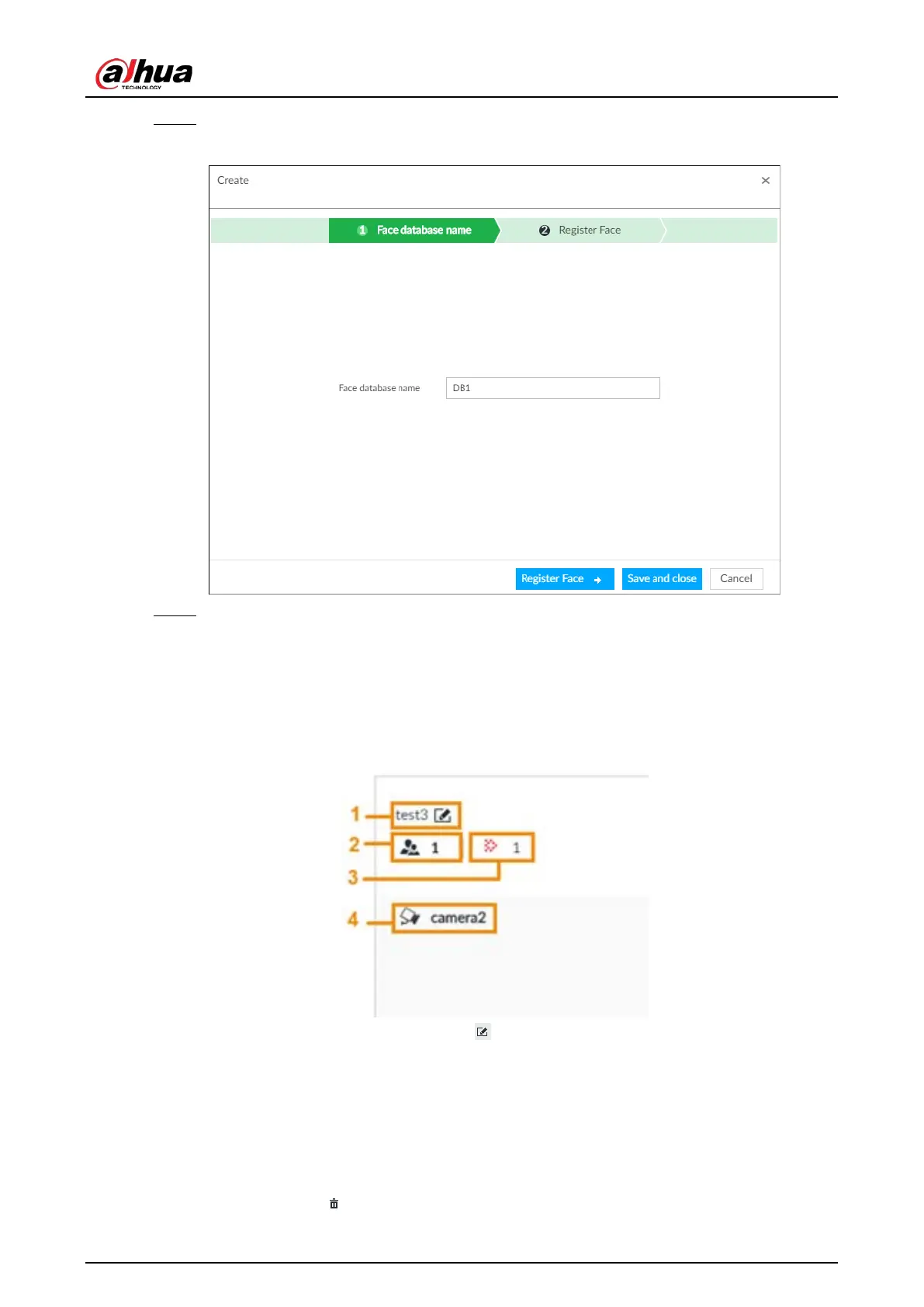
Step 4 Enter Face database name.
Figure 6-22 Create a face database for remote devices
Step 5 Click Register Face or Save and close.
●
To add faces into the database, click
Register Face. For details, see #d1415e7a1026.
●
To save and exit, click Save and close.
Related Operations
●
View face database details and status.
Figure 6-23 Face database
◇
1: Face database name. To modify, click .
◇
2: Number of face images in the face database.
◇
3: Number of face images that failed to abstract. For details about face abstracting, see
"6.3.3.4.5 Human Face Abstract".
◇
4: Face recognition devices associated to this face database.
●
To arm the face database, see "6.3.2.4 Configuring Face Recognition (by Camera)".
●
To delete face databases:
◇
One by one: Click .


 To Next Page
 Loading...

