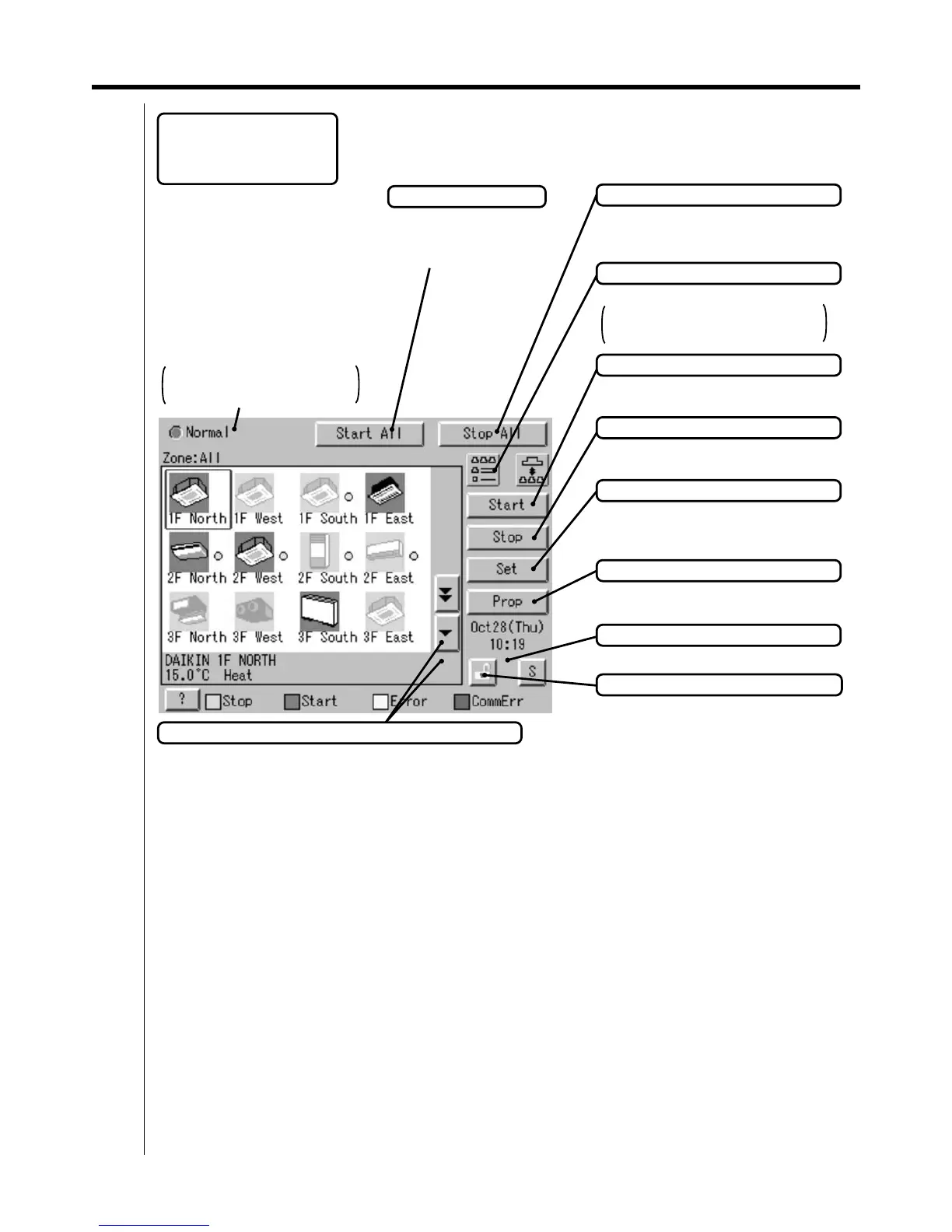
94 1.2 Part Names on the Monitoring Screen and the Functions
intelligent Touch Controller
When operation is normal and any
air conditioner is in operation:
Red/Normal
When operation is normal and all air
conditioners are in stoppage:
Green/Normal
When there is any air conditioner
generating an error:
Yellow/Abnormal
When there is any air conditioner
with communication error:
Blue/Abnormal
Change in color of Start/Stop is
possible by Iconcolor Settings in
System Settings.
Start All Button
Button to collectively start
all the air conditioners
connected to intelligent
Touch Controller.
Stop All Button
Button to collectively stop all the air
conditioners connected to intelligent Touch
Controller.
Display Mode Selection
Select the mode among icon/list/detailed icon.
Displayed is List in the right figure.
List display in P96.
Detailed icon display is P95.
Group/Zone Start Button
Button to start operation of the group/zone
selected.
Group/Zone Stop Button
Button to stop operation of the group/zone
selected.
Group/Zone Set Button
Makes settings (temperature setting,
temperature control mode, etc.) and
display of the group/zone selected.
Current Time Display
Shows the current date and time.
Group/Zone Prop Button
Detailed display of the group/zone
selected
Lock Setting/Cancel Button
Displays possibititiy of monitor operation.
Scroll Buttons
Up/Down scroll button used when monitoring zone/group which are not currently displayed.
Left/Right scroll button used when monitoring temperature and errors etc.
Which are not currently displayed.
EM04A055A
Display for Collective
Monitoring of Air
Conditioners Connected to
intelligent Touch Controller



 To Next Page