192 3.7 Setting group No. for centralized control
intelligent Manager
3.7 Setting group No. for centralized control
1P177853B
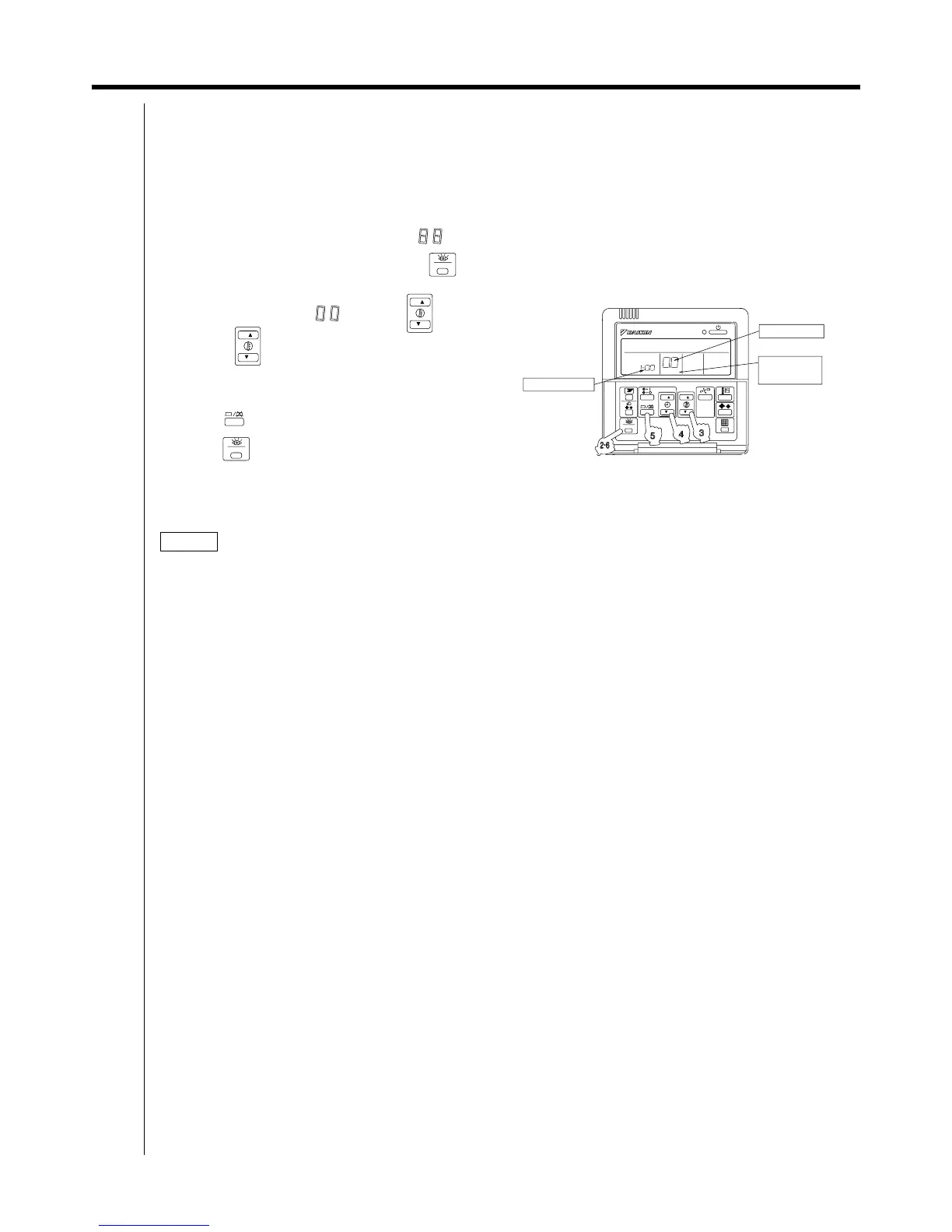
(Group numbers increase in the order of
1-00, 1-01, · · · 1-15, 2-00, · · · 8-15)
(5) Press " " to set the selected group No.
(6) Press " " to return to the NORMAL MODE.
NOTICE
Be sure to keep the operation manual for maintenance.
Set the group number of each group of the indoor unit from the remote controller. (In case of no remote
controller, also connect the remote controller and set the group No. Then, remove the remote controller.)
(1) Turn ON the power of the indoor unit and intelligent Processing Unit.
(Unless the power is ON, no setting can be made.)
Check that the installation and electrical wiring are correct before turning the power supply ON.
(When the power supply is turned ON, all LCD appear once and the unit may not accept the operation
for about one minute with the display of " ".)
TEST
TEST
(2) While in the normal mode, hold down the " " button for a minimum of 4 seconds.
The remote controller will enter the FIELD SET MODE.
(3) Select the MODE No. " " with the " " button.
(4) Use the " " button to select the group No. for each group.
NOTE) · For details on making settings from the simplified remote controller, refer to the instruction manual of the unit.
· See the instruction manuals which came with the Ventiair and adapters (i.e., multi-purpose adapters) for
details on their Group No. settings.
FIELD SET
MODE
GROUP NO.
TEST
MODE NO.
SETTING



 To Next Page